Artificial Intelligence Agent Development with Prompt: Codeless AI Transformation With Command
Automatically translated
Artificial intelligence is no longer just producing text or visual; today it is possible to create agents that work on the user’s behalf, decide and perform workflows. Command is positioned as a platform that facilitates prompt-based user guidance and streaming design, offering a new generation of infrastructure. With Copilot and Nudges modules, both novice users and professional teams create a strong environment. The full way to install your AI agents before technical information is required here.
New Period of Agent Age
Artificial intelligence is not a technology that now only produces content, responds to questions. The models have become very step-by-step structures that can perform memory management, connect to vehicles, execute API calls, collect data and process them and produce results. At this point, the concept of “ajan” comes from one of the fastest growing areas of technology.
This conversion gave new needs for a wide audience from product teams to developers: faster, more accessible and more modular agent development tools. At this point, the Command approach is located in the center.
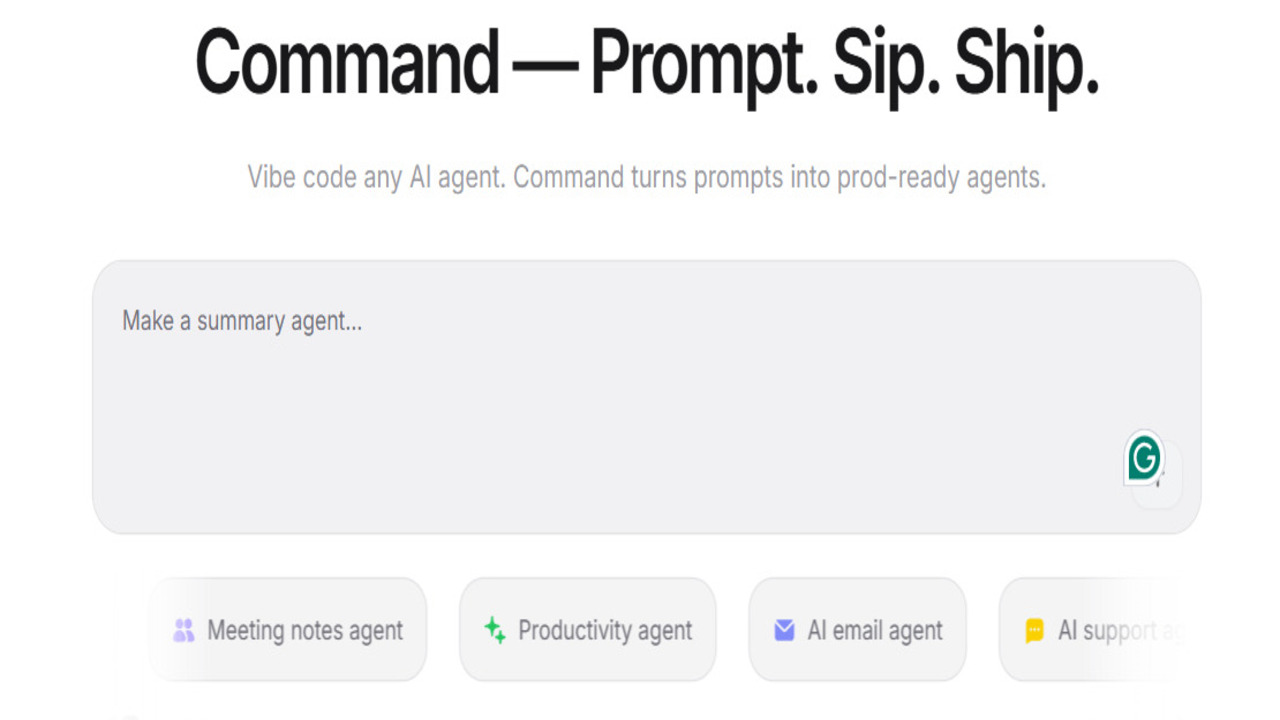
Prompt-based agent development trend has won momentum especially with the power gain of uncoded and less-coded solutions. Many companies prefer to develop functional agents that work only with the right prompt fiction rather than manage complex models. Command transforms the “prompt → agent” chain into a platform that simplifies the “prompt → agent” chain, even non-technical users to design agent in production quality. For users who want to produce artificial intelligence agent without market, complex SDK or long integration processes, such an intermediately needed.
Command’s working format is installed on producing user guidance and action recommendations and providing a flexible production environment with multiple LLM integration. As a result, both start-level users and product teams make their autonomous or semi-autonome agents in a short time.
What is the Command?
Command is defined as a comprehensive platform that makes it possible to create artificial intelligence agents without writing any code. This system provides a strong advantage especially for users whose technical knowledge is limited.
In addition, Command supports multiple LLM models in the same flow. So the developer can choose which model is more suitable for a specific task on the workflow basis. This feature offers an important flexibility for both cost control and performance optimization.
When the commands, connections, memory management and testing tools are combined, the Command creates a architecture that covers almost all the modern artificial intelligence agent development processes.
Command is not currently a full-scale, mature product; it is positioned as a platform that offers users early experience with a accessible demo version and modules in development. Command AI prompt architecture is one of the strongest components that distinguish the system from other classic productive artificial intelligence tools.
How Does Command Work?
The working principle of Command is extremely lean but strong mantıon:
- A prompt writer for the task of the user agent.
- Command automatically separates and converts lower tasks within prompt.
- Ardlight is placed in a business logic: such as data collection, memory record, processing, model selection, output production.
- The user tests this flow in real time.
- When the agent reaches enough performance, it is taken into production in one click.
This process occurs completely without code. Thus, a user can create a comprehensive artificial intelligence agent that is very stepless without any technical knowledge, connected to vehicles, working with memory, producing results.
Command’s Product Ecosystem: Copilot and Nudges
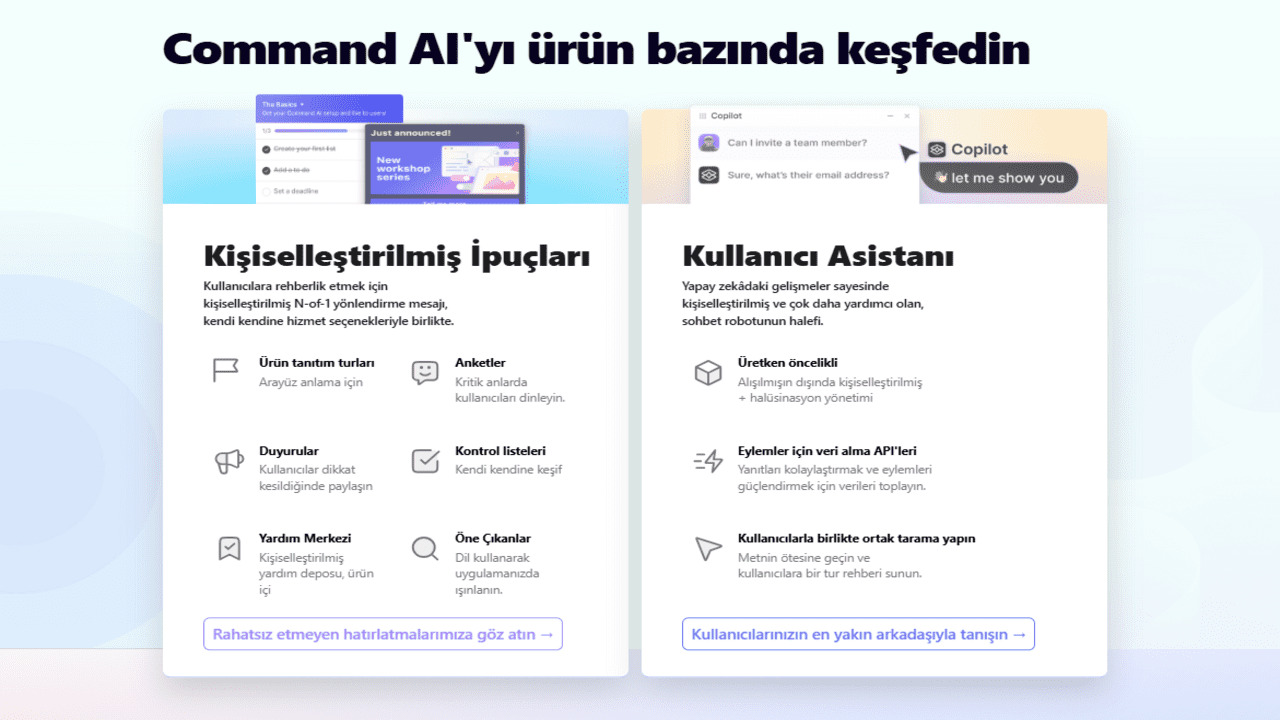
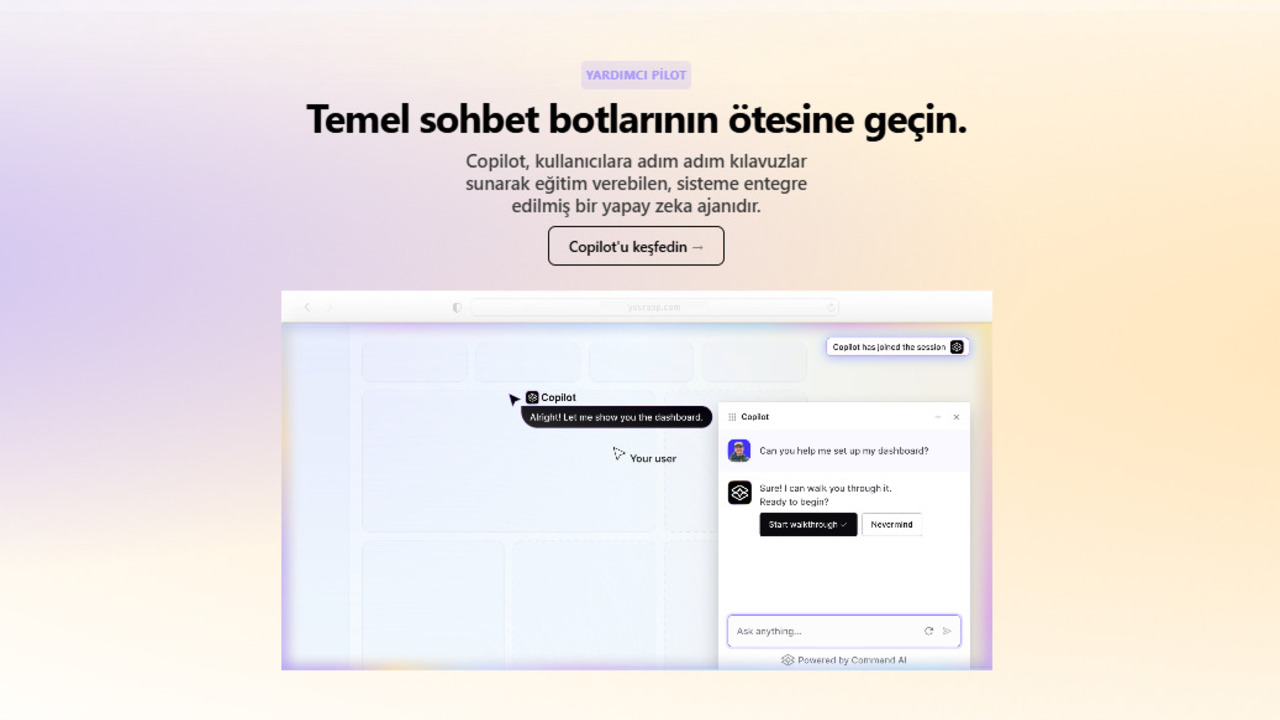
Command is installed on two main modules: Copilot and Nudges. These modules are two basic components that guide the user and make the agent design more efficient.
Command Copilot – Design Assistant
Copilot module sits the AI agent development process into a more system and controlled structure. Copilot is an artificial intelligence-supported design consultant in the platform. It analyzes users’ goals and provides guidance in the following processes:
- distinguishes the target by meaning.
- Which suggests the LLM model is more convenient.
- Determines the necessary vehicle integrations.
- There are recommendations for improvement by reviewing existing flows.
- Offers alternatives to create the most appropriate prompt structure to the user.
Copilot is a critical support mechanism especially for users without technical knowledge. The role of a nevi “specialist consultant” is undertaken and allows the agent to sit correctly.
Copilot a chat interface that only produces natural language responses ü not. When the user uploads certain information sources to the Command platform, Copilot these contents RAG – Retrieval-Augmented Generation (Back-Up-Backed Production) works with the process. This mechanism allows Copilot to understand the context deeper and produce more precise, consistent and relevant responses to the topic.
Copilot also has advanced engagement capabilities. Platform, Copilot's API Calls (API CallsTo do, Guide Tours (Guide Tours) trigger and various Tools/Integrations (Vehicles and Integrations) Supports connecting with the system. So Copilot is a “question-ceva p” acts like a real AI Agent by passing beyond the module.
This experience is managed entirely through Command AI Dashboard. Users can configure the behaviour rules of Copilot in the control panel, try the response quality in the test field and examine performance data on analysis screens.
Command Nudges – Artificial Intelligence Promoters
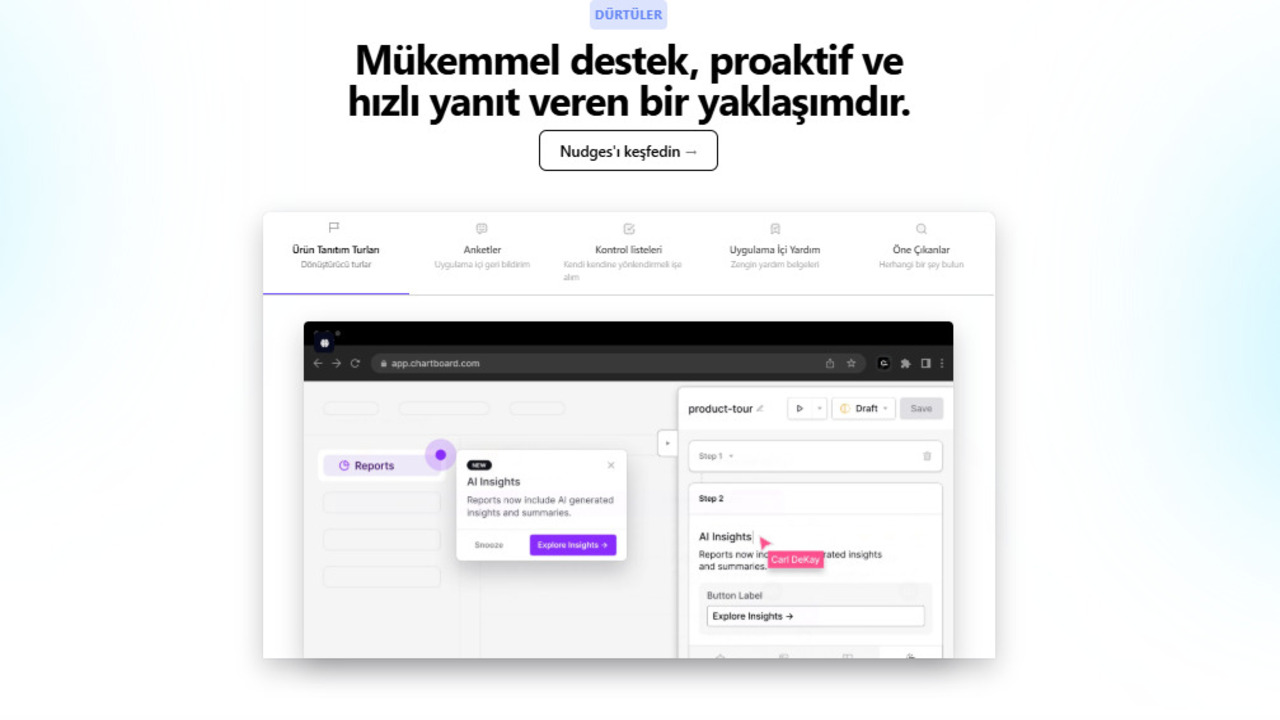
Nudges is the warning and improvement engine that redirects Command’s user. The agent detects errors during development and offers recommendations for a more efficient structure.
- Detects missing data steps.
- Fix inappropriate model selections.
This system minimizes performance loss as user captures potential errors in early stages without notice. Nudges plays a rather critical role in professional teams because the cost of errors in scale projects is high.
- Nudges not only simple alerts. There are several different types of Nudge on the platform:
- Tours (Turlar)
- Surveys
- Checklists (Control Lists)
These types are designed to provide information, routing and interaction to the user’s goal.
- Nudges can also be shown with Different Form Factors:
- Modal (Open Window)
- Popover
- Pin (Sabit Notification)
- Tooltip (Heat Balloon)
- Banner (Top/Alt Strip Notice)
The display mechanism is also flexible; Nudges both Proactive Triggers (Rule Based Auto- Triggers) automatically, with both User-Initiated Triggers (User Request Triggers) with manual call and Link-Based Triggers (Trigger Over Connection) can be opened by method.
Furthermore, Nudges not only provide instant notifications; it also becomes visible in the online discovering tools such as HelpHub and Spotlight to access users from later.
Command Use Areas
Command’s usage area is extremely wide. The architecture of the platform allows for the rapid development of feasible agent in many sectors:
- Order tracking for e-commerce, product proposal and automatic customer responses.
- Special support agents that produce answers with past records in customer service.
- SEO-compatible blogging in content production, product description creation, multi-format content generation.
- Welding screening and automatic summary removal in academic research.
Command’s multiple model structure and memory mechanisms make these usage areas much more efficient. For corporate teams, this means cost saving and operational speed.
Command AI Rivals
The segment with Command is growing steadily and has some strong advantages compared to competitors.
OpenAI GPT
- Easy to use Tags
- But block-based modularity limited Tags
- Vehicle/design control was not as flexible as Command Tags
Projects / Projects
- Logic execution very strong
- However, it requires more technical use
- Flexible in modular agent with prompt Tags
LangChain h
- Offers the highest flexibility for developers
- But it requires completely code
- does not appeal to the uncoded user
Dust/Relevance AI
- Offers option in uncoded agent
- But the Copilot style has no guidance
- Multi-LLM support is limited
Download Codex
- Strong code production capacity Share
- But only “producer encoder” Tags
- Not designing agent behavior, guiding user experience Home
- Copilot/Nudges does not offer product layer like
The Command separates the learning curve from its competitors with the Nudges structure that detects the Copilot system and errors in real-time.
The Advantage of Effective Agent Design Command with Prompt
Command has effective prompt design in the center of value proposal. approaches highlighted in the freeCodeCamp guide are directly compatible with the architecture of Command:
- Net and role-based prompts give more consistent results.
- The user can manage the system–user–assistant distinction by splitting blocks on the Command.
- Step-by-step thinking processes are strengthened with CoT (step-by-step reasoning).
- The agent with ReACT strategy both decides and uses tools.
This structure separates Command’s prompt-based design concept from competitors. When generating a single output on other platforms, the Command turns into a whole working logic.
Does Command Use Advantage?
News | Cons |
|---|---|
|
|
|
|
|
|
|
|
| |
| |
| |
|
Pricing
Command’s pricing structure is offered at two different levels. There are three general plans on the website of the platform: "Start Tags”, ““ for fast growing companiesGrowth““,” and “Company” plan. These plans identify who serves but the price is not indicated.
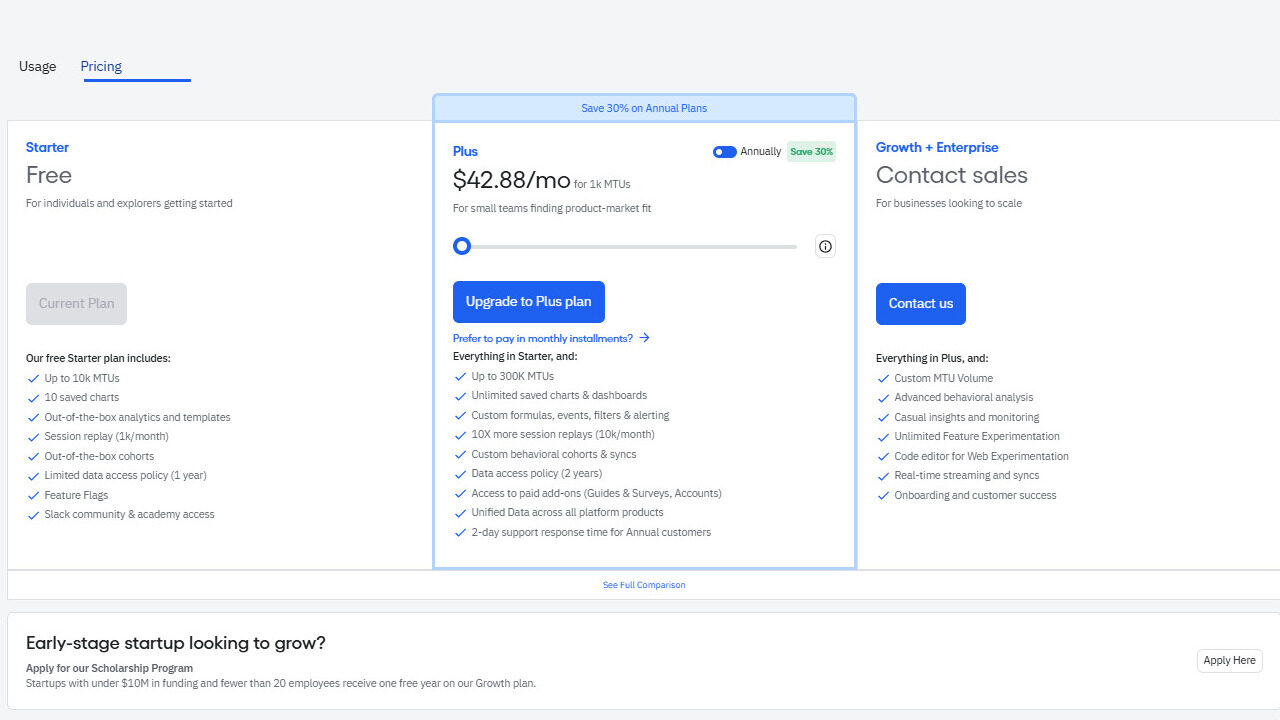
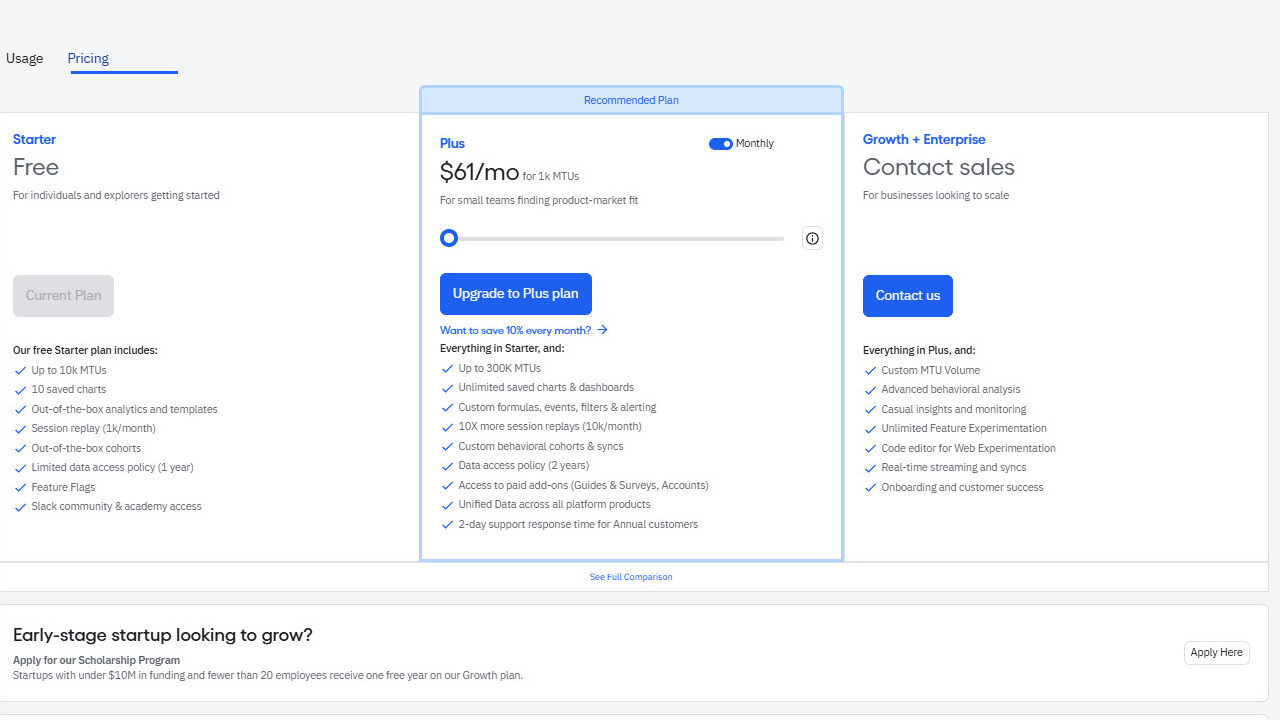
Real pricing is shown on the demo panel that users can access. Here are three options:
- Free – Free Plan: A limited entry level offered for basic use.
- Monthly: 61 USD for 1,000 MTU
- Annual: 42,88 USD for 1,000 MTU (about 30% download m)
As the amount of MTU increases, the total amount increases and the system offers scale up to 300.000 MTU.
- Enterprise (Logistic Plan): For corporate-scale use, price information is not shared and it is necessary to contact the company.
This structure provides flexibility for both individual users and growing teams and different usage levels for corporate companies.
What Does the Command Change?
Command sets a new standard in developing prompt-based AI agent. The platform, which provides design guidance with Copilot, detects micro-level errors with Nudges, is able to develop agent at production level without requiring technical skills.
In this period where agent technologies become increasingly critical, fast-learning, low-cost, strong and flexible uncoded solution makes Command one of the leading tools in the industry. The platform combines memory, task chain and vehicle integration required for modern LLM agent design in one center.
Yapay Zeka ile Sesi Yazıya Çevirme Dönemi


2026’da Ücretsiz Alabileceğiniz En İyi Tech Kursları