
Circle Website Builder 2026 Guide Home
Automatically translated
.added website creation feature platform. With this article, we will examine the functions of the Circle Website Builder 2026 guide system and the possibilities it offers comprehensively.

What is Circle.so?
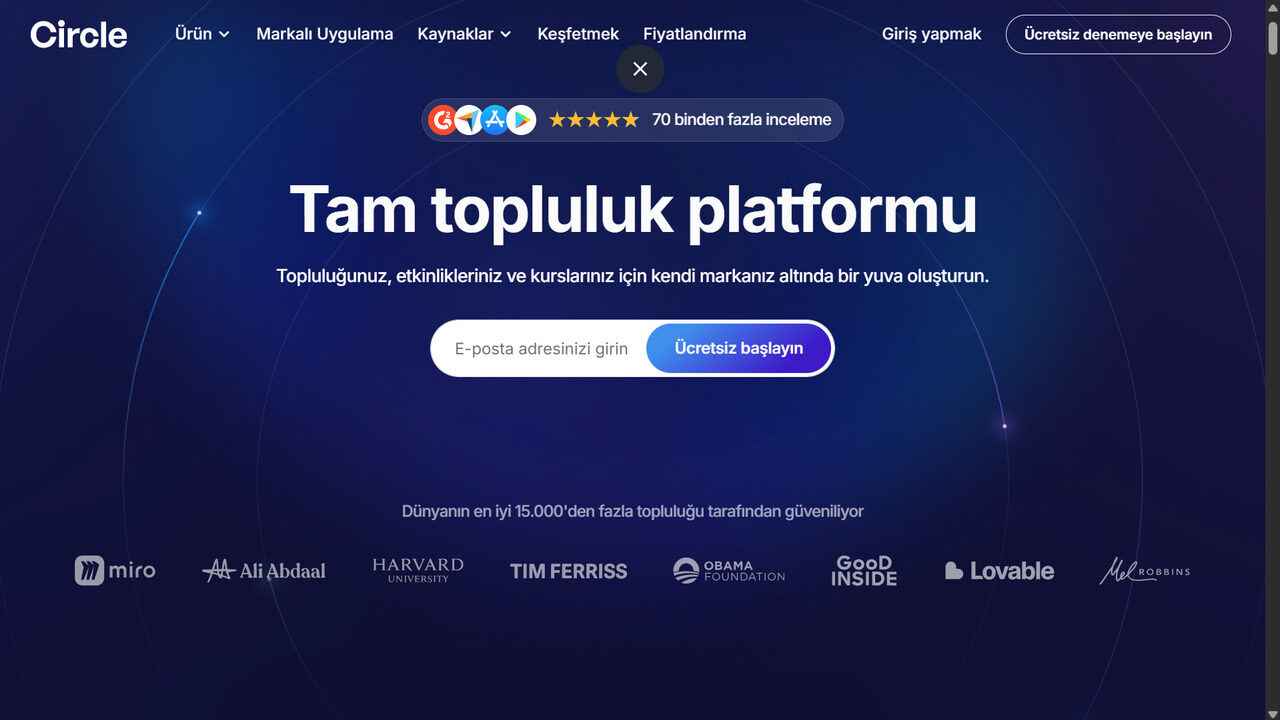
Circle. so is a versatile digital platform for versatile users. .Tags Offering a wide range of features from community management to course and event organization, AI-supported automations to email marketing and payment systems, all is a digital community platform. Users can customize their communities, improve interaction with gameization, strengthen workflows with integrations and grow revenues with branded applications.
Thanks to the new added web site creation feature, Circle.so offers not only a website building tool; all the features needed by content manufacturers, coaches and course managers as a community-oriented platform. This feature allows users to create an interactive and professional digital field especially in community-oriented projects.
The platform provides fast installation and management thanks to its intuitive interface and integrated tools, the basic functions such as content creation, marketing, analysis and workflows are also comprehensively supported.
Circle Website Builder 2026 Guide Home
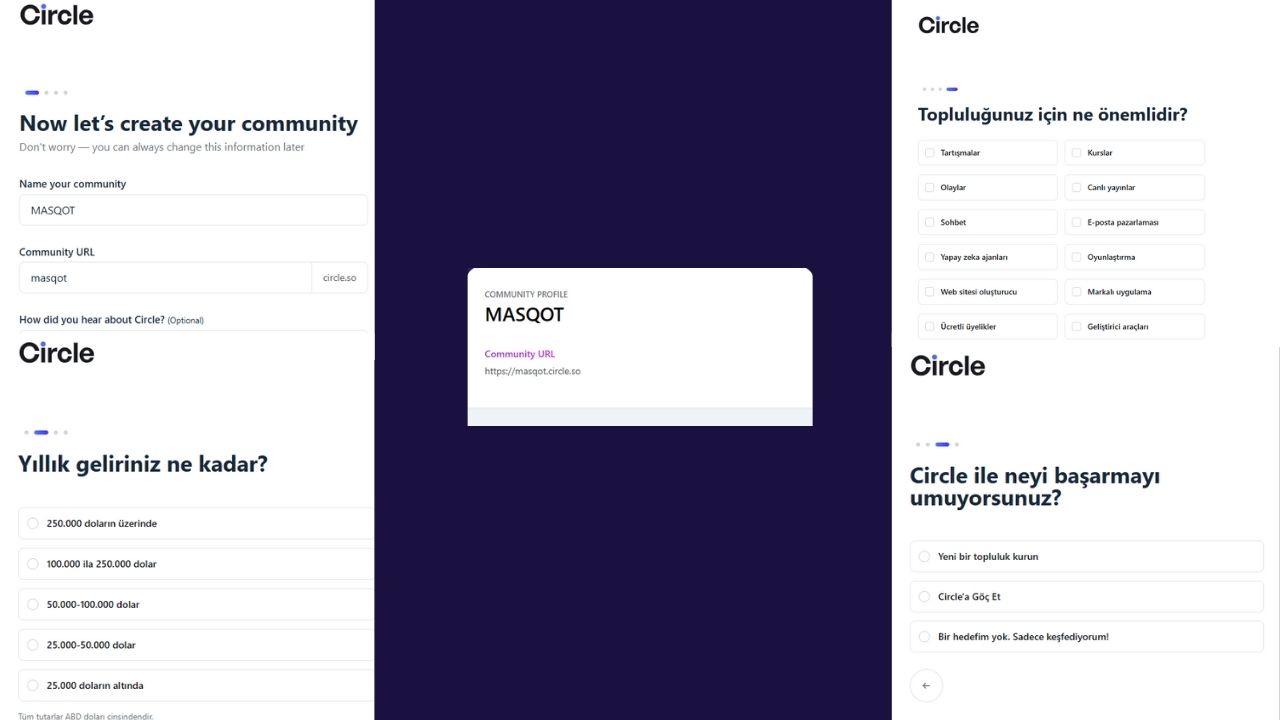
The main purpose of Circle Website Builder is to enable users to create not only the website but also create a community-oriented space. Registration process is simple and fast; it can be started with free account creation option. The platform is directed to some questions for the creation of the community’s “chemistry”: annual income prediction, as priority values for expectations and community from the platform.
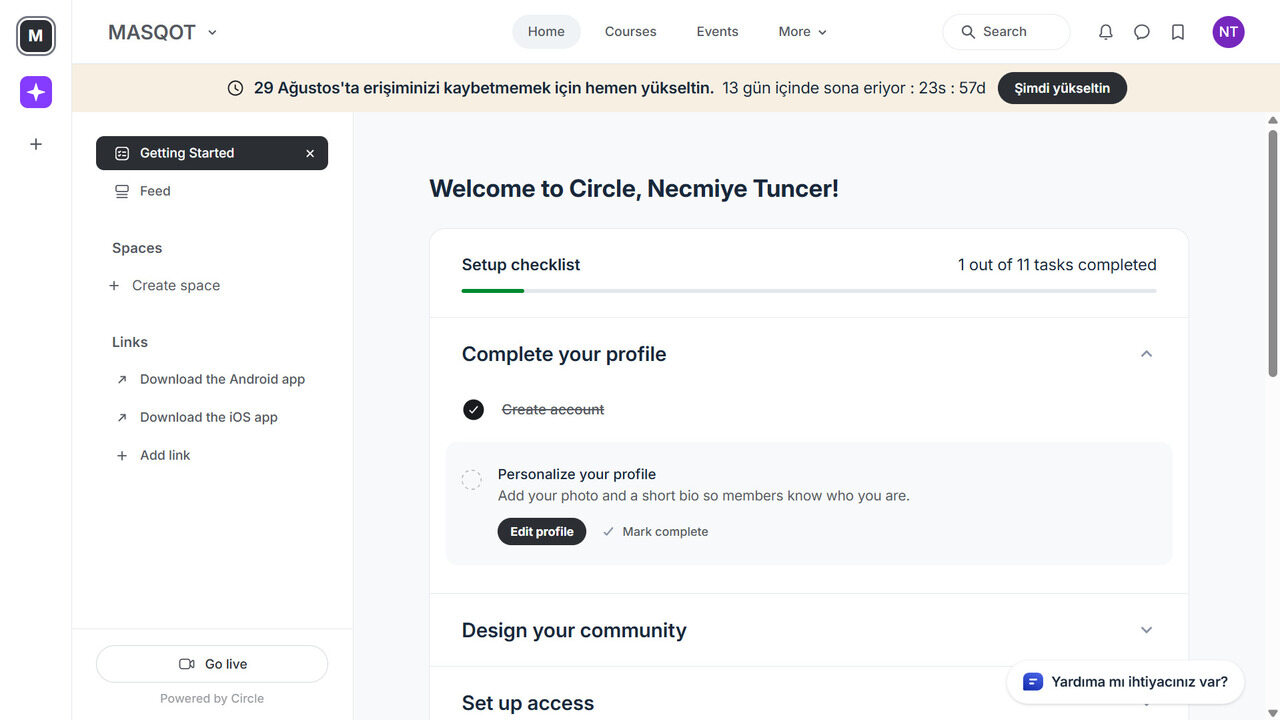
After the community ID is completed, the user is directed to the basic main screen. This screen is divided into four main sections as home, courses, events and more. The side contains logo and profile information for the user. The user can easily access the home page, profile and other sections.
Creating a website with Circle Website Builder is carried out quickly and in a few steps:
- Registration and community creation process is handled quickly with 4 questions.
- Basic page and screen layout provide easy access because it has a simple use.
- Post sharing, page publishing and event editing facilities are provided with content and event management.
- Thanks to advanced tools, it can be managed through one panel.
- As the last stage, the website is created with ready-made templates or new designs that can be created.
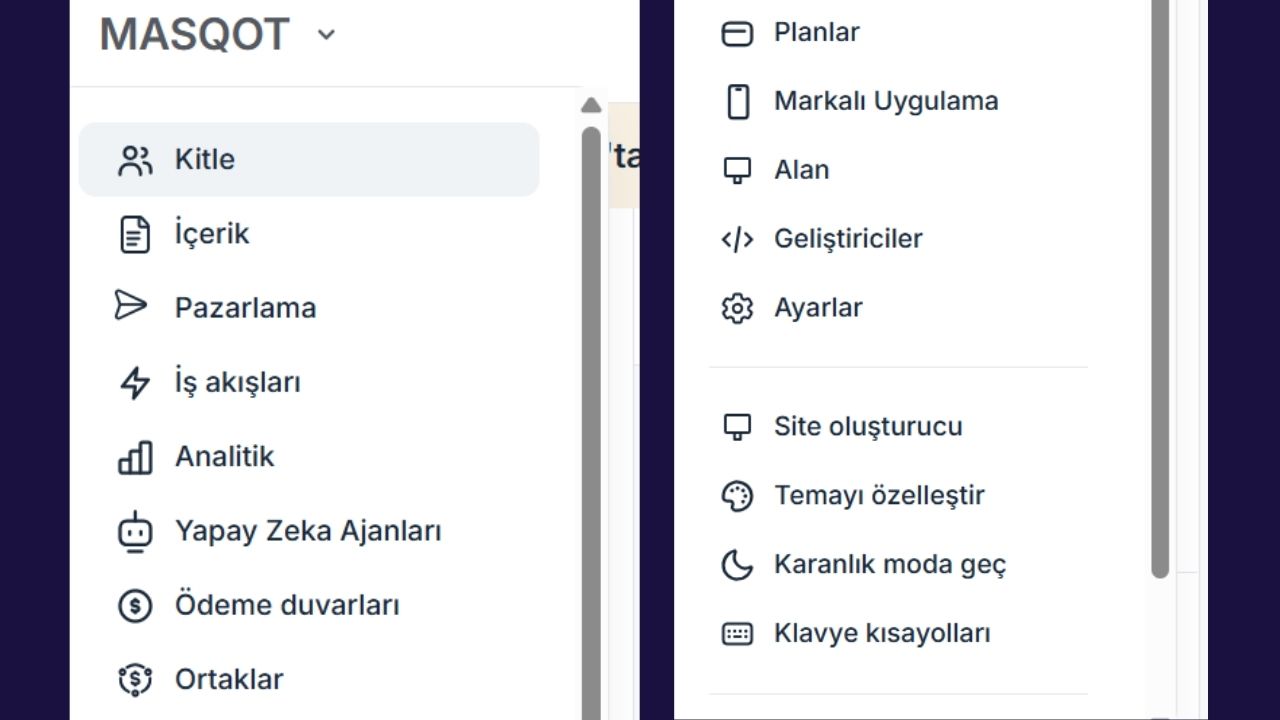
The platform supports content management, marketing, workflows, analysis, artificial intelligence agents, payment walls, partnerships, plan management, branded applications and developer tools through a single structure. In this way, users can create a comprehensive digital ecosystem, not only the website.
Page Creation and Draft Selection
- By clicking on the “New Page” button, you can choose one of the current drafts and display the previous version without installing the page with the pre-monitoring option.
- With the option “Start From” you can be designed completely unique pages and control the appearance of different devices (computer, tablet, phone).
Device Compatibility
- The website is arranged to optimize on different devices.
- Page layouts can be controlled separately according to computer, tablet and phone view.
Block and Element Management
- In page design, items such as header, text, visual, button, form can be added and editable.
- Monocular blocks and artificial intelligence-supported content blocks can be selected.
Design and Page Settings
- Colors, fonts, backgrounds and general style settings can be managed in design section.
- Page settings cover features such as SEO, URL structure, access permissions and dynamic access.
- Different menus and content access to members and visitors with dynamic access.
Content and Course Management
- Free links to courses and content on the Website can be presented.
- Private content access is provided after membership.
- Potential customer and membership capture opportunities are integrated.
Visual Creator
- Fast and effective visuals can be prepared for page content with visual creator located in Circle Website Builder.
Site Settings and Publishing
- Design settings can be controlled from column on the left side. These are blocks, elements, design, page settings and site security settings.
- On the right column, there is a panel for editor settings.
- When the page is completed, the steps to save from the top, preview and publish are applied.
Brand Application
- Circle.so mobile app works on iOS and Android devices and can be customized with special screens to brand.
- With instant notifications, community events and new posts can be monitored instantly.
Circle Website Builder Pricing Plans
Circle Website Builder offers three main plans: Circle Plus, Business (Business) and Professional (professional). Every plan is offered with monthly and annual payment options. More affordable pricing is made when annual plan is selected.
| Annual plan prices: |
| Circle Plus Plan: Special Pricing |
| Business Plan: 199 Dollar |
| Professional Plan: 89 Dollar |
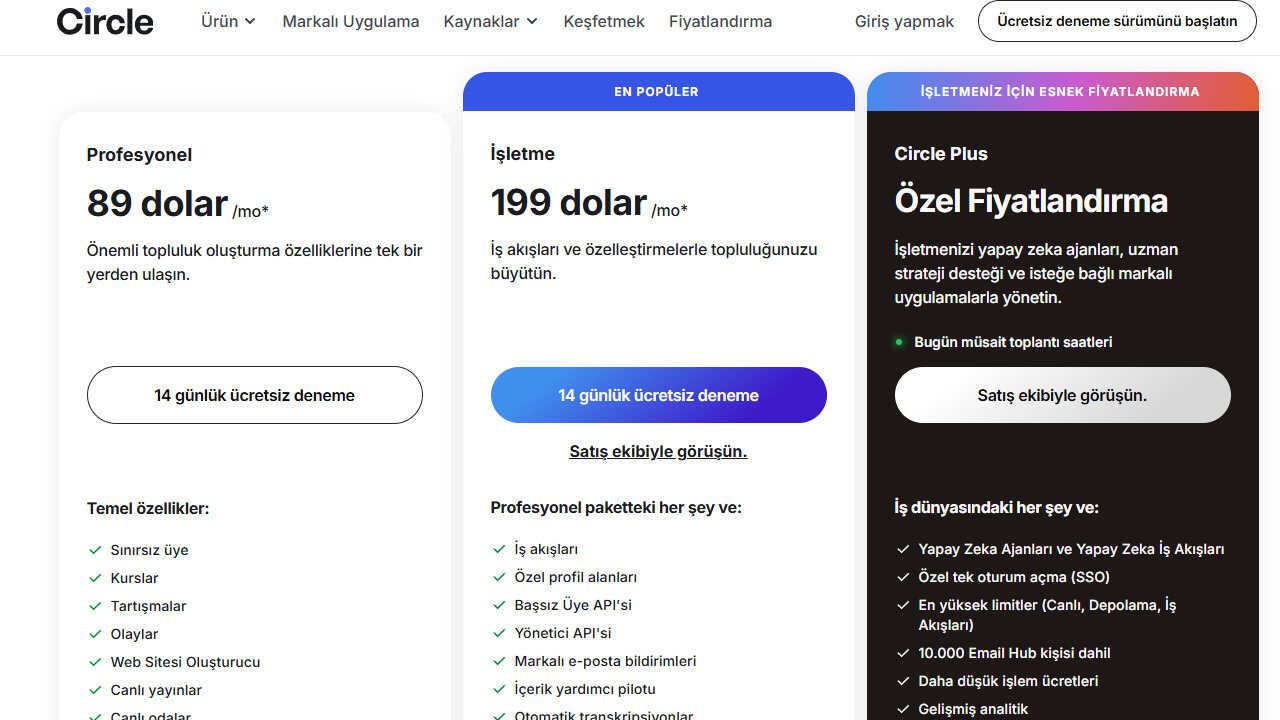
The platform also offers an interface that facilitates the comparison of plans. Thus, users can see the limits of their plans, priority support and additional features at one glance. Saves between 15%–30% in annual plans.
In the Circle Plus plan, the price is determined by special negotiations to the system, site and community. A service is available on the top of the standard.
Circle Website Builder Payment Methods
Circle Website Builder accepts all common credit cards in payments; can be paid directly with Visa, MasterCard and so on cards. The user is redirected to the payment screen quickly by entering card information in accordance with the selected plan and the payment process is completed. Annual plans are charged at one time and paid regularly every month in monthly plans. This flexibility provides advantage for users with different budgets.

Positive Directions of Circle Website Builder
- Community Oriented: Circle. so allows users to create an interactive community rather than just creating a website.
- Versatile: Content sharing, event planning, course management and analytical tools are offered on one platform.
- Quick Setup: The registration and community creation process can be completed within a few minutes.
- Flexible Plans: Monthly and annual payment options, plan comparison interface, saving.
- Easy Payment: Can be made fast and secure payment with common cards such as Visa, MasterCard.
- Simple User Interface: Main screen and panel layout enable users to access vehicles easily.
Negative Directions of Circle Website Builder
Circle Website Builder Group App negative aspects according to the review:
- Limited Customization in Page Builder: The current landing page format is fixed; it is not possible to move blocks or change the design layout.
- Advanced Marketing Tools missing: Count timers, reference blocks, price tables, potential customer forms and embedded videos are not supported.
- Lesson/Learning Tools Limited: Drop campaigns are not included on the platform, such as behavior-based automations and progress tracking; additional platform integration is required.
- No Custom Design and HTML/CSS Customization: It is limited to create completely original landing pages suitable for brand ID.
Did you know that you can create a website with artificial intelligence? “Create Your Own Website in 30 Seconds with Durable AI” You can also browse our article and get information about this topic.
Perplexity AI Nedir,Nasıl Kullanılır?


GPT 5.3 Instant: OpenAI ile Nanny AI Dönemine Elveda