




Circle Website Builder 2026 Guide
Automatically translated
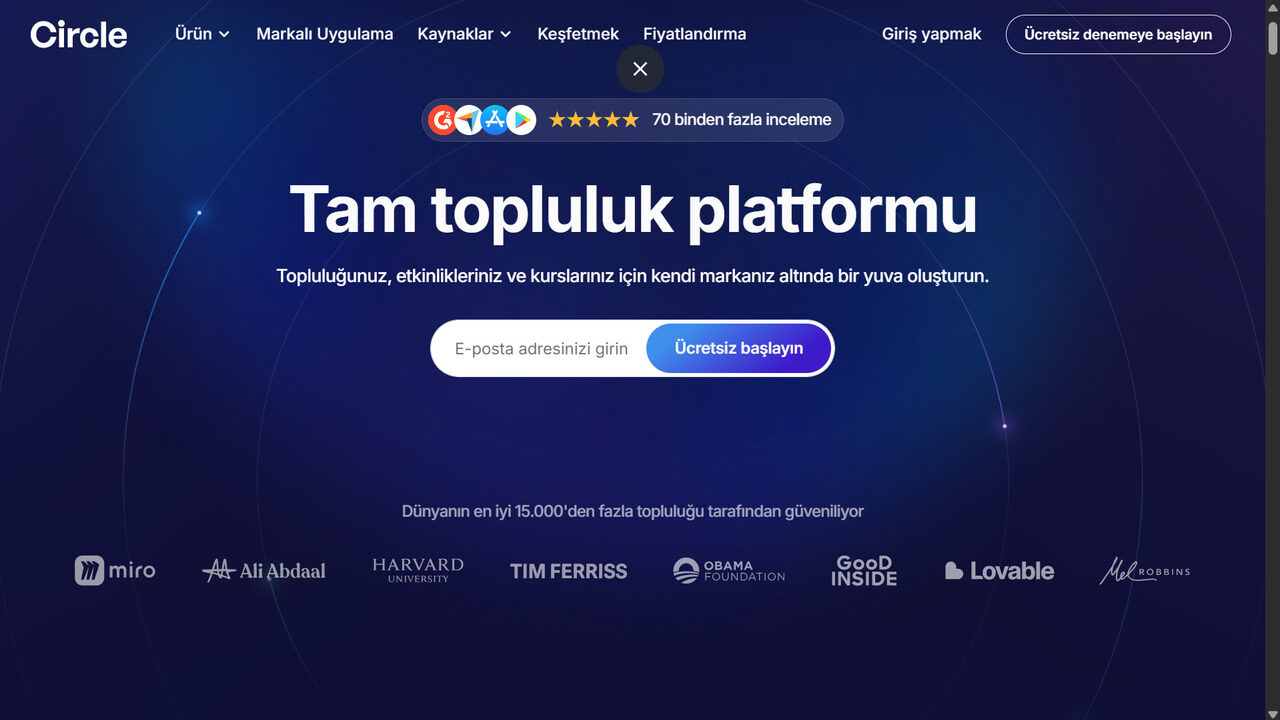
Circle.so has added website building to its platform. In this article, we will take a comprehensive look at how the system works and what it offers, as a Circle Website Builder 2026 guide.

What Is Circle.so?
Circle.so is a versatile digital platform for a wide range of users. Circle.so, is an all-in-one digital community platform that offers a broad set of features, from community management to course and event organization, from AI-powered automation to email marketing and payment systems. Users can customize their communities, increase engagement through gamification, strengthen their workflows with integrations, and grow their revenue with branded apps.
With its newly added website building feature, Circle.so is not just a website builder but a community-focused platform that brings together, under one roof, all the features that content creators, coaches and course managers need. This feature allows users to create an interactive and professional digital space, especially in community-focused projects.
The platform offers quick setup and management thanks to its intuitive interface and integrated tools, while also comprehensively supporting core functions such as content creation, marketing, analytics and workflows.
Circle Website Builder 2026 Guide
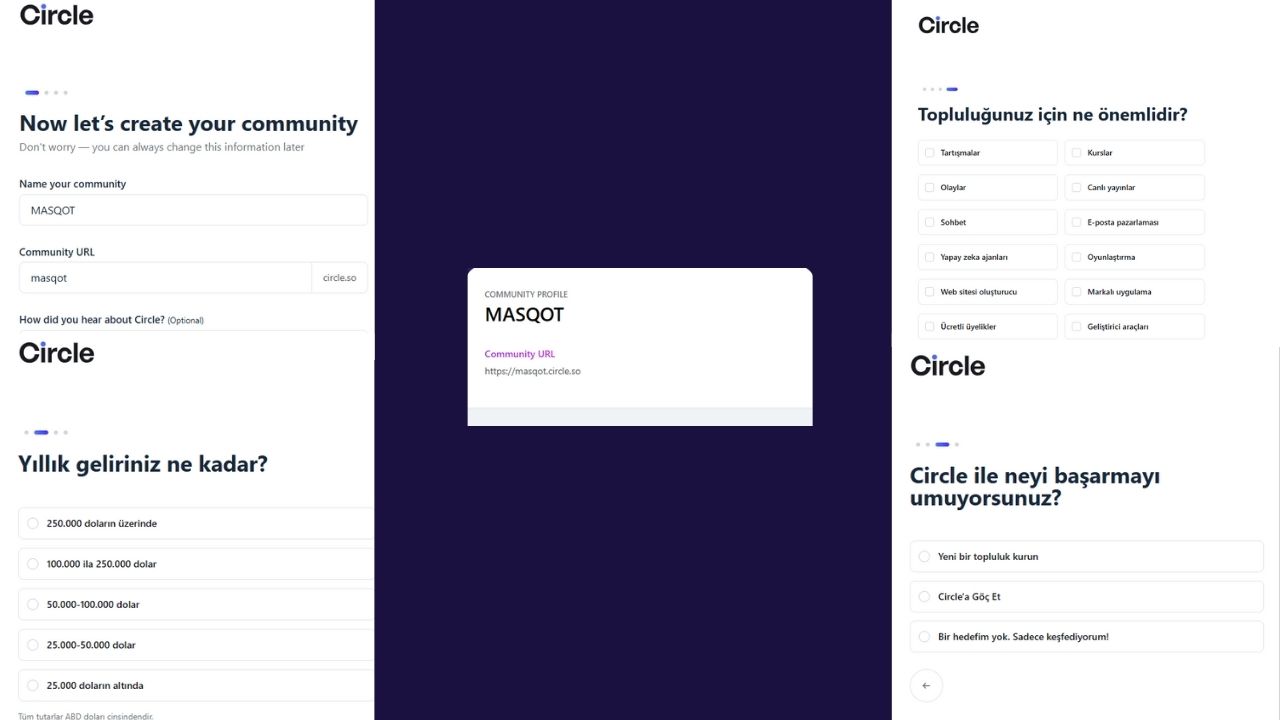
The main purpose of Circle Website Builder is to let users create not only a website but also a community-focused space. The sign-up process is simple and fast; you can start with a free account. The platform asks a few questions to help the community build its "identity": such as estimated annual revenue, expectations from the platform, and priority values for the community.
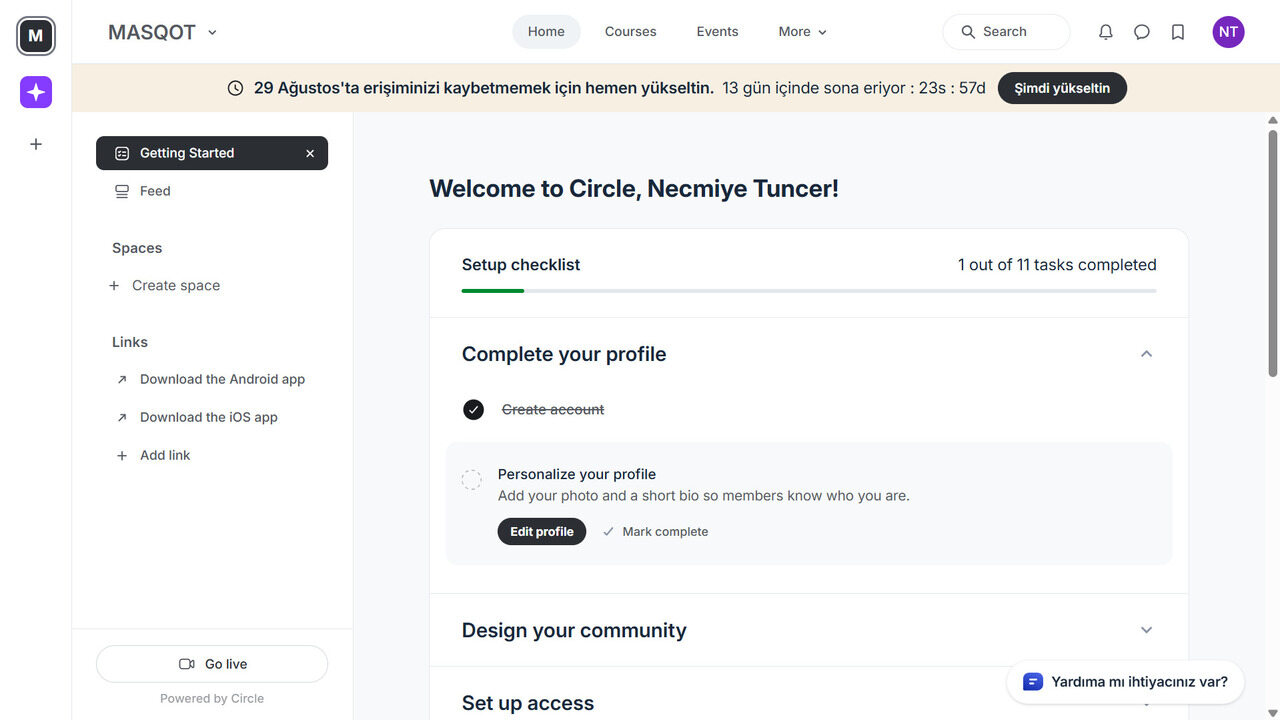
Once the community identity is complete, the user is taken to the main home screen. This screen is divided into four main sections: Home, Courses, Events and more. The user's logo and profile information appear on the side. You can easily access the home page, your profile and other sections.
Building a website with Circle Website Builder is quick and takes just a few steps:
Sign-up and community creation are completed quickly by building an identity with 4 questions.
The basic page and screen layout is simple to use, which makes access easy.
Content and event management provides post sharing, page publishing and event scheduling options.
Advanced tools allow management from a single panel.
As a final step, the website is built using ready-made templates or newly designed layouts.
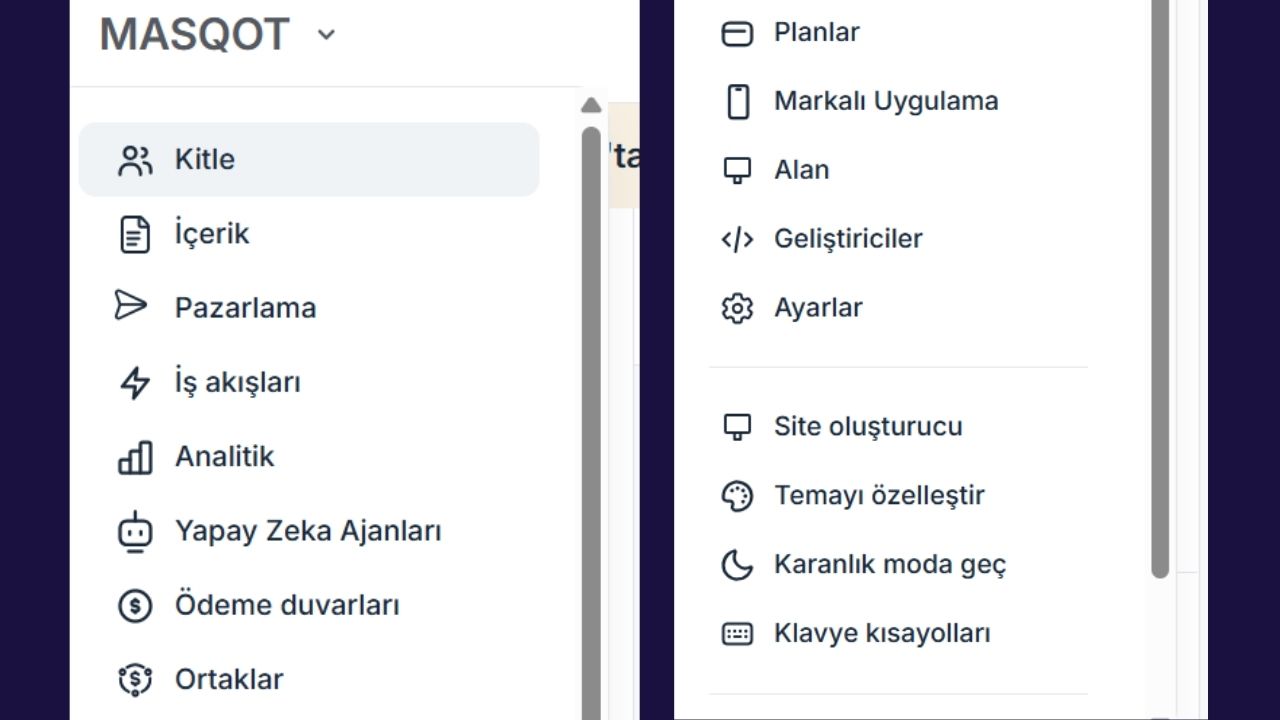
The platform supports content management, marketing, workflows, analytics, AI agents, paywalls, partnerships, plan management, branded apps and developer tools within a single structure. This allows users to build not just a website but a comprehensive digital ecosystem.
Page Creation and Template Selection
By clicking the "New Page" button, you can choose one of the existing templates and preview it before loading it onto the page.
With the "Start from Scratch" option, you can design completely original pages and check how they look on different devices (desktop, tablet, phone).
Device Compatibility
The website is arranged to be optimized for different devices.
Page layouts can be checked separately for desktop, tablet and phone views.
Block and Element Management
Elements such as headings, text, images, buttons and forms can be added and edited in page design.
You can choose between monocular blocks and AI-powered content blocks.
Design and Page Settings
Colors, fonts, backgrounds and general style settings can be managed in the design section.
Page settings cover SEO, URL structure, access permissions and dynamic access.
With the dynamic access feature, you can provide members and visitors with different menus and content access.
Content and Course Management
Free links to courses and content can be offered on the website.
Exclusive content access is provided after membership.
Lead capture and membership acquisition opportunities are integrated.
Visual Creator
With the visual creator included in Circle Website Builder, you can produce quick and effective visuals for page content.
Site Settings and Publishing
Design settings can be controlled from the column on the left. These are blocks, elements, design, page settings and site security settings.
The right column contains a panel for editor settings.
When the page is complete, the save, preview and publish steps are applied from the top section.
Branded App
The Circle.so mobile app works on iOS and Android devices and can be customized with brand-specific screens.
Push notifications let you track community events and new posts instantly.
Circle Website Builder Pricing Plans
Circle Website Builder offers three main plans: Circle Plus, Business and Professional. Each plan is offered with monthly and annual payment options. Choosing the annual plan provides more favorable pricing.
Annual plan prices: |
Circle Plus Plan: Custom Pricing |
Business Plan: 199 Dollars |
Professional Plan: 89 Dollars |
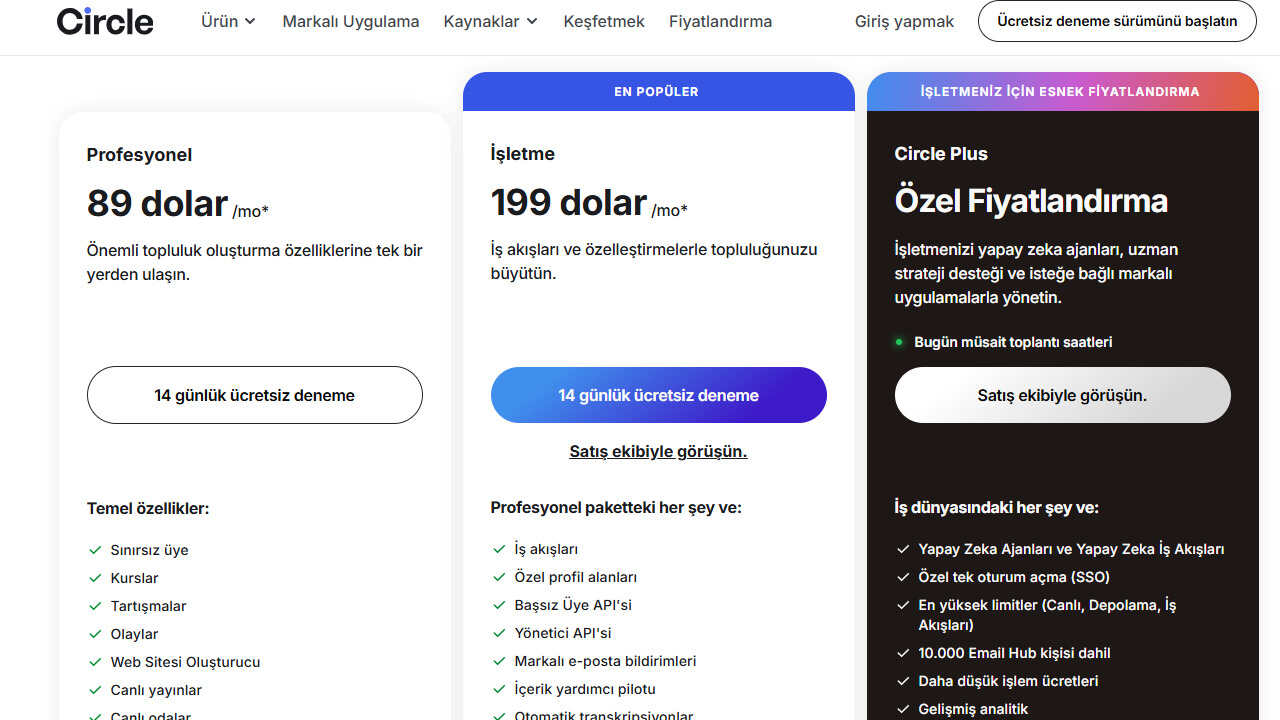
The platform also offers an interface that makes it easy to compare plans. This way, users can see plan limits, priority support options and additional features at a glance. With annual plans, savings of between 15% and 30% are possible.
For the Circle Plus plan, pricing is determined through discussions tailored to your system, site and community. The aim is to offer a service above the standard.
Circle Website Builder Payment Methods
Circle Website Builder accepts all major credit cards for payment; you can pay directly with Visa, MasterCard and similar cards. Based on the plan you choose, you enter your card details and are quickly taken to the payment screen, where the transaction is completed. Annual plans are charged in a single payment, while monthly plans are charged regularly each month. This flexibility is an advantage for users with different budgets.

Positive Aspects of Circle Website Builder
Community-Focused: Rather than only building a website, Circle.so allows users to create an interactive community.
Versatility: Content sharing, event planning, course management and analytics tools are offered on a single platform.
Quick Setup: The sign-up and community creation process can be completed within a few minutes.
Flexible Plans: Monthly and annual payment options, a plan comparison interface, and savings opportunities.
Easy Payment: Quick and secure payment is possible with common cards such as Visa and MasterCard.
Simple User Interface: The home screen and panel layout make it easy for users to access tools.
Negative Aspects of Circle Website Builder
According to the review by Group App, the negative aspects of Circle Website Builder are:
Limited Customization in the Page Builder: The existing landing page format is fixed; moving blocks or changing the design layout is not possible.
Missing Advanced Marketing Tools: Countdown timers, testimonial blocks, pricing tables, lead forms and embedded videos are not supported.
Limited Course/Learning Tools: Drip campaigns, behavior-based automations and progress tracking are not available on the platform; an additional platform integration is required.
No Custom Design or HTML/CSS Customization: Creating fully original landing pages that match your brand identity is limited.
Did you know you can create a website with AI? You may also check out our article "Create Your Own Website in 30 Seconds with Durable AI" to learn more about this topic.
If you want to look at a free option for tech communities, you can explore our community platform for tech communities page.
Perplexity AI Nedir,Nasıl Kullanılır?


GPT 5.3 Instant: OpenAI ile Nanny AI Dönemine Elveda


