




Firefly AI Assistant: Adobe Puts All Its Tools in One Place
Automatically translated
 Writer
Digital content production has undergone radical changes over the past few years. Good design alone is no longer enough; you also need to produce quickly, adapt content to different platforms, and keep doing it sustainably. This is where Firefly AI Assistant stands out as one of the technologies redefining content production workflows. Developed by Adobe, this system is a central intelligent production layer that manages the entire creative process.
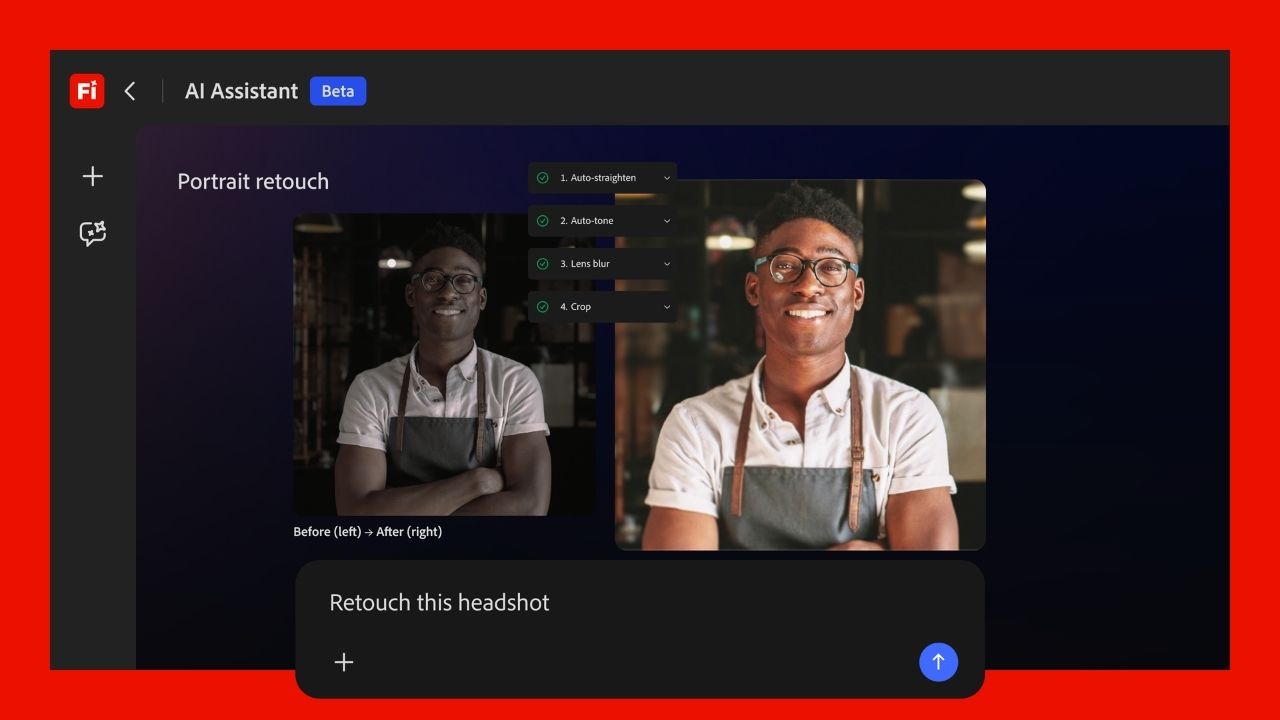
Many users still try to produce content by switching between different apps: separate tools for images, separate ones for video, and separate ones for text. Firefly AI Assistant removes this fragmented setup by bringing the whole process together in one place. This creates a significant advantage in both time and efficiency.
What Is Firefly AI Assistant?
Firefly AI Assistant, is an advanced AI assistant built on the Adobe Firefly infrastructure that handles text, image and video generation through a single command system. What sets it apart, however, is not just its ability to generate content, but its ability to understand, interpret and optimize the production process.
Classic tools do exactly what the user asks. Firefly AI Assistant, on the other hand, analyzes what the user wants to do, fills in missing points, and even suggests better alternatives. This turns it from a passive tool into an active work partner.
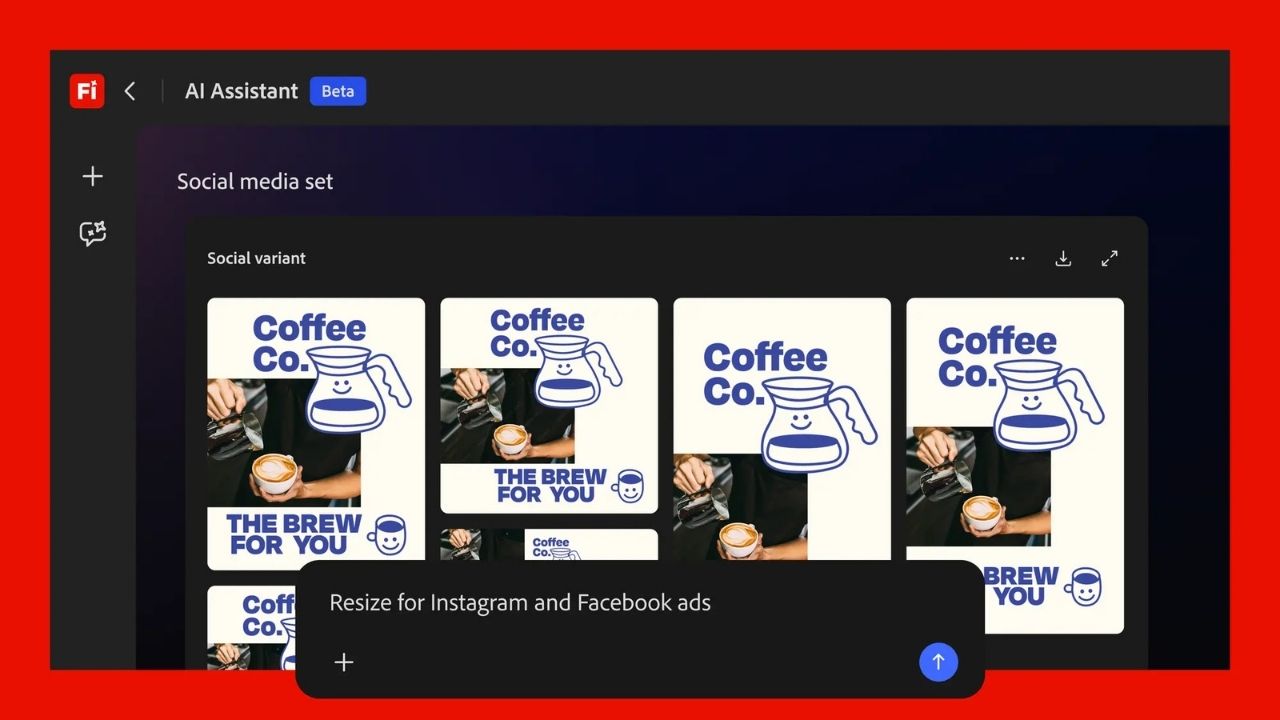
For example, when a user simply says 'Prepare a product video for Instagram', the system does not just create a video. It also analyzes the target audience, optimizes the video length, suggests attention-grabbing scenes, and produces output in a format suited to the platform.

How Does Firefly AI Assistant Work?
Firefly AI Assistant basically uses a multi-layered AI architecture, and this architecture is made up of a combination of several technologies.
The first layer is natural language processing. Commands written by the user are analyzed and their intent is decoded.
In the second layer, the generative AI engine takes over, and image, video or text generation is carried out.
The third layer is integration with the Adobe ecosystem. Thanks to this layer, the system automatically performs the necessary operations in the right applications. This process is invisible to the user. The user only gives a command and receives the result. Behind the scenes, however, a fairly complex production pipeline is running.
Adobe Creative Skills: All Tools in One Place
One of the most powerful aspects of Firefly AI Assistant is the Adobe Creative Skills structure. This system makes the capabilities of different Adobe applications modular and connects them to a single AI system.
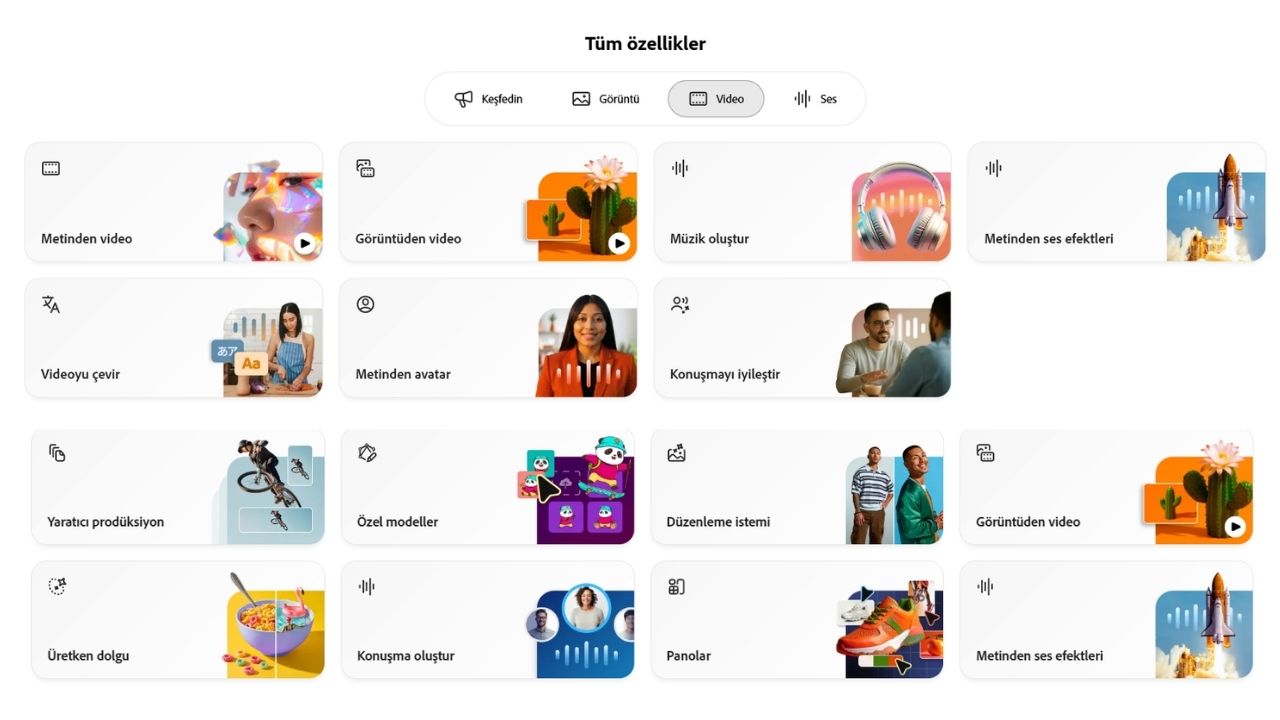
For example:
Adobe Photoshop is used for image editing
Adobe Premiere Pro takes over video editing
Adobe After Effects produces animations and effects
Adobe Illustrator manages graphic design workflows
Normally these tools work independently of each other, and the user has to keep switching between programs. With Firefly AI Assistant, however, these tools behave like a single system. Now the user no longer asks which program to use, but what they want to create. Within the Firefly ecosystem, you can also generate images with Nano Banana 2, in addition to Kling 3.0.
Kling 3.0 Integration
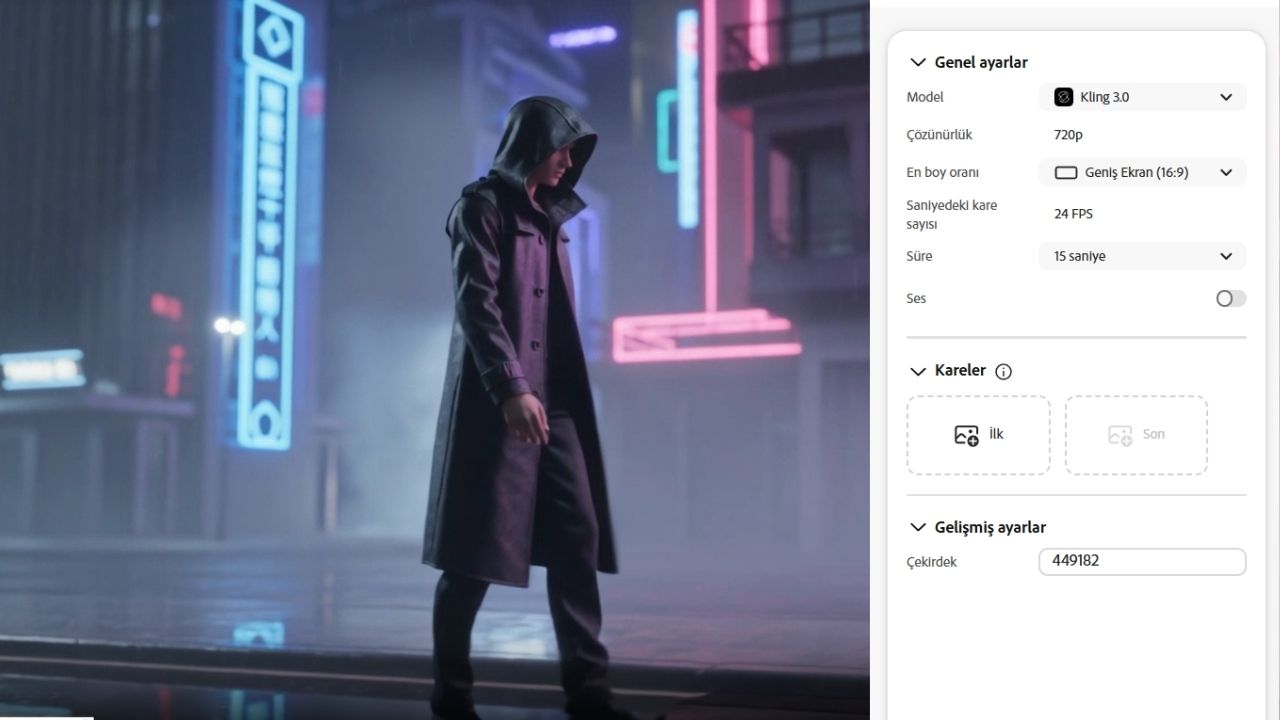
One of the most critical points of Firefly AI Assistant is the Kling 3.0 integration. With this integration, a large part of traditional video production, which involves several stages such as shooting, editing, effects and sound editing and takes considerable time, becomes automated.
Now users can create a video simply by describing the scene. For example, a command like 'a character walking through a city at night, with cinematic lighting' can turn into a realistic video within seconds. Moreover, these videos are not just simple animations; they follow physical rules, have a correct balance of light and shadow, and deliver professional-level output. Producing quality video without professional equipment or advanced technical knowledge is now possible.
Example prompts:
A cinematic scene of a futuristic city at night with neon lights reflecting on wet streets. A lone character slowly walks through the street holding an umbrella. Soft rain falls, realistic motion, shallow depth of field, dramatic lighting, film-like color grading, smooth camera tracking shot, ultra realistic, 4K quality.A fast-paced cinematic transformation video. Start with a normal street scene, then everything suddenly shifts into a futuristic cyberpunk city with neon lights, glowing signs, and rain. The transformation happens smoothly in layers, like reality is being rewritten. Dramatic music vibe, fast camera push-in, glitch transitions, ultra cinematic lighting, highly detailed, 4K, viral TikTok style.Start with a normal city street. As the camera slowly moves forward, the environment suddenly transforms into a cyberpunk future. Neon lights begin to glow, the street becomes wet with reflections, and the air turns hazy. The transformation happens layer by layer and cinematically. Fast but smooth camera movement, dramatic lighting, ultra-realistic details, 4K.Editing Video with AI in Minutes
One of the areas where Firefly AI Assistant makes a real difference is video editing. Processes that traditionally take hours can be completed in minutes thanks to AI-powered automation. The system can analyze an uploaded video and automatically identify its most important scenes. It then cuts and edits these scenes to create short content. This feature is especially important for social media platforms, because short and eye-catching content gets more engagement. In addition, tasks such as creating subtitles, cleaning up audio and color grading become fully automated. This allows content creators to focus on the creative process instead of dealing with technical details.
Who Is Firefly AI Assistant For?
One of the main strengths of Firefly AI Assistant is that it appeals to a broad user base. From professional agencies to individual content creators, anyone can use the system. For social media content creators, it increases the speed of daily content production. For e-commerce brands, it speeds up product promotion. For agencies, it makes it possible to complete client projects in less time. It also offers a significant advantage to students and beginners, since it minimizes the need for technical knowledge. With Firefly AI, even someone with no design or video experience can produce professional content. Also, browsing existing moodboards will be a source of inspiration for new designs.
The Future of Firefly AI Assistant
Firefly AI Assistant can still be considered to be at an early stage. However, Adobe's development plans suggest that the system will be taken to much more advanced levels. In the future, features such as 3D content generation and augmented reality (AR) and virtual reality (VR) integrations are expected to be added to the system. Real-time team collaboration and live content production are also on the roadmap. This suggests that Firefly AI Assistant could become a Canva-like 'creative operating system'.
Firefly AI Assistant is creating a significant paradigm shift in content production. In particular, Adobe Creative Skills, Kling 3.0 integration and advanced AI video editing capabilities are among the most important factors that set this system apart from its competitors. Today, speed, quality and efficiency have become critical for anyone who wants to compete in content production. Firefly AI Assistant is one of the rare systems that can meet all three needs at the same time.
WriterClaude Jupiter Sızdı: Anthropic’ten Dev Hamle Geliyor!


Google Devri Kapandı mı? Reklamın Yeni Patronu: Advantage+


