Skip to content
Back to blog list
Google AI Mode ile Restoran Rezervasyonunda Yeni Dönem
AI Tools

New Period at Restaurant Reservation with Google AI Mode

Automatically translated
Masqot Community
Masqot CommunityCreator
4 min read
wp:paragrap h

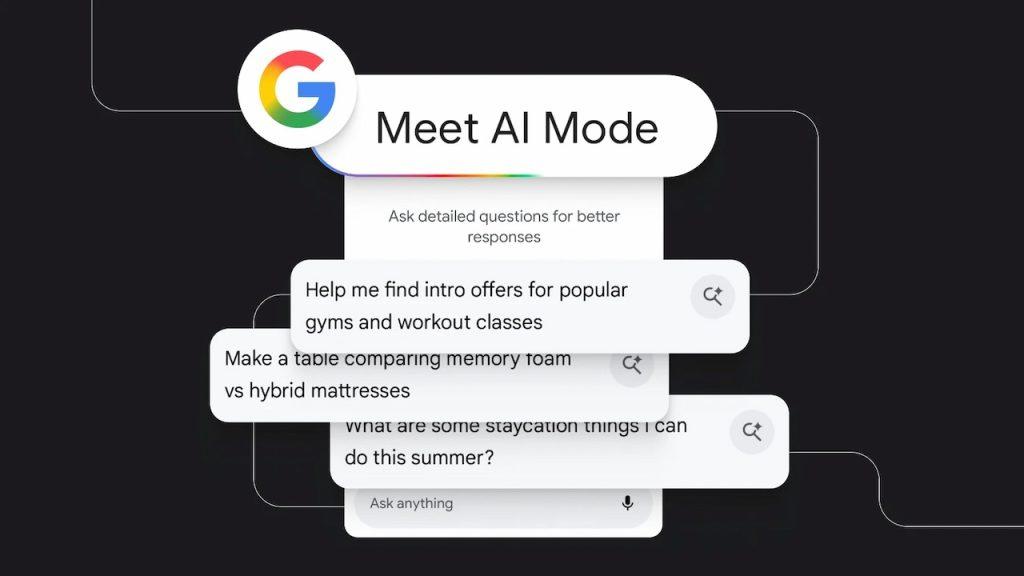
Google started a new era in restaurant reservations with AI Mode. Company announcedAI ModeThanks to its feature, users are now able to book restaurants without opening a phone, or even without dealing with the app for a long time. Artificial intelligence communicates directly with restaurants by taking users’ desired date and time information and automatically finishes booking.

/wp:paragrap h wp:head g

What is AI Mode Reservation?

/wp:headin g wp:paragrap h

AI Mode Reservation developed by GoogleAI ModeThanks to its artificial intelligence feature, it is an application to automatically distinguish restaurants, events or similar services. provides. Google AI Mode booking saves the user a great time. Reservations can be booked in a few seconds without having to search with the phone. Offers personalized recommendations; search and Google Maps According to the history, restaurants are taken out. Reservation, cancellation and changes can be easily managed through a single interface. Thus, when providing users with speed, convenience and personal experience, regular booking management and customer satisfaction for restaurant businesses.

/wp:paragrap h wp:head g

What Are the Features of AI Mode Reservation?

/wp:headin g wp:paragrap h

Google AI Mode converts restaurant reservation process quickly, easy and personalized experience. It lists the appropriate restaurant options and offers real-time availability data by considering users’ preferences and date-hour information.

/wp:paragrap h wp:list
    wp:list-item
  • Automatic Reservation: Google AI ModeAccording to the request of the user, restaurant search, check the appropriate hours and make the reservation start automatically. The user lists application recommendations only after the date, time and number of people.
  • /wp:list-item wp:list-item
  • Personalized Recommendations: AI Mode recommends restaurants that fit the user’s preferences by looking at Google Search and Maps history. For example, a user looking for frequent vegan restaurants is offered primarily vegan options. Thus, recommendations are optimized both quickly and according to user’s habits.
  • /wp:list-item wp:list-item
  • Real-Time Availability: OpenTable controls the availability of restaurants by pulling instant data from popular booking platforms such as Resy, Tock. In this way, only available options are presented to the user and minimizes the risk of incorrect booking.
  • /wp:list-item wp:list-item
  • Easy Management: Reservations made can be easily managed via AI Mode. Transactions such as cancellation, change or re-booking can be performed quickly through a single interface. The user earns both time and can track the whole process transparently.
  • /wp:list-item wp:list-item
  • Shareable Link: AI Mode offers the opportunity to share the booked or recommended restaurant list through a link. Thanks to this feature, user can easily coordinate with friends or family and make collective plans.
  • /wp:list-item wp:list-item
  • Quick and Practical Experience: When all these features are merged, the AI Mode downloads the booking process for a few seconds. The user has a smooth and secure booking experience while saving time.
  • /wp:list-item
/wp:list wp: Thursday {"url":"https://www.youtube.com/watch?v=p5ZzjlO86BM\u0026t=280s","type":"video","providerNameSlug":"youtube","responsive":true,"className":"wp-blod-aspect-16-9 wp-has-aspect-ratio"}
When loaded, the content comes from YouTube servers; YouTube may place cookies on your device and receive information about your visit.
/wp: Thursday wp:head g

How To Reservation With Google AI Mode?

/wp:headin g wp:paragrap h

Book with Google AI Mode, for userfast, practical and personalized process.No need to search by phone, all steps are managed by artificial intelligence. The steps of the AI booking are as follows:

/wp:paragrap h wp:list
    wp:list-item
  • Enable AI Mode: Users can start the booking process by enabling AI Mode via Google application or web platform. There are corresponding subscription and access requirements for the use of the property.
  • /wp:list-item wp:list-item
  • Determination of Restaurant Demand: Users have their name, date and time information of the restaurant they want to book with AI Mode. As an example, “Set the Italian restaurant for 2 people in the evening” or “ Book a vegan restaurant in Kadıköy for 20.00”.
  • /wp:list-item wp:list-item
  • Restaurant Advice & Listing: AI Mode takes real-time availability information from third-party platforms such as OpenTable, Resy, Tock and lists restaurants that match user’s criteria. This listing considers users’ preferences and availability status.
  • /wp:list-item
/wp:list wp:list
    wp:list-item
  • Completion of booking: After selecting one of the listed options, the AI Mode directs the corresponding booking page directly. The user can complete the process by confirming the booking on this page.
/wp:list-item wp:list-item
  • Reservation Management: Reservations made are stored on the user’s Google account. When you need to cancel or change the booking, you can easily edit it via AI Mode.
  • /wp:list-item wp:list-item
  • Sharing Feature: The booking or recommended restaurant list can be shared as a link by users. Thus, friends or family members can examine and plan restaurant recommendations through the same link.
  • /wp:list-item /wp:list wp:head g

    International Access and Effect

    /wp:headin g wp:paragrap h

    Google was initially limited to users in the U.S., but in short time, the feature has expanded to more than 180 countries and accessed a wider user audience. This expansion also provides services in different geographies, as well as providing local language and cultural preferences.

    /wp:paragrap h wp:paragrap h

    AI Mode for users in the US provides personalized recommendations based on past search and booking data. For example, if the user has previously preferred vegan or Italian cuisine, the AI Mode highlights the restaurant options suitable for those preferences in new calls. This approach allows users to meet their personal preferences without losing time.

    /wp:paragrap h wp:paragrap h

    Google AI Mode stands out as a system that speeds up restaurant reservation processes in digital environment and customize user experience. The property offers convenient options to users thanks to real-time data stream and allows bookings to be easily managed. AI Mode’s international spread has achieved access to users in different regions and improved the accuracy of recommendations through customization algorithms. This approach is an example for digital assistants to be used more integrated and effectively in everyday life.

    /wp:paragrap h wp:paragrap h

    /wp:paragrap h

    wp:paragrap h Google started a new era in restaurant reservations with AI Mode. Company announced AI Mode Thanks to its feature, users are now able to book restaurants without opening a phone, or even without dealing with the app for a long time. Artificial intelligence communicates directly with restaurants by taking users’ desired date and time information and automatically finishes booking. /wp:paragrap h wp:head g What is AI Mode Reservation? /wp:headin g wp:paragrap h AI Mode Reservation developed by Google AI Mode Thanks to its artificial intelligence feature, it is an application to automatically distinguish restaurants, events or similar services. provides. Google AI Mode booking saves the user a great time. Reservations can be booked in a few seconds without having to search with the phone. Offers personalized recommendations; search and Google Maps According to the history, restaurants are taken out. Reservation, cancellation and changes can be easily managed through a single interface. Thus, when providing users with speed, convenience and personal experience, regular booking management and customer satisfaction for restaurant businesses. /wp:paragrap h wp:head g What Are the Features of AI Mode Reservation? /wp:headin g wp:paragrap h Google AI Mode converts restaurant reservation process quickly, easy and personalized experience. It lists the appropriate restaurant options and offers real-time availability data by considering users’ preferences and date-hour information. /wp:paragrap h wp:list wp:list-item Automatic Reservation: Google AI Mode According to the request of the user, restaurant search, check the appropriate hours and make the reservation start automatically. The user lists application recommendations only after the date, time and number of people. /wp:list-item wp:list-item Personalized Recommendations: AI Mode recommends restaurants that fit the user’s preferences by looking at Google Search and Maps history. For example, a user looking for frequent vegan restaurants is offered primarily vegan options. Thus, recommendations are optimized both quickly and according to user’s habits. /wp:list-item wp:list-item Real-Time Availability: OpenTable controls the availability of restaurants by pulling instant data from popular booking platforms such as Resy, Tock. In this way, only available options are presented to the user and minimizes the risk of incorrect booking. /wp:list-item wp:list-item Easy Management: Reservations made can be easily managed via AI Mode. Transactions such as cancellation, change or re-booking can be performed quickly through a single interface. The user earns both time and can track the whole process transparently. /wp:list-item wp:list-item Shareable Link: AI Mode offers the opportunity to share the booked or recommended restaurant list through a link. Thanks to this feature, user can easily coordinate with friends or family and make collective plans. /wp:list-item wp:list-item Quick and Practical Experience: When all these features are merged, the AI Mode downloads the booking process for a few seconds. The user has a smooth and secure booking experience while saving time. /wp:list-item /wp:list wp: Thursday {"url":"https://www.youtube.com/watch?v=p5ZzjlO86BM\u0026t=280s","type":"video","providerNameSlug":"youtube","responsive":true,"className":"wp-blod-aspect-16-9 wp-has-aspect-ratio"} https://www.youtube.com/watch?v=p5ZzjlO86BM&t=280s /wp: Thursday wp:head g How To Reservation With Google AI Mode? /wp:headin g wp:paragrap h Book with Google AI Mode, for user fast, practical and personalized process. No need to search by phone, all steps are managed by artificial intelligence. The steps of the AI booking are as follows: /wp:paragrap h wp:list wp:list-item Enable AI Mode : Users can start the booking process by enabling AI Mode via Google application or web platform. There are corresponding subscription and access requirements for the use of the property. /wp:list-item wp:list-item Determination of Restaurant Demand : Users have their name, date and time information of the restaurant they want to book with AI Mode. As an example, “Set the Italian restaurant for 2 people in the evening” or “ Book a vegan restaurant in Kadıköy for 20.00”. /wp:list-item wp:list-item Restaurant Advice & Listing: AI Mode takes real-time availability information from third-party platforms such as OpenTable, Resy, Tock and lists restaurants that match user’s criteria. This listing considers users’ preferences and availability status. /wp:list-item /wp:list wp:list wp:list-item Completion of booking : After selecting one of the listed options, the AI Mode directs the corresponding booking page directly. The user can complete the process by confirming the booking on this page. /wp:list-item wp:list-item Reservation Management: Reservations made are stored on the user’s Google account. When you need to cancel or change the booking, you can easily edit it via AI Mode. /wp:list-item wp:lis

    Masqot Community
    Masqot CommunityCreator
    @masqot

    Comments (0)

    Log in to comment.

    Log in
    No comments yet. Be the first to comment!