



How to Use Leonardo AI? Step Guide
Automatically translated
 Creator
Don’t open free account at app.leonardo.ai to use Leonardo AI, write what you want to see in the istem (prompt) box on the home page and press Generate button. You get 150 tokens every day in the free plan; each production varies according to the model and settings you choose the token cost and appears on the Generate button. Leonardo. Ai belongs to Canva since 2024.
Last update: 14.10.2026
Artificial intelligence visual production tools turn a scene that you write into visual. Midjourney is one of the most known tools of this field; Leonardo AI is an alternative that collects visual, video, editing and ready workflows in one interface.
We also provide important information on how to use Leonardo AI in our guide.
What is Leonardo AI?
Leonardo AI (Leonardo. Ai is an artificial intelligence content production platform that produces visual and video from text, organize and grow images (upscale). In particular, if it is known for gaming visuals, today it is used for different jobs from illustration to marketing visual, from short video to 3D texture. Freemium is a service: free users receive 150 tokens every day.
Leonardo. Ai purchased Canva in July 2024. Leonardo continues to work with its own web app; a visual that you produce Edit in Canva You can send and edit the Canva account with one click. There is no paid account on both sides for this feature.
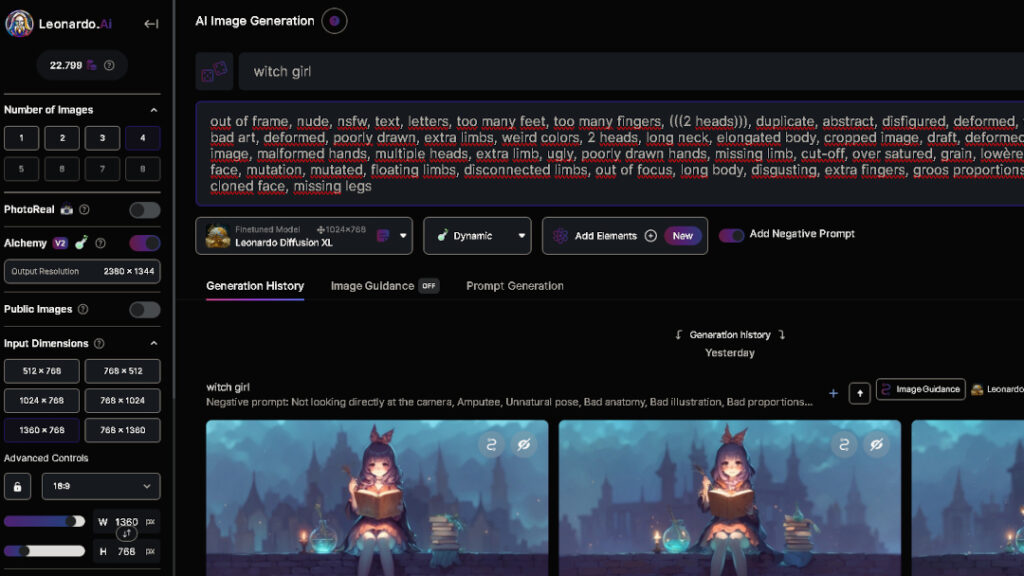
Almost every transaction in Leonardo is paid with tokens. The cost of the token of each feature and model is different; the cost varies according to the model, visual size, visual number and the number of reference visuals you use. That’s why it’s not fixed that you’ll produce a few visuals per day with 150 tokens; see the cost in Generate button before producing. The token you do not use in the free plan is not transferred to the next day.
There are paid plans for individual users if you need more, Essential, Premium and Ultimate; Teams plans are also offered for teams. In paid plans, the token is renewed every month, the unused token accumulates up to 3 months in the "Rollover Bank" and the additional token packages that do not expire as the subscription has received. You can produce and delete images in paid plans. Current prices From Leonardo's price page We recommend checking.
Plan | Token | Maximum tokens per month | Rollover Bank top limit |
|---|---|---|---|
Free | 150 per day | No | No |
Home | Monthly | 8.500 | 25.500 |
Home | Monthly | 25. 000 | 75. 000 |
News | Monthly | 60. 000 | 180. 000 |
Compared with Midjourney, Leonardo’s difference is to offer tools in the same interface as video, visual editing (Canvas), magnification and ready-click work streams (Blueprints). Which one gives better results depends on the style you want and the model you choose.
If you start new to AI art and haven’t tried Midjourney before, to create AI art Midjourney usage guide News You can browse.
How to Register to Leonardo AI?
Go to app.leonardo.ai to register for Leonardo AI, create an account with one of the registration options on the page and log in. Registration is free.
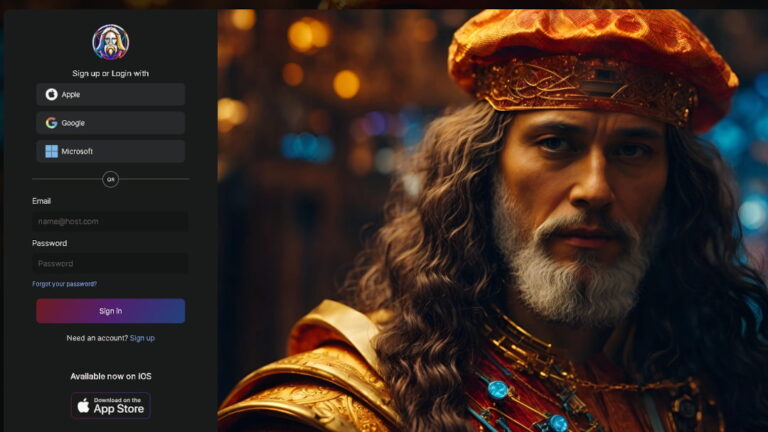
You get 150 tokens every day in the free plan; the token you don’t use will not be transferred to the next day. When the next renewal will happen, you can see it by coming over the token counter. After registration, you can immediately create the first visual from the intem box on the home page.
How to Use Leonardo AI?
In Leonardo AI, you don’t need to write settings as parameters into promptn; choose from interface options such as model, size and visual number. That’s why it’s an easy tool to learn for beginners.
The fastest way to create the first visual istem box on the home page: print the prompt to the summer and Generate; chooses the appropriate model itself according to Leonardo request. If you want to check more or at the bottom of the intem box Home News Open visual creation tool with option.

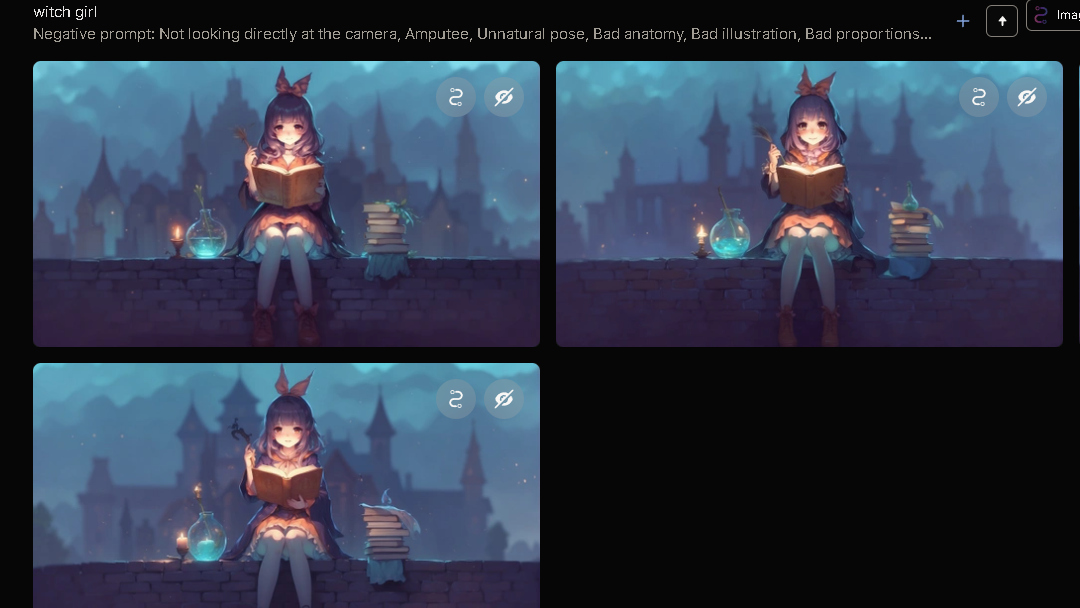
Then write what you want to see in the prompt box. For example, we entered the prompt of "Witch Girl". The topic, the environment, the light and style of the net writer, the more close to the outcome request. If you have a negative prompt ( prompt prompt) option in the model you use, you can exclude the items you don’t want to like "deformed, extraistor, 2 heads".
Finally press Generate button. The writer on the button will spend several tokens of this production. The images generated appear in the creation screen and the Library in the left menu.
You can not always get the visual in the first trial. Use the settings on the left sidebar for this (changes according to the model):
Models: Choose which model will produce.
Generation mode: Fast spent less tokens to try ideas; Ultra is higher quality but more expensive. It is a good method to grow the visual you like in Fast mode (Upscale).
Image Dimensions: En-boy rate and visual size.
Number of images: How many visuals will be produced at once.
Private mode: Allows visuals to appear in open flow to everyone in paid plans.
There are many models that produce visuals in different bases in Leonardo. Leonardo’s own basic model Phoenix (0.9 and 1.0 versions) long prompts are closely followed and stand out by making readable articles within the visual; they can be used in all plans including free plan. Lucid Origin The Full HD output was developed for live colors and visual font/graphic design. On the platform there are models of other companies such as Google Nano Banana (Gemini 2.5 Flash Image).
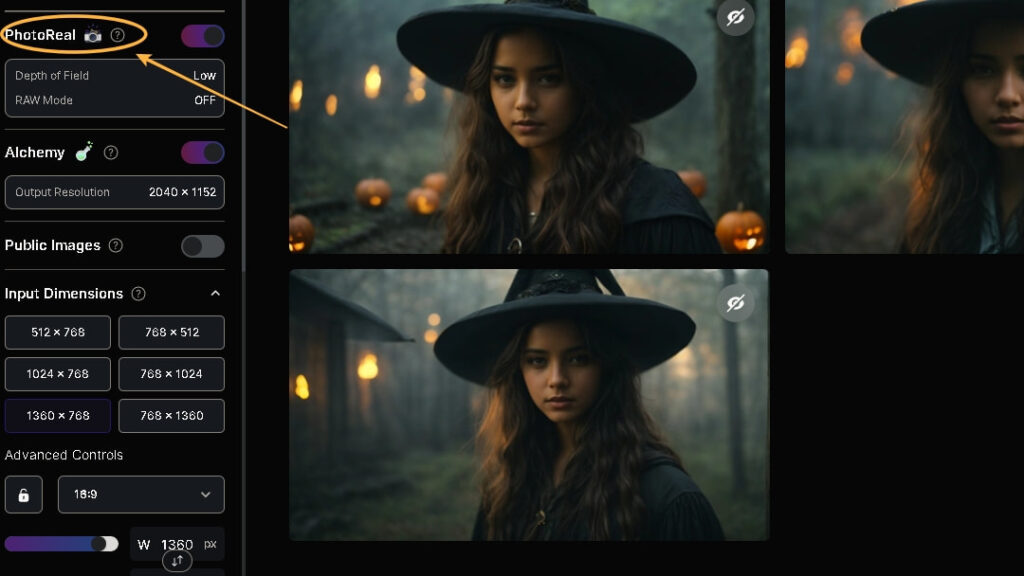
You can produce great illustrations using these models. Activate the Leonardo PhotoReal feature if you want to create hyper realistic images. PhotoReal is a premium feature; some settings such as Prompt Magic V3 are automatically closed. With presets like Cinematic, Creative and Vibrant, you can produce visuals in the photo reality.
Finally, if you want to improve yourself in writing your name, we recommend you sign up to the Leonardo AI’s Discord community. However, after logging in to the web application, the community can be inspired by artificial intelligence works in the main page "Public". By copying shared prompts in the community, you can develop your own claims similarly.
What can you do with Leonardo AI?
Visual Production: Visual production from text or reference visual.
Video: We have models that can produce audio video from text or from a visual; like Veo 3 and Kling. Some third party video models are closed to users for free.
Regulation and magnification: Canvas trimmer, background removal and Upscale.
Blueprints: Model, prompt and settings are ready-to-click workflows.
3D: 3D production and texture (texture) tools.
Edit in Canva: Just click on the visual Canva and add text and item.
Are you open to everyone?
The visuals you produce in the free plan appear on the open stream; other users can view them and reuse them and Leonardo. Ai can use these contents to promote and improve service. You can make hidden production by opening Private Mode on paid plans. You can also use the visuals that you produce for free purposes; look at the use conditions of Leonardo for details.
Also if you are interested in this kind of artificial intelligence image creation applications, you are still interested in our site "Top 10 Artificial Intelligence Creating ToolsYou can browse our list ".
Frequently Asked Questions
Is Leonardo AI free?
Yes, there is a free plan. Free users take 150 tokens every day; premium models need to go to one of the Essential, Premium or Ultimate plans for hidden production and more tokens.
How many visuals are produced with 150 tokens in Leonardo AI?
No fixed number. The token cost of each model and feature is different; the cost varies according to visual size, number and reference visuals. See how many tokens will be spent on the Generate button before producing.
Does unused tokens go to the next day?
Not going on for free; 150 tokens per day are not used. The monthly token, which is not used in paid plans, accumulates in Rollover Bank until the maximum amount of 3 months.
Can the images produced by Leonardo AI be commercially available?
Yes, commercial use is possible in the free plan. But because visuals are open to everyone in the free plan, they can produce others like; you need Private Mode for full privacy.
Who is Leonardo AI?
Leonardo. Ai is an initiative established in Australia and was purchased by Canva in July 2024. Leonardo continues to work with its own app and works integrated with Canva.
Creator