Skip to content
Back to blog list
HunyuanImage 3.0-Instruct: AI Görsel Oluşturmada Yeni Çağ
AI Tools

HunyuanImage 3.0-Instruct: A New Era in AI Image Generation

Automatically translated
Safiye Aydın
Safiye AydınWriter
4 min read
Tencent's open-source HunyuanImage 3.0-Instruct model is focused on editing. It includes prompt examples and comparisons with Midjourney and Nano Banana.

Tencent HunyuanImage 3.0-Instruct stands out as a powerful model that opens a new chapter in open-source visual AI. Beyond generating images, it can make detailed edits to existing images, which sets it apart from classic text-to-image models. In this respect, it offers a more controlled and flexible production process for both developers and content creators.

Developed by Tencent, this model analyzes natural language commands from the user through its advanced "instruction-following" (understanding instructions) capability and applies them without breaking the integrity of the image. This makes it an "AI editor."

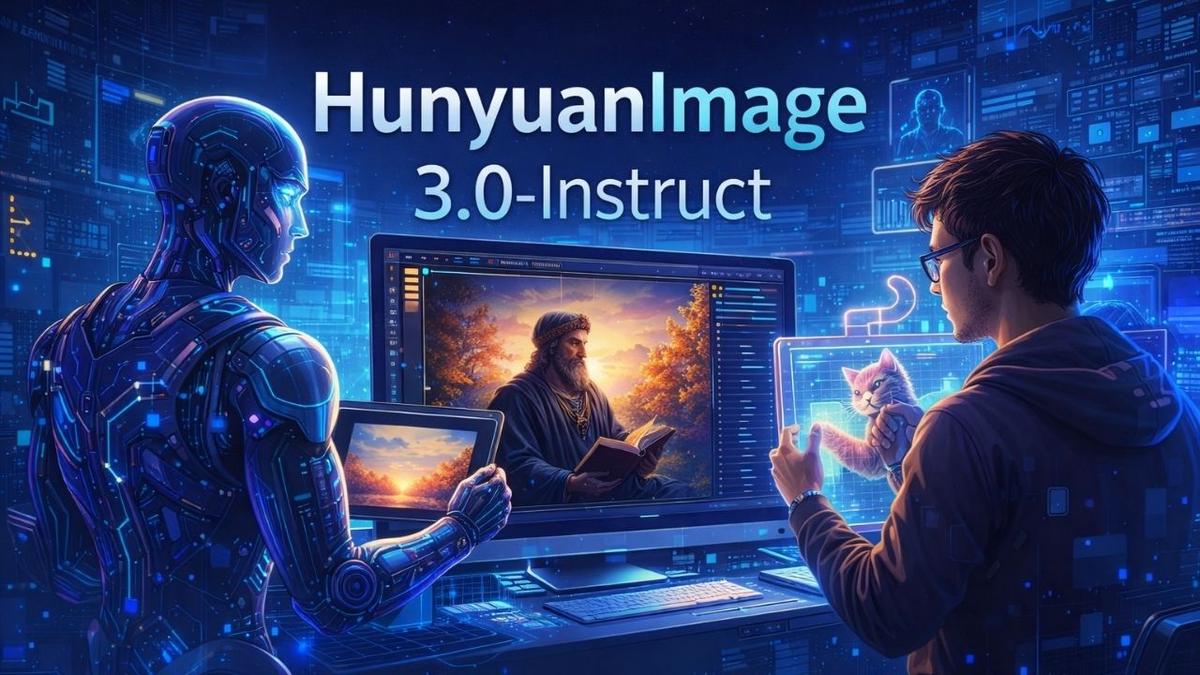
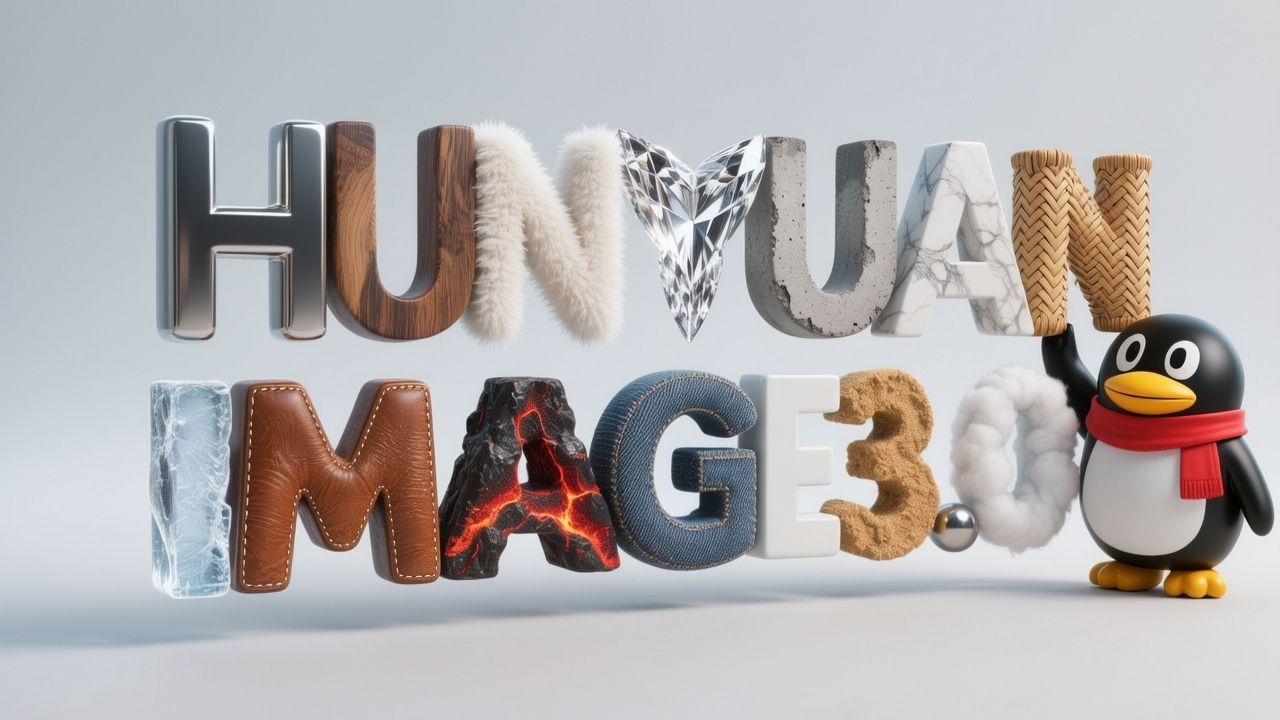
HunyuanImage 3.0 sample picture

Tencent HunyuanImage 3.0-Instruct Features

Advanced Instruction Following

Tencent HunyuanImage 3.0-Instruct is very good at understanding complex, multi-layered instructions. The model processes a given prompt not just as text, but by breaking it down into the elements of the scene.

For example, consider this command: "Turn the trees in the background into autumn colors" The model detects the trees, changes only that area, and applies the change without disturbing the scene
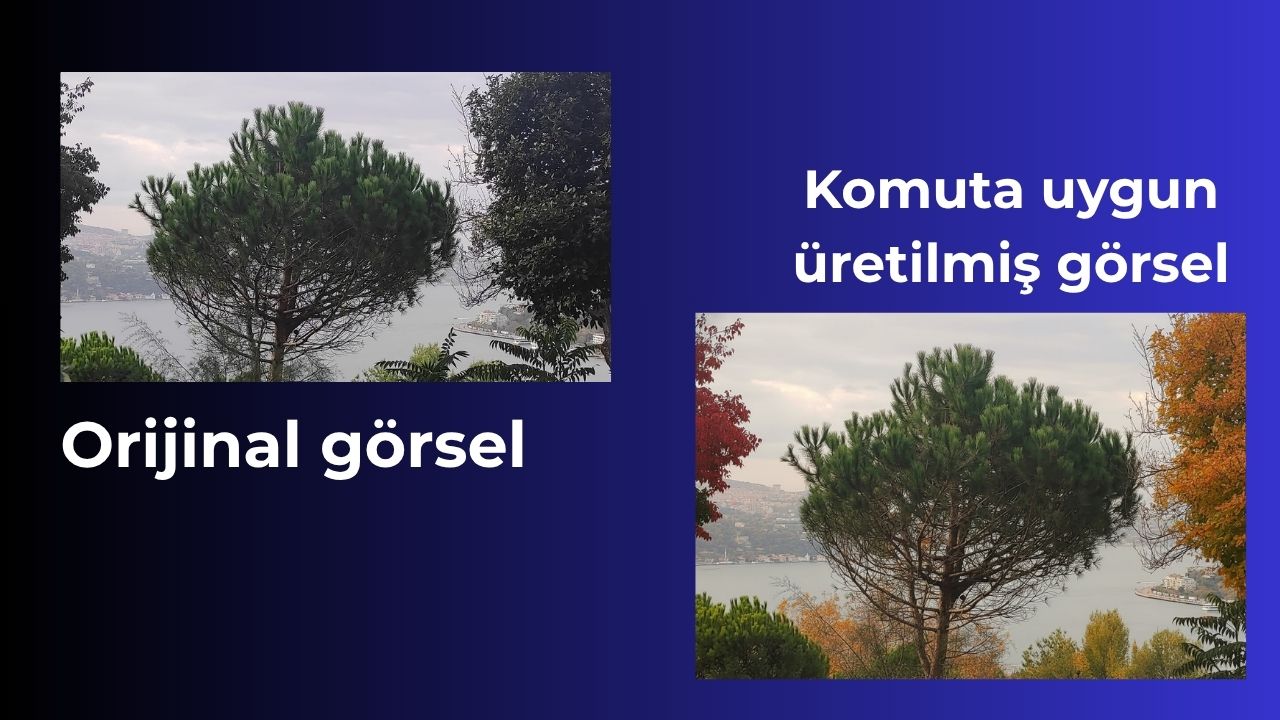
Tencent HunyuanImage görsel arka plan değiştirme

Image Editing and Edit Capability

One of the most important differences of this model is that it focuses on editing, not just generation. It quickly handles tasks such as background replacement, adding or removing objects, lighting and color adjustments, and style transfer. HunyuanImage's ability to work comfortably on an existing image is a major advantage in professional production workflows.

Image-to-Image and Multi-Input Support

As a notable model in the open-source visual AI category, it can reinterpret existing images, combine multiple images into a single scene, and generate content using a reference style. This makes it easy to use in areas such as game design, ad production, and concept development.

Open-Source and Developer-Friendly Structure

Being accessible through GitHub is a major advantage of the model. This allows you to:

  • Customize the model as a developer

  • Integrate it into your own projects

  • Connect it to different systems via API

However, due to the model's large size, it requires powerful hardware. For this reason, using the API is a more practical solution for most users.

HunyuanImage 3.0 Prompt Guide

Advanced Instruct Prompt Examples

What makes a difference with this model is its editing commands. These commands let the model modify the scene without regenerating it.

Example 1: "Change the sky in the background to sunset and make the light warmer"

Example 2: "Make the character's outfit a modern black suit"

Example 3: "Add a rain effect to the background, but keep the character dry"

Example: "A cinematic portrait of a medieval scholar holding an ancient book, warm lighting, ultra detailed, realistic"

Örnek prompt uygulama sonucu HunyuanImage 3.0

HunyuanImage or Midjourney?

The question of HunyuanImage or Midjourney is a comparison that people doing AI image editing often make. Midjourney being the first model that comes to mind for image generation may be confusing, but at their core these two models serve different purposes.

Key Differences

  • HunyuanImage 3.0-Instruct

    • Open-source

    • Editing-focused

    • High control

  • Midjourney

    • Easy to use

    • Fast results

    • Strong artistic generation

Which to Choose in Which Scenario?

  • Quick social media visuals → Midjourney

  • Detailed editing → HunyuanImage

Tencent HunyuanImage 3.0 logo

HunyuanImage vs Nano Banana

Nano Banana stands out as a model focused on fast generation. However, Tencent HunyuanImage 3.0-Instruct takes a different approach to the image.

Key Difference

  • HunyuanImage → editing and control

  • Nano Banana → speed and convenience

Prompt Result

"Make the background winter but don't change the character"

  • HunyuanImage → changes only the background

  • Nano Banana → may recreate the scene

Use Cases

Nano Banana:

  • Social media content

  • Fast generation

HunyuanImage:

  • Professional design

  • Ad production

  • Detailed editing

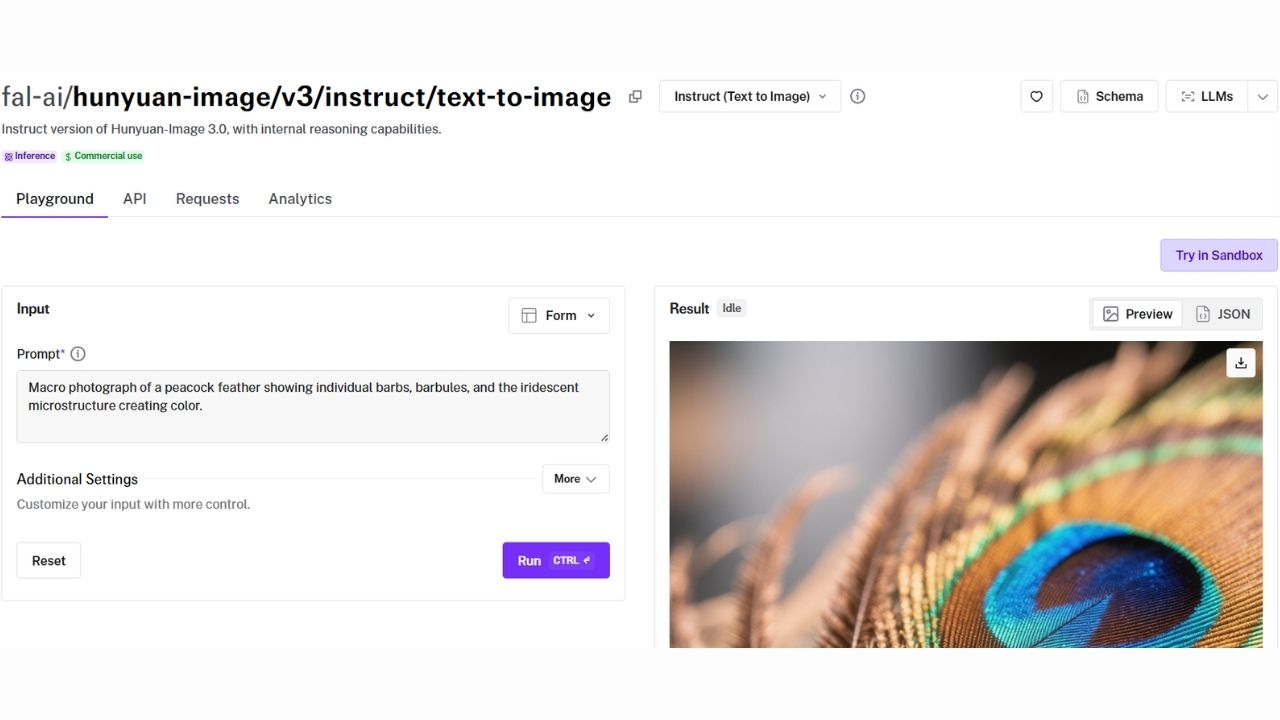
API kullanım arayüzü HunyuanImage 3.0

HunyuanImage 3.0 Setup and API Usage

Using HunyuanImage 3.0 is divided into two options: local setup and API. For local setup, you download the model from GitHub and install the required dependencies, then run the demo scripts. This gives you full control, but high hardware requirements are a major drawback. API usage requires no installation, is accessible from the browser, and offers quick testing. This method is more practical for most users.

Tencent HunyuanImage 3.0-Instruct represents a new standard in open-source visual AI. Its editing-focused design sets it apart from classic generation models and offers a more controlled experience. When evaluated alongside alternatives like Midjourney and Nano Banana, HunyuanImage's strength in control and flexibility stands out. If you want to both generate and edit images, Tencent HunyuanImage 3.0-Instruct may be the model you are looking for.

Tencent HunyuanImage 3.0-Instruct stands out as a powerful model that opens a new chapter in open-source visual AI. Beyond generating images, it can make detailed edits to existing images, which sets it apart from classic text-to-image models. In this respect, it offers a more controlled and flexible production process for both developers and content creators. Developed by Tencent, this model analyzes natural language commands from the user through its advanced "instruction-following" (understanding instructions) capability and applies them without breaking the integrity of the image. This makes it an "AI editor." Tencent HunyuanImage 3.0-Instruct Features Advanced Instruction Following Tencent HunyuanImage 3.0-Instruct is very good at understanding complex, multi-layered instructions. The model processes a given prompt not just as text, but by breaking it down into the elements of the scene. For example, consider this command: "Turn the trees in the background into autumn colors" The model detects the trees, changes only that area, and applies the change without disturbing the scene Image Editing and Edit Capability One of the most important differences of this model is that it focuses on editing, not just generation. It quickly handles tasks such as background replacement, adding or removing objects, lighting and color adjustments, and style transfer. HunyuanImage's ability to work comfortably on an existing image is a major advantage in professional production workflows. Image-to-Image and Multi-Input Support As a notable model in the open-source visual AI category, it can reinterpret existing images, combine multiple images into a single scene, and generate content using a reference style. This makes it easy to use in areas such as game design, ad production, and concept development. Open-Source and Developer-Friendly Structure Being accessible through GitHub is a major advantage of the model. This allows you to: Customize the model as a developer Integrate it into your own projects Connect it to different systems via API However, due to the model's large size, it requires powerful hardware. For this reason, using the API is a more practical solution for most users. HunyuanImage 3.0 Prompt Guide Advanced Instruct Prompt Examples What makes a difference with this model is its editing commands. These commands let the model modify the scene without regenerating it. Example 1: "Change the sky in the background to sunset and make the light warmer" Example 2: "Make the character's outfit a modern black suit" Example 3: "Add a rain effect to the background, but keep the character dry" Example: "A cinematic portrait of a medieval scholar holding an ancient book, warm lighting, ultra detailed, realistic" HunyuanImage or Midjourney? The question of HunyuanImage or Midjourney is a comparison that people doing AI image editing often make. Midjourney being the first model that comes to mind for image generation may be confusing, but at their core these two models serve different purposes. Key Differences HunyuanImage 3.0-Instruct Open-source Editing-focused High control Midjourney Easy to use Fast results Strong artistic generation Which to Choose in Which Scenario? Quick social media visuals → Midjourney Detailed editing → HunyuanImage HunyuanImage vs Nano Banana Nano Banana stands out as a model focused on fast generation. However, Tencent HunyuanImage 3.0-Instruct takes a different approach to the image. Key Difference HunyuanImage → editing and control Nano Banana → speed and convenience Prompt Result "Make the background winter but don't change the character" HunyuanImage → changes only the background Nano Banana → may recreate the scene Use Cases Nano Banana: Social media content Fast generation HunyuanImage: Professional design Ad production Detailed editing HunyuanImage 3.0 Setup and API Usage Using HunyuanImage 3.0 is divided into two options: local setup and API. For local setup, you download the model from GitHub and install the required dependencies, then run the demo scripts. This gives you full control, but high hardware requirements are a major drawback. API usage requires no installation, is accessible from the browser, and offers quick testing. This method is more practical for most users. Tencent HunyuanImage 3.0-Instruct represents a new standard in open-source visual AI. Its editing-focused design sets it apart from classic generation models and offers a more controlled experience. When evaluated alongside alternatives like Midjourney and Nano Banana, HunyuanImage's strength in control and flexibility stands out. If you want to both generate and edit images, Tencent HunyuanImage 3.0-Instruct may be the model you are looking for.
Etiketler:Tencent HunyuanImage 3.0-InstructHunyuanImage 3.0 prompt rehberHunyuanImage 3.0 kurulumu ve API
Safiye Aydın
Safiye AydınWriter
@safiyeaydin

Comments (0)

Log in to comment.

Log in
No comments yet. Be the first to comment!