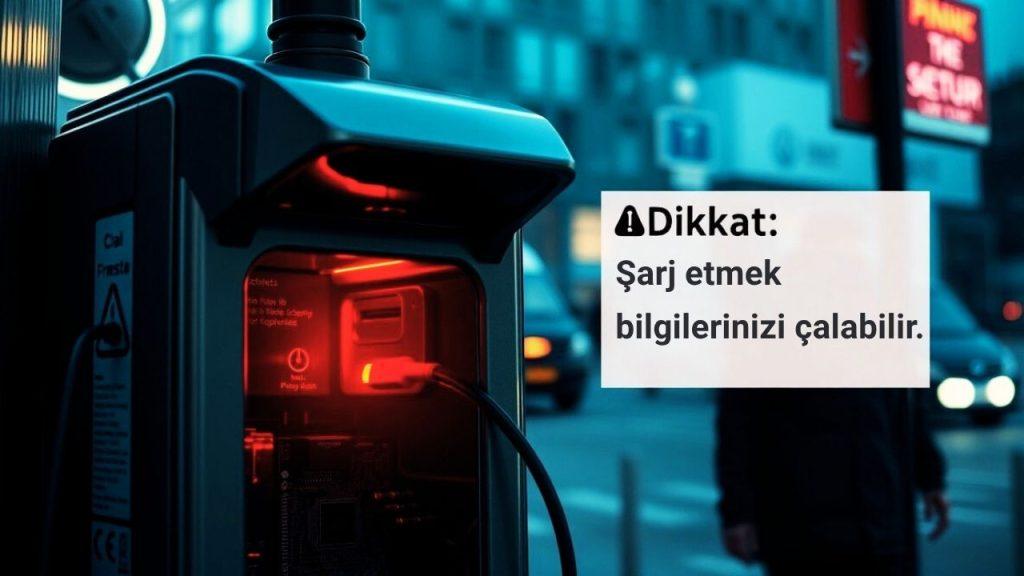
Is Public USB Charging Stations Safe? Choicejacking!
Automatically translated
 Admin
AdminNowadays, our smartphones become an integral part of our lives. Especially when our charging is reduced, located in airports, cafes or public transport vehicles public USB charging stations can be saved.

Home cyber security experts, it looks innocent charging stations It reveals that the verse has hosted a greater threat than we think: "Choicejacking" attack.
What is Choicejacking? How is an Threat?
Known for many years "juice jackin g"smartphone producers against attacks developed security measures. These attacks, malicious charging stations nin was based on malware infection or data playback on phones. But thanks to the newly developed security measures, when connected to a device that supports a smart phone data transfer, a warning message would pop up if it would not allow the user to transfer data. In this way, users were able to keep their data safe by opting for "only charging".
However, researchers from Graz Technology University in Austria discovered a new way to overcome these measures: Home g attack. Home ga malicious charging station unun is to manipulate the device to ensure that the user pass to the data transfer mode of the phone without permission or information. So, your phone acts as if you have approved the data transfer, without asking questions or without consent from you. This means your photos, documents, contacts and other sensitive data are accessible by malicious device.
Why Have Risk in Public USB Charging Stations?
Public USB charging pointsIt can not only provide electricity but also act as a secret computer. Home g The attack takes full advantage of this evil. Saldurganlar can connect to your smartphone using data transfer protocols such as Media Transfer Protocol (MTP) or Image Transfer Protocol (PTP) and withdraw your data.
NordVPN cybersecurity consultant Adrianus Warmenhoven, Home g'in particular is dangerous: "Choicejacking is manipulating a device for users to make decisions that they never intended – as well as without even being aware of them. Whether you’re giving access to data, or downloading malware, these attacks abuse the confidence we’ve heard in our daily interactions with our smartphones. "
This attack can happen so quickly, the detection of human eye is almost impossible. The whole process can be completed in less than 133 milliseconds (short than a human eye crop), which ensures that the attack is almost undetectable.
How Does Hack Attack Perform?
Graz Technology University researchers, Home g defined three different variants of the attack:
Most Complex Method (iOS and Android): A malicious microcomputer appears like a charging station and connects to the smartphone as a USB keyboard, USB host (computer) and Bluetooth keyboard. When the phone is inserted, the malicious station mimics a USB keyboard and open Bluetooth, then sends commands to connect to a Bluetooth device. After simulating Bluetooth keyboard, the system is reconnected via USB, and this time acts as a computer. When the smartphone asks that the user will not allow data transfer, the malicious device automatically confirms this request via Bluetooth "stroke".
Specific Method to Android (Bluetooth Not Required): The malicious charger acts like a USB keyboard and moves the input buffer by filling with smart phone keystrokes. While the operating system is busy with processing this undoubted input, the connection of the charger is cut and reconnected (as a computer once). When a warning message that asks which mode to be connected on the screen is displayed, the last part of the keyboard input cache is played. In this part, there is a keystroke array that confirms the data transfer mode (MTP, PTP or even ADB debugging mode).
Special Method to Android (AOAP Exception): This method uses the Android Open Access Protocol (AOAP) incorrect application of all tested smartphones. The malicious device is connected immediately as a computer and when the confirmation screen is displayed, it sends the necessary keystroke events through AOAP. According to the protocol, although simultaneous work is prohibited in USB host and AOAP modes, this restriction in practice is often ignored.
These attacks do not contain malware, as it is highlighted by Hackread, and allow phones to pass the debugging or data transfer mode in short than 133 milliseconds.
How Serious is the Real Life Condition?
Armed forces time USB charging stations Although data alerts about the attacks of theft, Home g There is no case that attacks are open to the public in real life. This means there is no common threat for the moment, although attacks do not happen at all.
Home English It also emphasizes that such researches and alerts are a constantly evolving area of digital security, and new threats can emerge at all times.
How to Protect Yourself? Practical Suggestions
Public USB charging stations Here are some practical measures that you can get to protect from potential risks:
Use Your Own Reliable Charger: Charge your devices only with your own reliable charger adapter and cable.
Get Portable Power Bank: A powerbank is the safest and convenient charging option when out. Eliminate risks by carrying your own energy with you.
Prefer Wall Sockets: If you have your own adapter and cable, hotels or airports Home charging stations Use directly wall sockets instead of USB ports.
Use USB Data Blocker ("USB Condom"): These adapters prevent data transfer while allowing only power flow from cable. However, it can slow down charging on new smartphones as it also blocks necessary data signals for quick charging modes.
Use a Cable Without Data Transfer: You can get cheap and only a cable designed for charging. But before using it, make sure it does not appear data transfer alert on the screen by connecting to a trusted computer.
Do Not Know Software Updates: Always keep the software of your smartphone (iOS/iPadOS 18.4 and Android 15 or later). Apple and Google blocked these attack methods in new updates. Android users should check whether they need password or biometric verification by connecting their phones to a trusted computer even in the current version. If not required, public open charging stations It is best to stand away from .
Use "Only Charge" Mode: You can add an extra layer of control by activating the "only charging" mode available on some Android devices.
Be careful: If you are open to the public urgently USB charging station u If you need to use it, pay attention to the screen when installing your device. If you want to start charging and choose the type of connection, choose "Only charging". If you have concerns about your data, you will be safer to check the plug and call a less "smart" port.
Home g new generation cyber threats, digital security reminds the importance once again. Being conscious and cautious is the most effective way to protect our personal data.
Home public USB charging stations Do you use it? Are you thinking of changing your habits in the light of this information?
AdminClaude Jupiter Sızdı: Anthropic’ten Dev Hamle Geliyor!


Google Devri Kapandı mı? Reklamın Yeni Patronu: Advantage+