



Skip to content
Back to blog list
Microsoft Paint'e Yapay Zeka Dokunuşu: Cocreator İle Görsel Üretimin Yeni Boyutu

Microsoft Paint Artificial Intelligence Touch: New Size Of Visual Production With Cocreator u

Automatically translated
Masqot Community
Masqot CommunityCreator
3 min read

Microsoft Paint is known as a simple and user-friendly application that meets users’ basic graphic design needs for years. However, the technology giant Microsoft aims to provide users with a new experience by updating the Paint app. The artificial intelligence-supported visual manufacturer Cocreator comes from Paint as one of the most remarkable features in this new era.
Masqot blog görseli

What is Cocreator and How does it work?

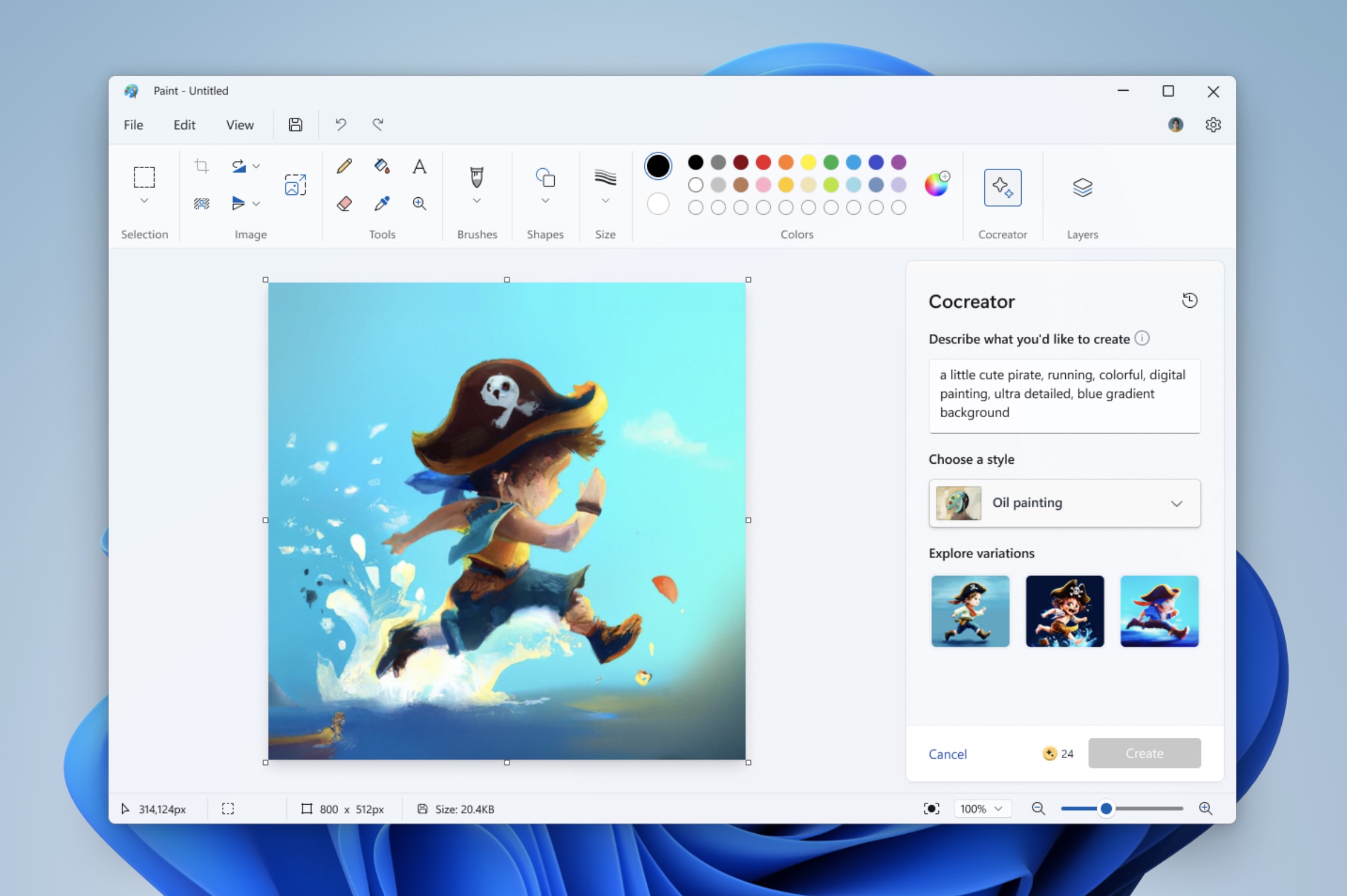
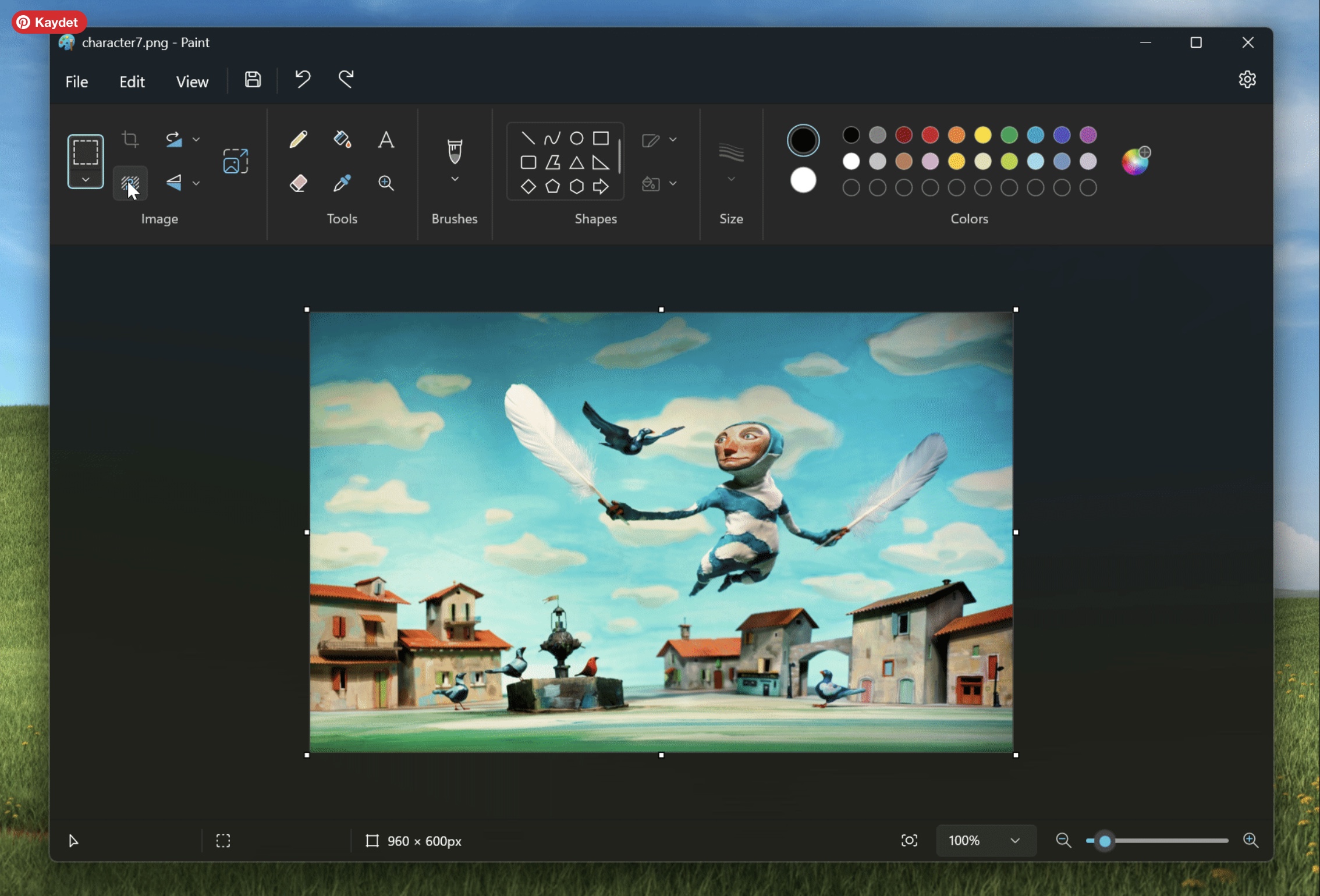
AI design tool is an artificial intelligence tool that can create visuals from text descriptions using the DALL-E technology of OpenAI. This feature allows users to create visuals they want only with a few words. For example, a text description, such as a single horned horse, throwing over the clouds, can be transformed into visuals created in various art styles by Cocreator. Users can then combine these images with their own drawings in Microsoft Paint or make arrangements on it.

This is quite simple to use the artificial intelligence drawing tool. After opening the Paint app, you can activate the tool by clicking on the Cocreator icon located in the upper right corner. Enter a description that defines the visual you want to text box and then select one of the various types of art. Cocreator creates three different visuals each time and you can add to Paint canvas by selecting from these images. Also, thanks to the new added layers feature, you can make more detailed arrangements on these visuals.

A variety of art styles offered by this tool, which are new from visual generation tools, allows users to express their creativity in different ways. For users who want to make drawings and designs more unique, digital art is offered to choose from many styles such as photorealist, juicy paint. This variety offers a wide range of creativity for both amateur and professional designers.

The user-friendly interface is designed to use the user comfortably from each level. After entering a simple text description, Cocreator automatically creates three different visuals. One of these visuals can be selected and added to Paint canvas and users can make more detailed arrangements on these visuals thanks to the feature of layers. This makes it easy for users to customize their designs and get the result they want.

You can withdraw your interest:Develop Your Reading Skills with Microsoft Reading Coach
Cocreator

Cocreator Accessibility and Terms of Use

Currently Cocreator is available in limited regions and only with English language support. Windows Insiders users in United States, United Kingdom, Canada, Australia, France, Italy and Germany have the opportunity to experience this new feature. A certain credit system is applied for each image creation process and users can start taking advantage of this service with 50 credit at the beginning.

In the future, Microsoft is expected to expand Cocreator with more languages and region support. In addition, Microsoft’s increased integration with other artificial intelligence tools will further improve the functionality and user experience of Paint application. Cocreator draws attention as an innovative tool that pushes the limits of creativity and opens new horizons in visual designs of users.

3 Ways to Make Art by Benefiting from Artificial Intelligence!

Finally, renewing Microsoft Paint with Cocreator feature points the beginning of a new era in the graphic design world. Users can release their creativity using the power of artificial intelligence and can easily create non-contact images before. This innovation stands out as one of the important steps that reinforce the leadership of Microsoft in the technology world.

Source

Microsoft Paint is known as a simple and user-friendly application that meets users’ basic graphic design needs for years. However, the technology giant Microsoft aims to provide users with a new experience by updating the Paint app. The artificial intelligence-supported visual manufacturer Cocreator comes from Paint as one of the most remarkable features in this new era. What is Cocreator and How does it work? AI design tool is an artificial intelligence tool that can create visuals from text descriptions using the DALL-E technology of OpenAI. This feature allows users to create visuals they want only with a few words. For example, a text description, such as a single horned horse, throwing over the clouds, can be transformed into visuals created in various art styles by Cocreator. Users can then combine these images with their own drawings in Microsoft Paint or make arrangements on it. This is quite simple to use the artificial intelligence drawing tool. After opening the Paint app, you can activate the tool by clicking on the Cocreator icon located in the upper right corner. Enter a description that defines the visual you want to text box and then select one of the various types of art. Cocreator creates three different visuals each time and you can add to Paint canvas by selecting from these images. Also, thanks to the new added layers feature, you can make more detailed arrangements on these visuals. A variety of art styles offered by this tool, which are new from visual generation tools, allows users to express their creativity in different ways. For users who want to make drawings and designs more unique, digital art is offered to choose from many styles such as photorealist, juicy paint. This variety offers a wide range of creativity for both amateur and professional designers. The user-friendly interface is designed to use the user comfortably from each level. After entering a simple text description, Cocreator automatically creates three different visuals. One of these visuals can be selected and added to Paint canvas and users can make more detailed arrangements on these visuals thanks to the feature of layers. This makes it easy for users to customize their designs and get the result they want. You can withdraw your interest: Develop Your Reading Skills with Microsoft Reading Coach Cocreator Accessibility and Terms of Use Currently Cocreator is available in limited regions and only with English language support. Windows Insiders users in United States, United Kingdom, Canada, Australia, France, Italy and Germany have the opportunity to experience this new feature. A certain credit system is applied for each image creation process and users can start taking advantage of this service with 50 credit at the beginning. In the future, Microsoft is expected to expand Cocreator with more languages and region support. In addition, Microsoft’s increased integration with other artificial intelligence tools will further improve the functionality and user experience of Paint application. Cocreator draws attention as an innovative tool that pushes the limits of creativity and opens new horizons in visual designs of users. 3 Ways to Make Art by Benefiting from Artificial Intelligence! Finally, renewing Microsoft Paint with Cocreator feature points the beginning of a new era in the graphic design world. Users can release their creativity using the power of artificial intelligence and can easily create non-contact images before. This innovation stands out as one of the important steps that reinforce the leadership of Microsoft in the technology world. Source

Masqot Community
Masqot CommunityCreator
@masqot

Comments (0)

Log in to comment.

Log in
No comments yet. Be the first to comment!