




Midjourney v6: Guide on New Features and How to Use
Automatically translated
 Creator
Hi tech enthusiasts! Today I'm going to talk about the v6, the latest version of Midjourney, which creates a revolution in the visual creativity world. Midjourney v6 launches a new period between artificial intelligence-based visual creation tools. And a new competition period starts with Visual AI tools with this release. The first Midjourney v6 Ready to start with?
Longer and Accurate Wish Tracking
Midjourney v6 is a revolution in the field of artificial intelligence. This version shows a great success especially in understanding the long and complex demands of users. For example, when working on a city view prompt, you can add details such as specific building styles, lighting conditions and even the status of the sky at a certain time. This feature allows artists and designers to use their imagination unlimitedly.
Improved Consistency and Information
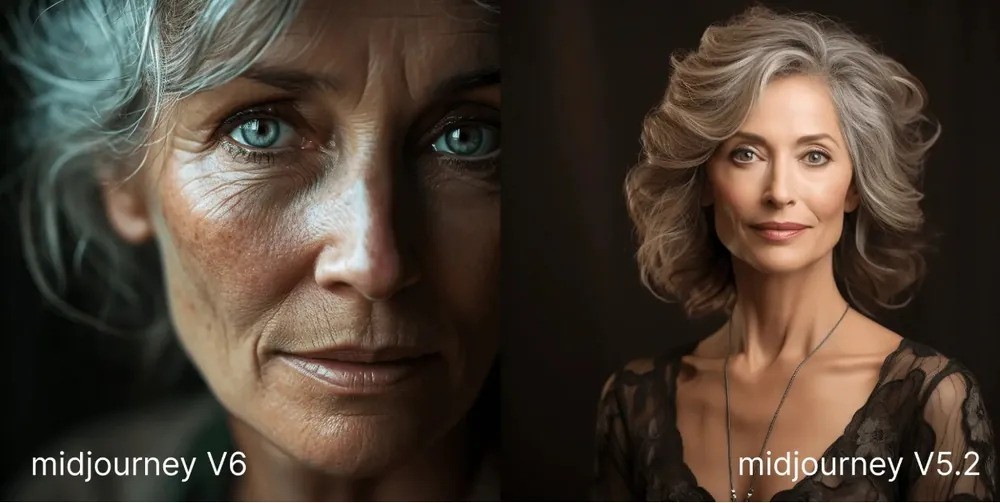
The improved consistency and information features of Midjourney v6 offer an important recovery according to previous versions. The model can create aesthetically rich and detailed visuals that reflect the real world knowledge better. For example, while depicting a historical structure, the model architectural details and the elements of the term are more accurately reflected. This makes it an excellent tool for training, marketing and even art projects.
Improved Image Routing and Remix Mode
Visual routing and remix mode of the new version make the creative process more flexible. Users can take and reshape images that exist, create a completely new work by adding different styles or elements. This allows you to implement innovative ideas especially in advertising and art world.
Small Text Drawing Ability
Midjourney v6 allows users to add small texts to visuals. This feature is perfect especially for social media posts, banners and other marketing materials. When placing text on the visual, --style raw or --stylized Thanks to options, you can control the appearance and harmony of the text.
Improved Scalers
New version, both subtle Home creative By offering improved scalers with modes, it is possible to double the resolution of visuals. This is ideal for particularly high-resolution prints and large display displays. Users can improve their size without losing detail level and aesthetic direction of visuals.
New Features and Argümans Supported
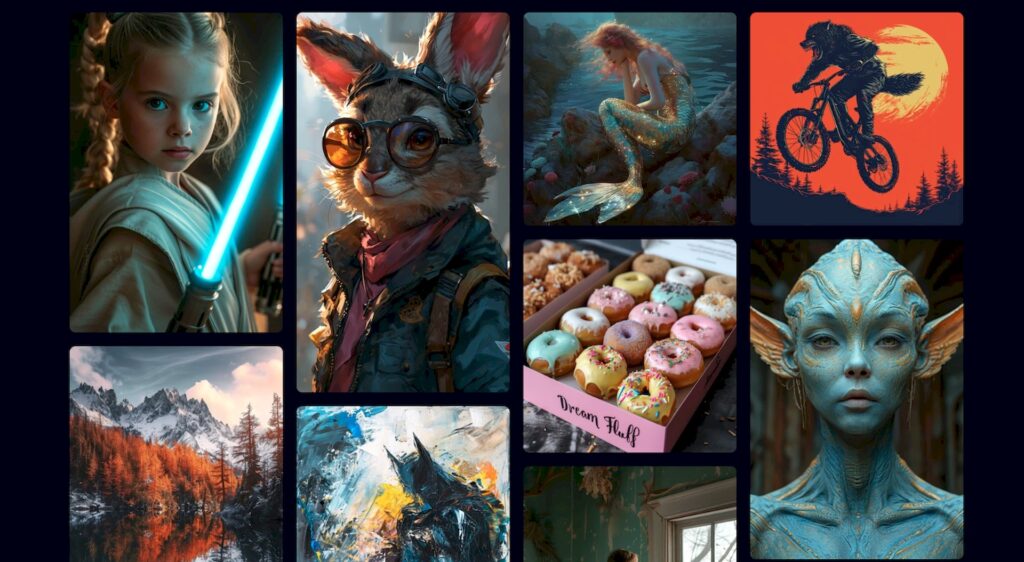
Midjourney v6 offers a number of new features and arguments to further expand users’ creativity. --arTags --chaosTags --weirdTags --tileTags --stylizeTags --style rawTags Vary (subtle)Tags Vary (strong)Tags RemixTags /blend, and /describe (v5 version) options such as offer flexibility and diversity that can meet all kinds of visual needs of users.
Close Up Features
Midjourney, PanTags ZoomTags Vary (region)Tags /tune, and /describe (new v6 version) It aims to move user experience further with future features. These innovations will make the visual creation process more dynamic and interactive.
How To Make Style And Routing?
v6 offers users a more responsive approach to their wishes. Especially if photorealistic visuals are desired, --style raw It is recommended to use the option. This makes visuals closer to natural and reality. This tool, which is suitable for each level, offers unlimited possibilities in art and design.
Things to Consider
- Midjourney v6 is currently available on Discord.
- Soon for subscribers https://midjourney.com will be available at the address.
- Since this is an alpha test, it can be frequent changes in properties.
- V6 is slower/more expensive than V5 but the optimization will be speeded by making. Relaxing mode is supported!
- V6 is not the last step, but the developers hope that you feel that you feel that you feel deeply nested deep with your collective imagination.
Midjourney v6 will gradually gain speed and will offer significant improvements in visual quality, consistency, quick tracking and text accuracy. To explore this exciting new version, you can join the Official Midjourney Discord Server. Midjourney offers this innovation The new Visual AI tools look like to stone their old. What do you think?
Creator