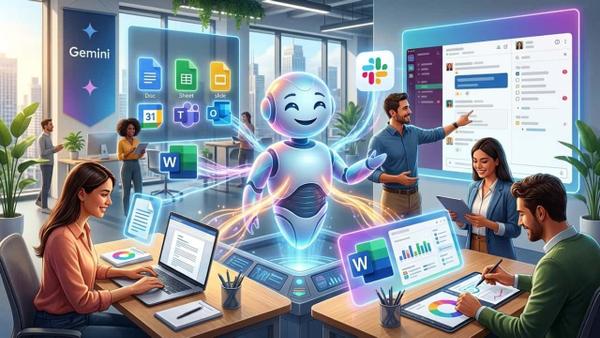
New Cloud Processor Supported by Artificial Intelligence from Microsoft
Automatically translated
 Writer
Microsoft introduced Cloud PC technology with artificial intelligence looking for the door of a new era in cloud and enterprise IT solutions. The artificial intelligence supported in the scope of Microsoft 365 Frontier Preview aims to provide an artificial intelligence-supported and measurable working environment beyond the classical desktop understanding. With the prevalence of remote and hybrid work models, this move of Microsoft is carefully monitored in the corporate world.

Cloud PC with artificial intelligence is a cloud computing solution powered by AI capabilities in Windows 365 infrastructure and operating system level. Users can access a high-performance and AI-supported Windows experience without needing a physical computer. The main difference in this system can be summarized as the use of artificial intelligence in the center of Windows experience not only specific applications. Many transactions from file search to user interaction will become faster and efficient with artificial intelligence-supported mechanisms.
What Will Windows 365 Frontier Preview Change?
Microsoft’s new features tested Windows 365 Frontier Preview is a demo program that is experienced for the first time of the Cloud PCs with artificial intelligence. With this release, institutions and IT professionals will have the opportunity to test new technologies at the early stage. Within the scope of Frontier Preview; the features of action such as AI-supported Windows search, “Click to Do), advanced user experience, smarter system responses come to the forefront. But it should not be noted that some features will be limited in the demo process.

Cloud PC Things To Install Artificial Intelligence
Cloud PC artificial intelligence installation u For standard Windows 365 installations, higher system requirements and additional configurations are needed. It can be used on computers with a storage space on at least 32 GB RAM and 256GB. Besides these, the minimum 8 vCPU and Windows 365 Enterprise license are also required to use Cloud PC. The requirements in the installation phase of the software are:
- Windows Insider Program membership
- Windows 24H2 or 25H2 version
- Enable AI features through Microsoft Intune
- Open Windows Update services
It is also necessary to specify; after installation, artificial intelligence features become active can take 1-2 days depending on the background configurations of Microsoft.
Features of Artificial Intelligence Supported Cloud PC
Cloud PCs with artificial intelligence that Microsoft has to offer brings a variety of innovations that directly affect Windows experience.
Improved Windows Search
This feature goes beyond Windows’s classic keyword-based search offers meaningal search capabilities. Users can search files by content or linking even when they remember the file name.

Click here (Click to Do)
This feature will offer automatic action recommendations according to contents on the screen. It will increase user efficiency by making quick transactions on visual or document.
Data Security
Microsoft clearly states that AI processes are temporarily processed and the user data is not used for model training. With this approach, it aims to reduce the security and data privacy concerns of corporate customers.
Microsoft 365 and Office 365 Integration u
Office 365 / Microsoft 365 (MS 365) applications work smoothly on Cloud PCs with artificial intelligence. Applications such as Word, Excel, PowerPoint and Outlook are indirectly benefiting from AI-supported Windows features. But there are a few things to pay attention at this point:
- AI features in Cloud PC work on Windows level
- Microsoft 365 Copilot like some advanced AI services require additional license
- All artificial intelligence properties were not integrated to Office applications automatically Tags
- This indicates that Microsoft offers artificial intelligence with a layered architecture

Windows 365 AI-Enabled Cloud PCs are now in demo stage Some problems that haven’t solved yet a fact that it is also known. The most common problems that appear late after updating artificial intelligence properties and delay in search results. As a solution to these, Cloud PC’s restart is recommended to manually check Windows Update or re-approve Intune policies. This is reported that temporary problems will be resolved with regular updates.
What to Change in Corporate World?
Cloud PCs with artificial intelligence provide significant advantages for large-scale institutions and remote-powered teams. Central and secure management, reduced hardware costs, scalable performance, smarter and quick user experience are some of these advantages. Thanks to this new structure, it is thought that traditional desktop computer understanding will leave AI-supported cloud work environments.
The Cloud PC approach with Microsoft’s artificial intelligence is turning Windows 365 into a dynamic digital working environment by becoming a simple virtual desktop solution. This step by Windows 365 Frontier Preview shows that AI will take a more central role in corporate IT infrastructures in the coming years. When Microsoft 365 and Office 365 infrastructure are thought together, the artificial intelligence-supported Cloud PCs will re-detect standards in terms of efficiency and security.
WriterGPT-5.2-Codex: En Gelişmiş Otonom Kodlama Modeli Çıktı!


Google Workspace Studio ile kodsuz otomasyon gücü