Notion 3.0 What is New Generation Artificial Intelligence?
Automatically translated
 Writer
Notion, one of the first minds when it comes to digital note retention, is taking new steps every day to not get back from the artificial intelligence race. The new version of the application, which has collected under one roof, such as note acquisition, database, project work and information storage, Notion 3.0 offers new features with new generation artificial intelligence. Beyond being a vehicle Notion 3. With Smart Agent Model 0 Searching doors of a new era with a working tool.
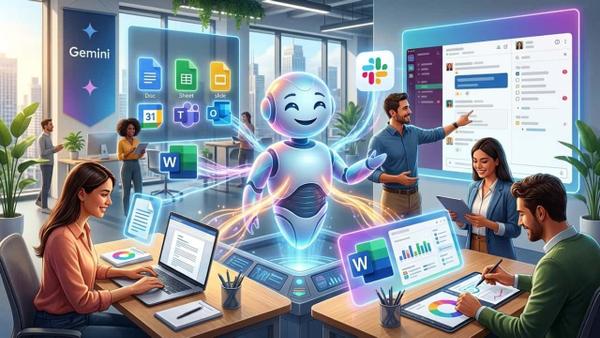
With this version, Notion, which comes out of the note app limits, aims to be a business friend or personal assistant that knows you very well. While doing so, Gmail is working with tools like Google Drive, Microsoft Teams, Slack, OneDrive, Github. Box and Outlook support will be available nearby. Thus, time and business management will make your name as soon as possible. At this point, there are notion 3.0’s basic promises that you can take a life-oriented to your personal goals while you’ve taken care of your business.
What is Notion 3.0? What is the Difference from 2.0?
The old versions like Notion 2.0 were working with the active interventions of the user. The processes such as content writing, counting layout and database creation were possible in user control. Notion AI was only supported to the user in some points such as abstracting and language tone changes. Notion 3.0 working toolIf all these limits disappear. Now, the tool undertakes user tasks, database creation, coordinate workflows and make page update. Here at this point, the user-platform interaction completely leaves Notion AI agents.
What is Notion 3.0? Basic Features
Notion 3.0 will be correct to classify the basic features of new generation artificial intelligence from three main titles.
1- Notion AI Agents (AI Agents)
- The concept of Notion 3.0 is based on these AI agents. These are doing the user in Notion.
- Create page and edit content, build database or update data, summarize meeting notes, task creation or report preparation steps automatically.
- The most important features that can maintain work independently in the time frame up to 20 minutes.
2- Profile Memory
- Thanks to this feature, you can determine the style of greken rules, in which case, how to treat agents in work with preferences, or the agent.
- You can keep the behavior required by the profiles you register, you can change at any time.
- As an example, you can set the resources that will be adopted in the production of text and will be referenced or destroyed.
- You can also act differently in different profiles such as application mode or report mode
3- Integration
- You can use not only to your data in Notion but by transferring your data to Notion, such as Google tools, Slack.
- Integrates data from Notion pages by scanning Slack messages.
- It analyzes by collecting data from documents in different sources.
- Automatic response to external resources. For example, you know what you need to do when it comes to mail.
Automation with Notion: Scenarios
Notion 3.0’s agent properties are quite impressive. On the other hand, they are most curious about how they work in practice. With a few examples scenarios you may have preliminary information about the working principle of automations.
Creating Task Using Meeting Notes
It summarizes by reviewing the audio and text files of the meeting. Creating tasks from these substances by detecting important substances. These tasks work on the required pages and assign them to relevant persons.
News
In particular, in the teamwork, you need to collect a combination of mail, Slack and other vehicles. The agent distinguishes data into categories by scanning all resources. The report creates an outline and forms the desired output. For example, collect feedback from the meeting in the evening, list requests and offer recommendations.
Database Automation u
Column features and filters automatically adjust the agent when you need to create database. Firstly opens a database base based on your description, assigns appropriate columns and filters automatically. It then analyzes new data added and places by offering recommendations.
Task Tracking
regularly scans incoming mails every day, Review Slack messagesThe task flows by transferring important views to Notion. If you make the necessary adjustments to move, you don’t need to scan different tools individually, it will take care of your name. It remains to examine the tasks that he prepared alone.
Notion 3.0, now only an artificial intelligence-supported note application not. With AI agents, you will be the biggest help you in your daily life. Thanks to the integration feature, the process will automatically prevent time loss in your work and education life.
WriterGemini 3 Pro Çıkış Tarihi Belli Oldu Mu?

Google Jules Nedir? Kodlamada Yeni Bir Dönem