6 AI Voice Generators Compared
Automatically translated
 Writer
You no longer need a studio to add voiceover to a video, turn educational content into audio, or listen to your own writing in a natural narration. AI voice tools can convert written text into speech in a short time.
Some platforms also let you clone your own voice, create dubbing in different languages, and adjust the tone of the speech. Let's look at six leading options to find the tool that fits your needs.
What Are AI Voice Generators Used For?
AI voice generators convert written text into speech created by artificial intelligence. This technology is called Text-to-Speech (TTS). You enter your text, choose a voice, and use the audio file the system generates.
Some tools only read text aloud, while advanced platforms also offer features such as voice cloning, speech tone adjustment, and dubbing into other languages. Common uses include YouTube videos, podcasts, educational content, product presentations, and audiobooks.
The 6 Best AI Voice Generators
When evaluating the tools, we considered Turkish language support, voice quality, free usage, and key features. PlayHT is included because it was once one of the important platforms in this field, but the service is no longer active.
1. ElevenLabs
ElevenLabs is one of the platforms known for natural voice generation and voice cloning. You can have texts read in different voices, adjust the tone of the speech, and create an AI voice that resembles your own.
Its dubbing features are also useful for people who create content in different languages. It can be worth considering for projects that need natural delivery, such as YouTube videos, podcasts, and audiobooks.
Key features:
Text-to-speech conversion
Voice cloning
Multilingual voice generation and dubbing
Speech tone and delivery adjustment
Pricing: The free plan includes 10,000 credits per month. The Starter plan starts at around 6 dollars per month and adds features such as a commercial license. Credit consumption may vary depending on the model used.
Best for: Content creators who care about natural voice quality, podcast producers, and people who want to use voice cloning.
2. Murf AI
Murf AI is aimed at people who want to create voiceovers for training videos, corporate presentations, and product introductions. In addition to converting text to speech, it offers tools to adjust speaking rate, tone, and pronunciation.
You can split a voiceover into sections, choose a different voice for each section, and adjust the pace of the narration to suit the content. Its video and presentation-focused workspace is one of the platform's strong points.
Key features:
Text-to-speech conversion
Adjustment of tone, speed, and pronunciation
Voiceovers for training and presentations
Voice options in different languages
Pricing: The free plan includes 10 minutes of voice generation. However, download and commercial usage rights on the free plan are limited. The Creator plan starts at around 19 dollars per month.
Best for: Training content, corporate videos, and teams with regular voiceover needs.
3. MiniMax Audio
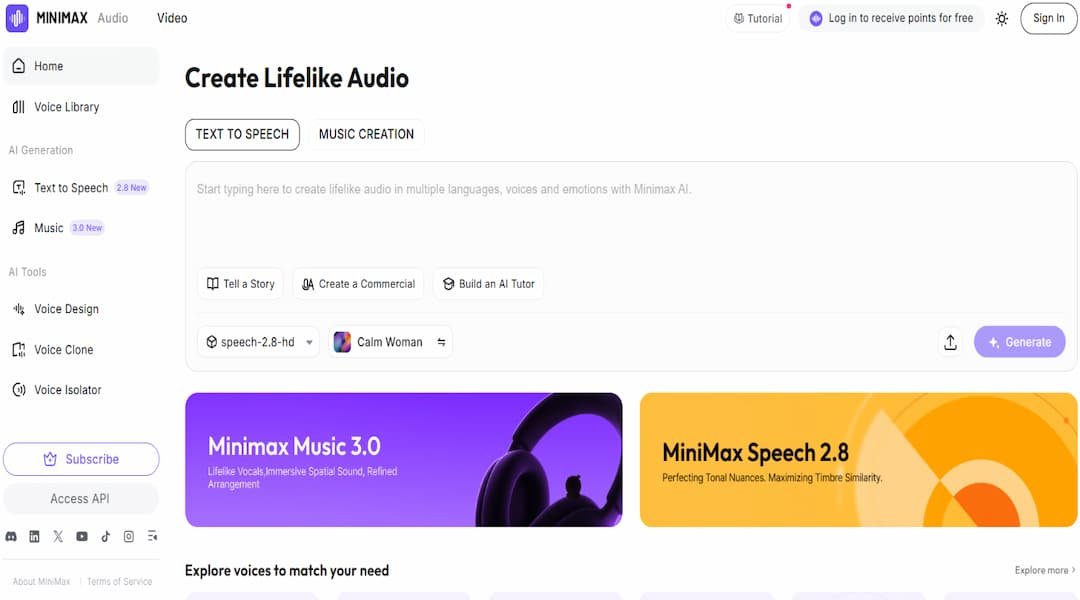
MiniMax Audio combines text-to-speech and voice cloning. It can generate speech in several languages, including Turkish. Its range of voice characters and speaking styles makes it worth trying.
By generating the same text with different voices, you can choose the narration that best suits a video, presentation, or social media post. It also offers voice generation through an API for developers.
Key features:
Turkish text-to-speech
Voice cloning
Different speaking styles
Voice generation through an API
Pricing: The Turkish voiceover page offers five free trial credits. For more extensive use, check the current credit and API terms.
Best for: People who want to try different narration styles, use voice cloning features, or generate voice through an API.
4. Speechma
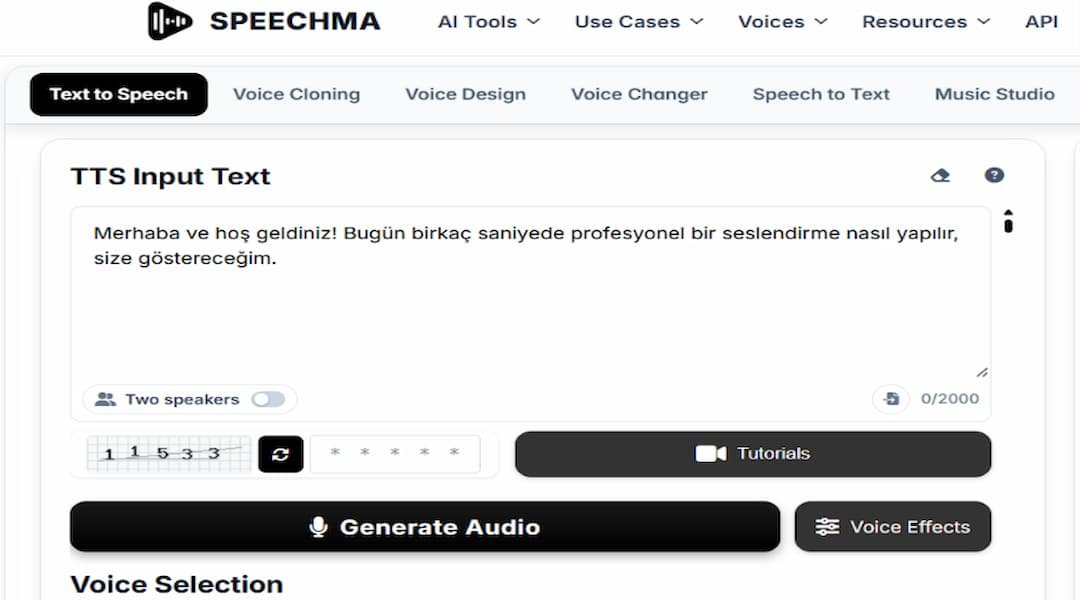
Speechma is a practical option for fast, free text-to-speech. You don't need to create an account to use its basic voiceover features. After entering your text and choosing a voice, you can download the MP3 file it generates.
In addition to Turkish voice options, it offers other tools such as voice cloning and dubbing. It can be considered for short video narrations, educational content, or texts you want to voice quickly.
Key features:
Text-to-speech without registration
Turkish voice options
MP3 download
Voice cloning and dubbing tools
Pricing: Basic use is free. Standard text conversion is limited to 2,000 characters per run. You can convert longer texts by splitting them into parts.
Best for: Students and content creators who want to quickly voice short texts.
5. PlayHT
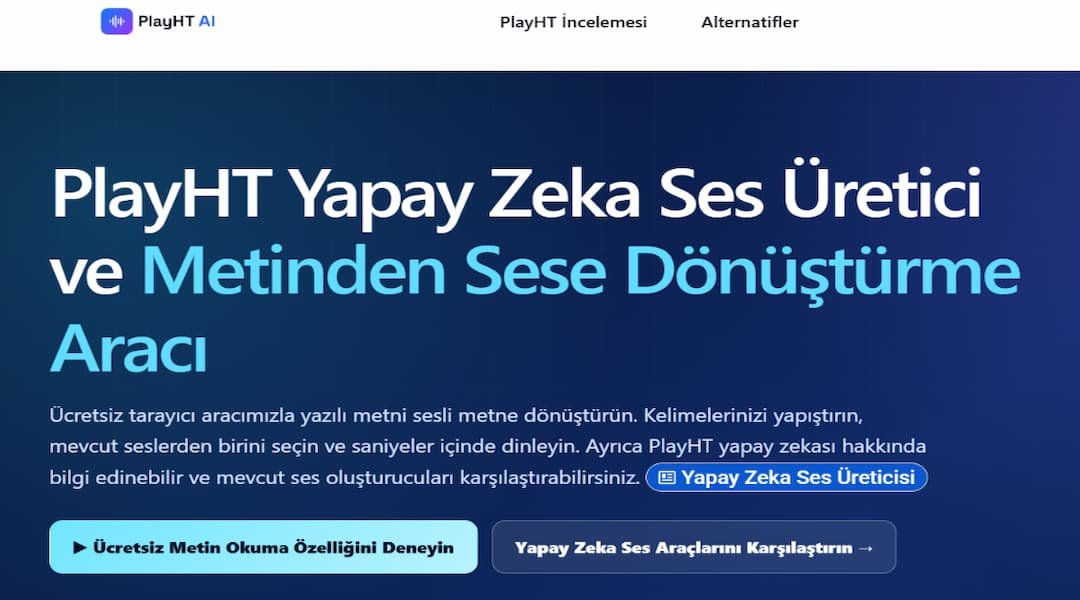
PlayHT was once one of the leading platforms for text-to-speech and voice cloning. Its range of voice options, multi-speaker content generation, and API support attracted content creators and developers.
However, PlayHT is no longer an active option. The service is known to have been shut down, but no verified official closing date has been published, so it would not be accurate to give a specific day. It is not available for new voiceover projects.
Past key features:
Text-to-speech conversion
Voice cloning
Multi-speaker voice generation
API support
Pricing: Since the service is not active, there is no current pricing plan.
Best for: Not a current recommendation. People who used the former PlayHT workflow can consider alternatives such as ElevenLabs or MiniMax Audio.
6. LuvVoice
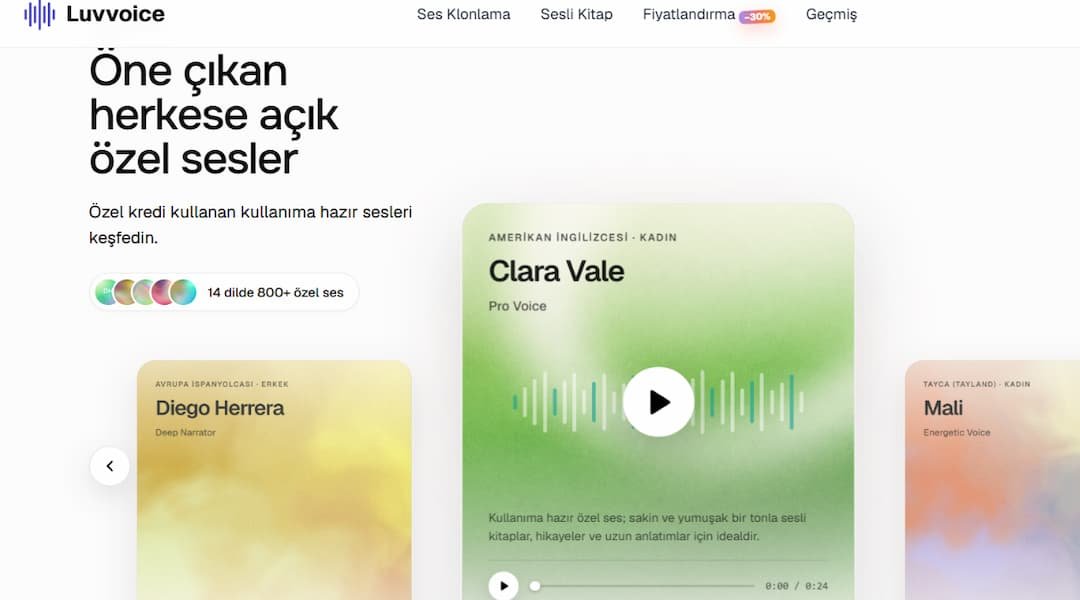
LuvVoice offers a simple interface for quickly converting text to speech. It supports more than 70 languages, including Turkish, and has over 200 voice options. After adding your text, you can choose a voice, adjust the speaking rate and tone, and create an MP3 file.
It can also be used by people who want to turn long texts into audio content or convert e-books into a listenable format.
Key features:
More than 70 languages, including Turkish
More than 200 voice options
Speaking rate and tone settings
MP3 download and e-book narration
Pricing: The free plan includes 10,000 characters per month. The Lite plan starts at 4.75 dollars per month when billed annually.
Best for: People who want to quickly turn their texts into speech without needing complex editing tools.
AI Voice Generator Comparison Table
Tool | Key Feature | Turkish Support | Free Usage |
|---|---|---|---|
ElevenLabs | Natural voice and voice cloning | Yes | 10,000 credits/month |
Murf AI | Video and presentation voiceovers | Yes | 10 minutes |
MiniMax Audio | Voice cloning and different speaking styles | Yes | 5 free trials |
Speechma | Fast text voiceovers | Yes | Yes, 2,000 characters per run |
PlayHT | Past TTS and voice cloning | Not active | Service closed |
LuvVoice | Multilingual text voiceovers | Yes | 10,000 characters/month |
Free usage limits and the scope of paid plans may change. Before using a platform for commercial projects in particular, check its current license terms.
What Should You Check When Choosing an AI Voice Generator?
Having many voices does not necessarily mean a tool is good. When choosing, it is enough to test the tool with your own text and check a few points.
Turkish pronunciation: Use a paragraph that includes proper nouns, numbers, abbreviations, and words of foreign origin. Not every tool that supports Turkish delivers the same pronunciation quality.
Naturalness of the voice: A model that performs well on short sentences may sound mechanical in long paragraphs. Listen to the emphasis and pauses too.
Editing options: Being able to change the speaking rate, tone, and pronunciation saves time, especially for longer content.
Commercial use: You may not be allowed to use a voice created on a free plan in an ad, a client project, or a monetized video. Check the license terms.
File and integration support: Features such as MP3 or WAV download, API access, and video editing integration affect how you work.
Can You Do Turkish Voiceover and Dubbing With AI?
Yes. You can voice Turkish texts on platforms such as ElevenLabs, Murf AI, MiniMax Audio, Speechma, and LuvVoice. However, Turkish support does not mean every voice will deliver flawless pronunciation. I recommend checking how letters such as ı, ğ, ş, ç, and ü, as well as proper nouns and long sentences, are read.
Preparing dubbing involves a few steps. First, you need to extract the speech text from the video, then translate it into the target language, and finally match the new voiceover to the video. For the first stage of this process, you can use tools that convert audio recordings to text. Since not every platform offers this entire process on its own, you should check the dubbing feature separately.
How Does AI Voice Cloning Work?
Voice cloning is the technology that learns a person's vocal characteristics from a short audio recording and generates an AI voice with similar qualities. Details such as timbre, emphasis, and speech rhythm are analyzed, and then the texts you write can be read in that voice.
Tools such as ElevenLabs and MiniMax Audio offer this feature. When you clone your own voice, you can prepare video narrations without recording again each time.
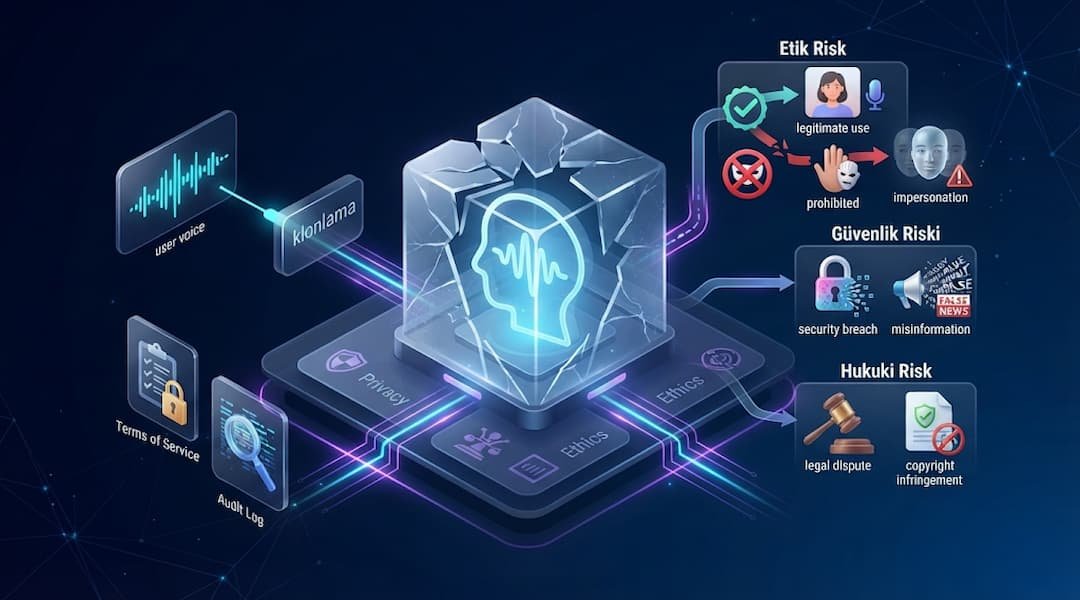
However, imitating someone else's voice without permission or making them say things they never said can lead to serious ethical and legal problems. Even when cloning your own voice, you should check how your recordings are stored and used. This is because the security and ethical risks that come with AI voice cloning are not limited to imitating someone else's voice.
Frequently Asked Questions
What Is the Best Free AI Voice Generator?
For free voiceovers without registration, Speechma is worth considering, and for a monthly character quota, LuvVoice is an option. If you want to try more advanced voice options, you can look at the free plans of ElevenLabs and Murf AI.
Do AI Voice Generators Support Turkish?
Yes. ElevenLabs, Murf AI, MiniMax Audio, Speechma, and LuvVoice can voice Turkish texts. However, pronunciation quality varies depending on the voice and model used.
Are AI Voice Generators Suitable for Commercial Use?
It depends on the tool and the plan you use. Free plans do not always grant commercial usage rights. If you are preparing ads, client projects, or videos that earn money, check the license terms.
Can I Clone My Own Voice With AI?
Yes. Platforms such as ElevenLabs and MiniMax Audio offer voice cloning features. To clone someone else's voice, you must obtain their explicit permission beforehand.
Is PlayHT Still Usable?
No. PlayHT no longer offers an active service. It should not be considered a usable option for new voiceover projects.
Can AI-Generated Voices Be Downloaded as MP3?
Tools such as Speechma and LuvVoice offer MP3 download. Export formats on other platforms may vary depending on the tool and plan.
Writer