




Claude for Word: A New Era on Microsoft's Turf
Automatically translated
 Writer
Claude for Word is drawing attention among office software as a new AI add-in integrated into Microsoft Word. Built on a language model, this tool lets users generate documents, analyze text and edit content directly within Word, opening the door to a new era in productivity tools.

Working integrated with Microsoft Word, this system allows users to get AI support without switching to other applications. This development is also a sign that office software is being reshaped by AI.
What Is Claude for Word?
Claude for Word is an AI add-in developed to speed up document creation and take the user experience to the next level. The system lets users actively take part in the writing process and produce content. The main features of this add-in are as follows:
Extracting main ideas by analyzing long texts
Summarizing documents briefly and clearly
Rewriting texts and changing style
Producing professional reports and content
Simplifying complex texts
How Does Claude for Word Work?
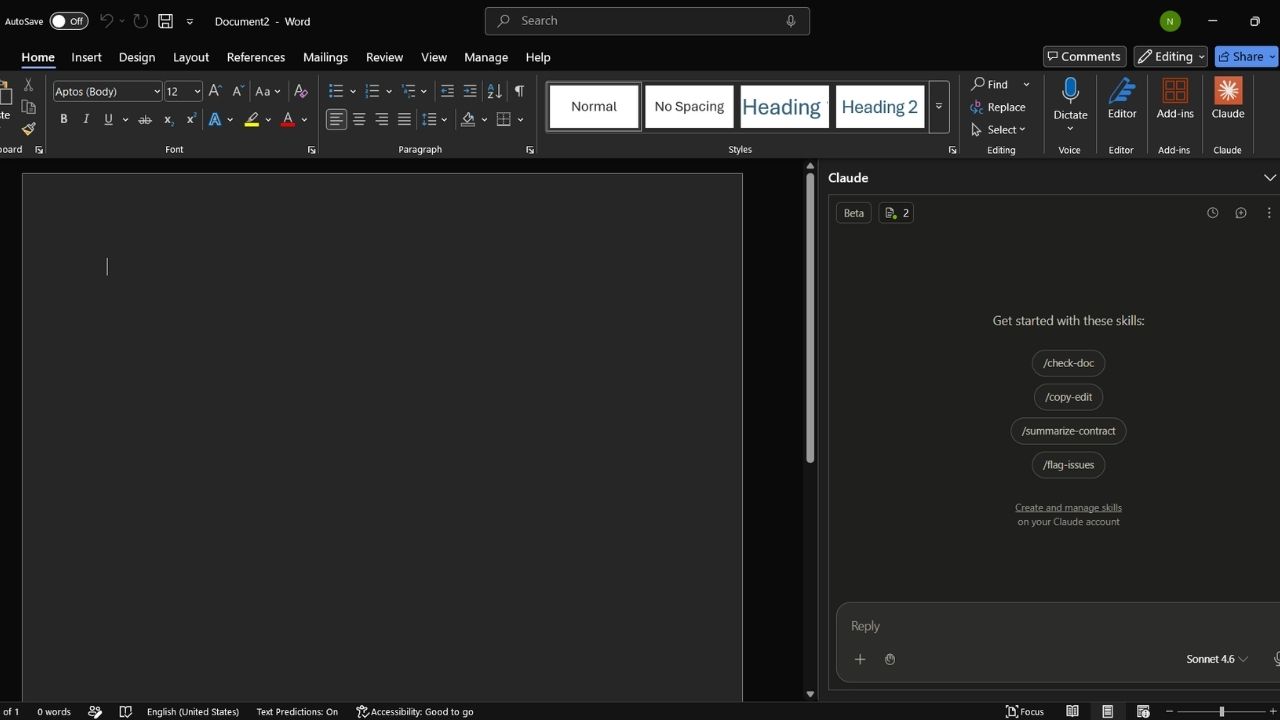
This system is designed to work as a side panel inside Microsoft Word. Users can give direct commands to the AI while working on a document. This makes things easier for those who work with long and technical documents.
Text analysis
Analyzes the main idea and content structure of a document.
Text editing
Turns text into a more professional, simpler or academic form.
Summarization
Makes long documents short and easy to understand.
Explanation generation
Translates complex texts into a more understandable language.
The AI Office Tools Market Is Growing
This add-in is an important part of the rapidly expanding market for AI office tools. Significant changes have taken place in this field in recent years. Trends standing out in the sector include AI-assisted content creation, automated document editing systems, rapid analysis of reports and contracts, and automation of corporate correspondence.
These developments are turning office software from classic editors into smarter and more interactive systems. Users are taking on a role of managing AI alongside their role as writers.
Anthropic's Strategic Move
Claude for Word stands out as the integration of the ecosystem developed by Anthropic into the Microsoft Word environment. This move exposes the commercial side of the competition, and according to experts, three main goals lie behind this initiative:
Access to the enterprise market
Reaching the legal, finance and academic fields.
Increasing competition
Developing an alternative to Microsoft's AI dominance in office software
Offering model diversity
Allowing users to access different AI solutions and make choices
Is It a Microsoft Copilot Alternative?
Claude for Word is seen in the sector as an alternative to Microsoft Copilot . While Copilot is built into Office applications, Claude is used as an add-in. Its notable aspects are:
Deeper text and context analysis
Stronger performance on long documents
An editor-focused structure based on content interpretation
A better fit for professional writing processes
These differences make the system especially preferred in the legal, finance and academic fields. It is also an undeniable fact that tools of this kind are adopted faster in certain sectors.
User Experience and Feedback
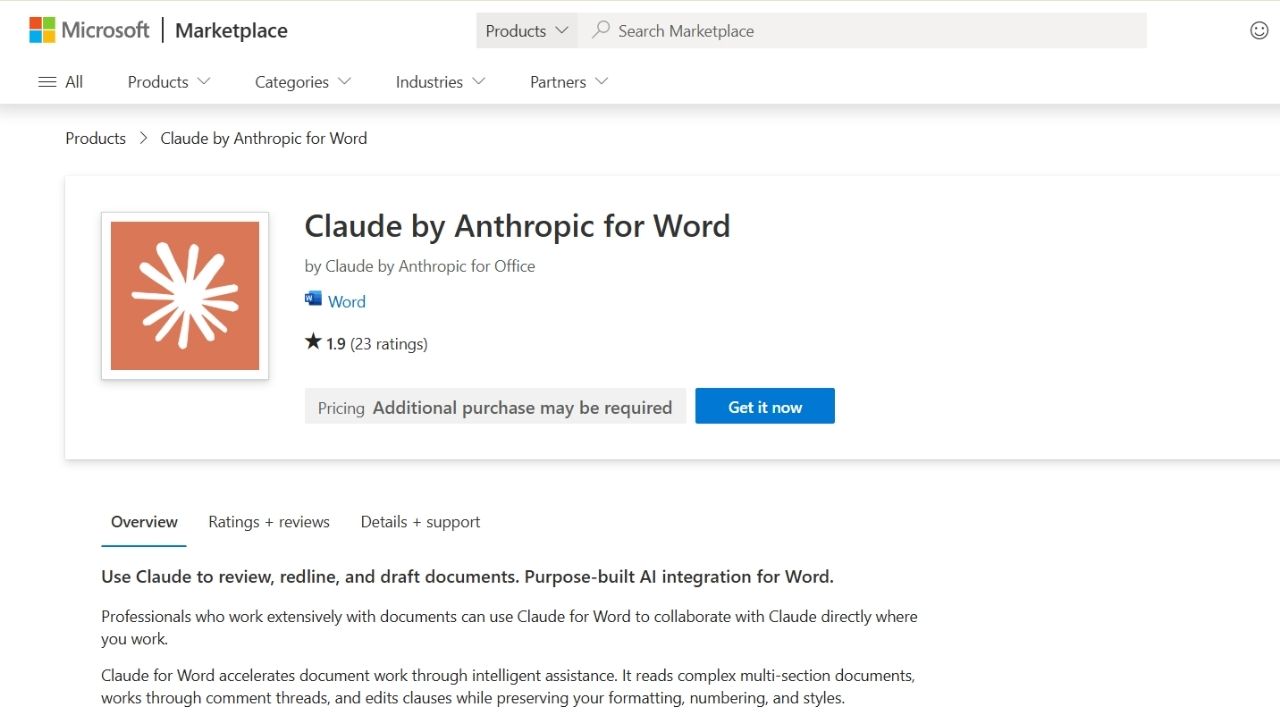
Available for purchase through Microsoft Marketplace, this AI integration, along with the Claude for Powerpoint and Claude for Excel add-ins , looks impressive at first glance, but user ratings clearly show that expectations have not yet been met. The add-in sits at 1.9 out of 5 based on the votes of 23 people.
On Reddit, some users describe the add-in as a terrible experience, and the fast depletion of tokens and lack of support on every MS Office version are also drawing criticism. On the other hand, there are also those who are satisfied with the high output quality.
The digital editor, which is still in beta and only available on Team and Enterprise plans, is expected to improve user experience once it is opened to Pro and Max plan users and the necessary improvements are made.

Differences Between Claude and Copilot
The differences between Claude for Word and Microsoft Copilot reveal two different AI approaches. This comparison shows that Anthropic's solution is aimed more at deep analysis and professional use.
Feature | Claude for Word | Microsoft Copilot |
|---|---|---|
Model | Anthropic | OpenAI |
Structure | Add-in | Built-in system |
Focus | Text analysis | General productivity |
Use case | Professional | General user |
Strength | Long documents | Office |
New Competition in the Microsoft Ecosystem
Microsoft has held a leading position in office software for many years. However, new solutions such as this AI integration have begun to fundamentally shake that dominance. According to industry experts, this situation:
Increases competition and the pace of innovation
Expands user choices
Diversifies the software ecosystem

Enterprise Use Cases
This productivity add-in has a wide range of use cases across different sectors.
Legal
Contract analysis and document editing
Finance
Report writing and data interpretation
Academia
Article generation and summarization
Human resources
Document creation and editing
How Will the Future Take Shape?
According to experts, AI-powered office tools will become even more widespread in the future. This system is expected to play a leading role going forward. Expected developments include:
Document production becoming largely automated
Users taking on the role of editors
Office software turning into intelligent platforms
Competition moving to the model level.
Claude for Word is just one of the developments taking AI use within Word to a new level. With its ability to speed up document production, its text analysis strength and its professional-use focus, this add-in is seen as a Copilot alternative. While increasing competition in office software, it also offers important clues about the future of AI-powered productivity tools.
WriterYol Aydınlatmanın Ötesi: Karşınızda Huawei XPIXEL


Yazılım ve Oyun Sektörüne %100 Vergi İstisnası Geldi!


