



Why Is Gemini Losing Android Auto Users?
Automatically translated
 Writer
Although Google's AI-driven transformation initiative has generated considerable excitement in the tech world, not every integration is going as smoothly as expected. The latest and most striking example of this is the Gemini transition in Android Auto. Gemini, the generative AI model that is gradually replacing Google Assistant on smartphones, has faced serious backlash from users since being introduced into in-car infotainment systems.
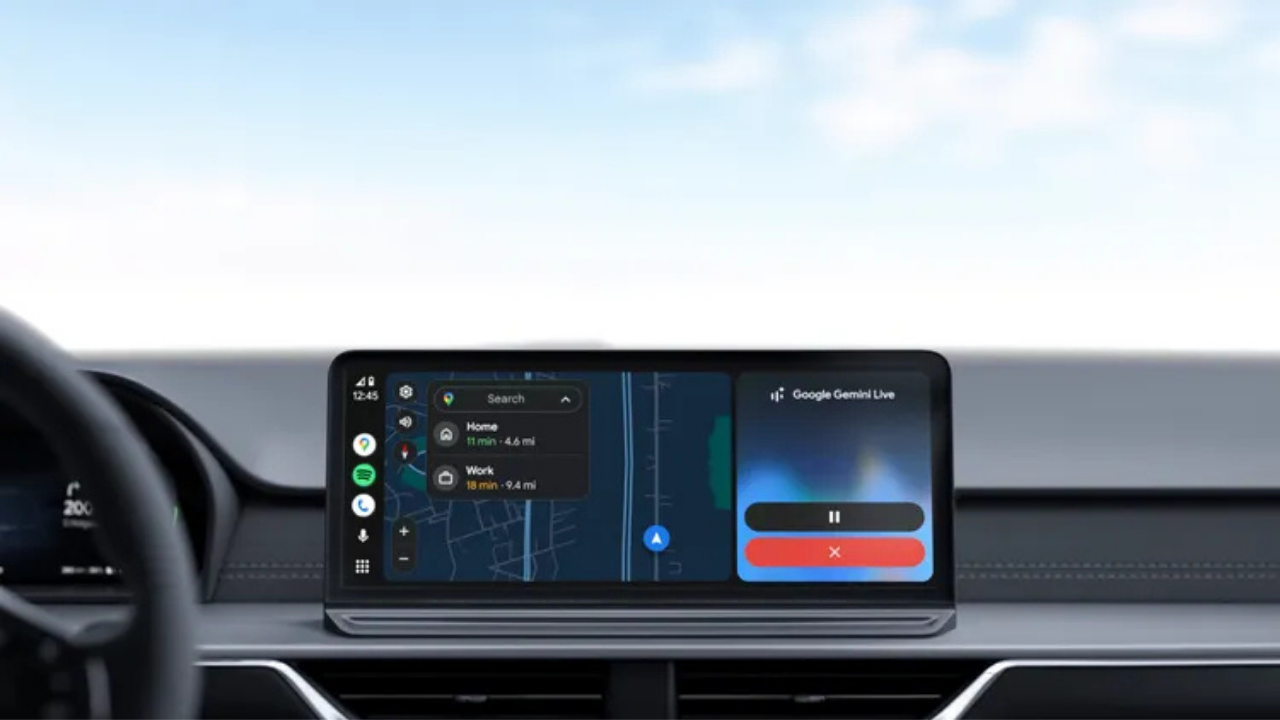
The in-car AI solution, which was expected to make life easier while driving, has frustrated drivers due to technical glitches and shortcomings in basic functions. This transition, described as a "complete disaster" by TechRadar, one of the world's leading technology platforms, is prompting many users to return to their old, trusted Google Assistant system, which offers a safer and more stable experience.
So why has Google's star product, Gemini, failed behind the wheel? What are the main Gemini issues drivers are experiencing, and how will this crisis be resolved? Let's take a closer look.
Google Is Accelerating the Gemini Era in Android Auto
The Process of Replacing Google Assistant
Google has begun gradually retiring Google Assistant, which has handled voice commands across the Android ecosystem for many years. The company wants to bring the flexibility and natural language processing capabilities offered by large language models (LLMs) to all its devices. As part of this initiative, the transformation that began on smartphones was quickly extended to the Android Auto platform.
Why Was Gemini Brought Into Cars?
AI plays a major role in the in-car experience. Thanks to Gemini's multimodal architecture, Google aimed to offer drivers not just a robot that carries out simple commands, but a travel companion that understands context. Summarizing incoming long messages, answering complex questions without interrupting the driving experience, and creating a more natural conversational environment were the main motivations behind bringing Gemini into vehicles.
Why Are Users Switching Back to Google Assistant?
Common Complaints on Reddit and Google Support Forums
This is precisely where theory and practice fail to align. A large number of recent discussions in the Reddit r/AndroidAuto community and official Google support forums express frustration with Gemini. Users report that although the system works well on smartphones, it fails to perform basic tasks when integrated into their car displays.
User Experiences Highlighted by TechRadar
The international tech media is also closely following this crisis. Analyses published by TechRadar report that the Gemini integration was rushed and suffers from stability issues serious enough to compromise driving safety. Drivers argue that they have to touch the screen because voice commands fail when they should be focusing on the road, making the Gemini Android Auto experience virtually unusable.
Critical Issue | Impact on Drivers |
|---|---|
Call and Contact Synchronization | Cannot find contacts or make calls. |
Navigation Errors | Misunderstands map commands. |
Response Delays (Latency) | Causes distractions while driving. |
Failed Search Results
You might expect an AI assistant to explain quantum physics, but an in-car assistant has a simple primary responsibility: finding the right information quickly. Although Gemini performs well in internet-based information searches, it produces errors or takes far too long when searching local data stored on the device, such as nearby saved locations.
Misunderstood Voice Commands
Thanks to years of optimization, Google Assistant could filter out in-car noise, engine sounds, and wind coming through open windows to understand commands clearly. Gemini, on the other hand, struggles to recognize user commands when there is background noise. It may also completely misinterpret words and perform unrelated actions.
Gemini Issues During Phone Calls
The "Call X" command, one of the most frequently used commands by drivers, has turned into a nightmare with Gemini. The system struggles to recognize names in the contact list or, even when it understands the command, displays generic error messages such as "I can't do that right now" instead of initiating the call.
Problems with Navigation Commands
The system, which is integrated with Google Maps, struggles with commands for finding alternative routes or searching for specific addresses. When asked to "Find the nearest gas station," it may attempt to perform a general internet search, delaying its ability to process live map data.
The Most Frequently Reported Errors
"Call" Commands Not Working:
The system fails to complete voice-initiated calling requests from drivers.
Contacts Cannot Be Found:
Gemini fails to match names because it cannot fully access local contact permissions on the device or due to synchronization issues.
Incorrect Apps Being Opened:
When asked to play music through Spotify, the system may attempt to open YouTube Music or perform a search in the browser instead.
Command Delays:
The time the AI takes to wait for a response from cloud-based servers after a driver issues a command remains excessively long for in-car use.
Google Assistant vs. Gemini: A Comparison
Speed
Google Assistant responds instantly, even with a weak internet connection, because it has local command sets stored on the device. Gemini, however, relies more heavily on cloud servers to process data due to its large language model architecture, resulting in unacceptable delays (lag) in vehicles.
Accuracy
Google Assistant knows exactly what is being requested: "Turn on the lights," "Call my mom," or "Drive home." Gemini's problems, on the other hand, stem from the system trying to be "too smart." By attempting to interpret a simple navigation command in a philosophical or textual context, it loses sight of the straightforward mechanical task it is supposed to perform.
Ease of Use in Cars
Although Gemini excels at summarizing complex emails and writing creative text, none of these capabilities is a priority in a vehicle traveling at 120 km/h. Drivers do not need a creative poet; they need a reliable assistant that performs its tasks flawlessly. Google Assistant, which works in coordination with many automotive brands, still leads when it comes to this practical, task-oriented functionality.
Is Google Acknowledging These Problems?
Google's Latest Gemini Updates
Google is aware that users are returning to their Google Assistant settings in large numbers. The company is releasing a series of small patches and server-side updates to address these issues within the Android Auto ecosystem.
Changes to Usage Limits and Expected Improvements
Leaks from the development team indicate that Google is working on a dedicated "Drive Mode" update focused on optimizing in-car microphones and reducing the strain on local hardware resources (RAM and processor) in vehicles. However, when these updates will be fully incorporated into the stable release remains uncertain.
Why Is the In-Car AI Experience So Critical?
At home, if a smart speaker misunderstands your command, it costs you no more than a few seconds. However, when a voice assistant freezes in a moving vehicle, the driver may take their eyes off the road to look at the screen, creating a direct threat to life.
Voice Assistants and Driving Safety
As physical buttons have been replaced by touchscreens in the modern automotive world, voice assistants have become the only safe control mechanism. This is why in-car AI solutions must operate with zero margin for error; it is not a luxury but a necessity.
The Role of Voice Assistants in Reducing Distractions
A successful assistant prevents drivers from taking their eyes off the road or their hands off the steering wheel. Gemini's current inconsistency does the opposite, increasing distractions and putting driving safety at risk.
Google's Biggest Risk
Loss of User Trust
Once users have a bad experience, they tend to disable that feature for a long time. Convincing the people who have disabled Gemini and returned to Google Assistant to switch to the new system again will be quite difficult for Google.
Competition with Apple CarPlay and Siri
As Apple brings its Apple Intelligence infrastructure to in-car displays (CarPlay) within the iOS ecosystem, it is taking a much more cautious and locally focused approach. Google's loss of prestige could lead users to turn to Siri in the Apple ecosystem or locally developed voice assistants created by automakers themselves.
What Does the Future Hold for Gemini Android Auto?
Although the future belongs entirely to AI-powered assistants, the growing pains during this transition period seem inevitable. Google will likely adopt a hybrid model, entrusting core functions such as calling, messaging, and navigation to Google Assistant's core engine while leaving complex analysis and summarization tasks to Gemini in the background. In the coming period, as Gemini Live integration makes its way into vehicles, we will see together how smoother and more seamless conversations can be adapted to the driving environment. Until then, however, most drivers want to hear their reliable old assistant rather than an adventurous AI when they say "Hey Google" behind the wheel.
Frequently Asked Questions
What is Gemini Android Auto?
It is Google's next-generation generative AI model, Gemini, integrated into the Android Auto operating system to serve as an in-car voice assistant. It is designed to replace Google Assistant.
Why Is Google Assistant More Stable?
Google Assistant has been optimized for compatibility with local, on-device hardware for many years. Because it can process commands directly on the device without sending them to the cloud, it is unaffected by internet fluctuations and performs mechanical tasks more quickly.
When Will Gemini Issues Be Fixed?
Although Google has not announced an official date, it releases new updates for Android Auto and the Google app every week. It is estimated that the system may not become fully stable until the final quarter of 2026.
Can Google Assistant Still Be Used in Android Auto?
Yes. If you are not satisfied with the Gemini integration, you can switch back to the previous system in Android Auto by selecting "Google Assistant" again as your default assistant in your phone's digital assistant settings.
WriterAndroid Virüs Temizleme: Belirtiler ve Adım Adım Çözüm


Yapay Zeka Kimlik Taklidi Dolandırıcılığı: 3 Saniye Yetiyor


