AI Workflows in 2026: A Guide to Coding and Agents
Automatically translated
 Admin
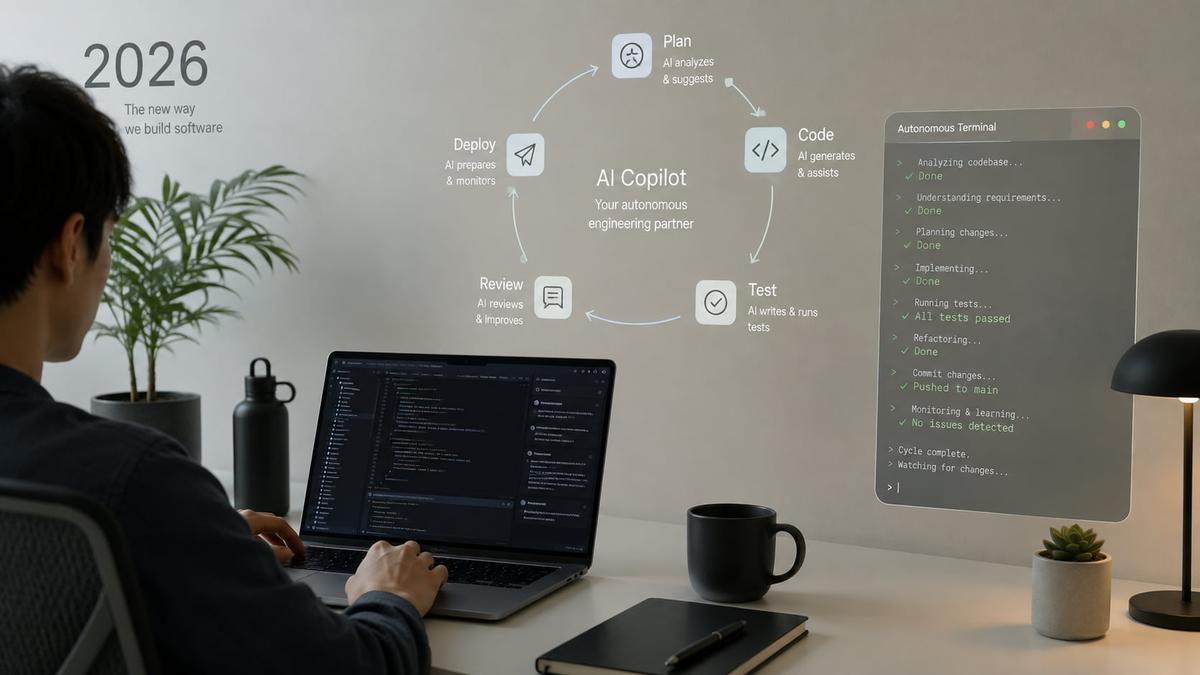
The usage model that treats AI as nothing more than pasting a code snippet into a chat box in a web browser and waiting for output has completely lost its relevance. As of 2026, modern engineering practices have moved beyond isolated prompts and evolved into autonomous loops running continuously in the background, data bridges based on the Model Context Protocol (MCP), and systemic development environments.
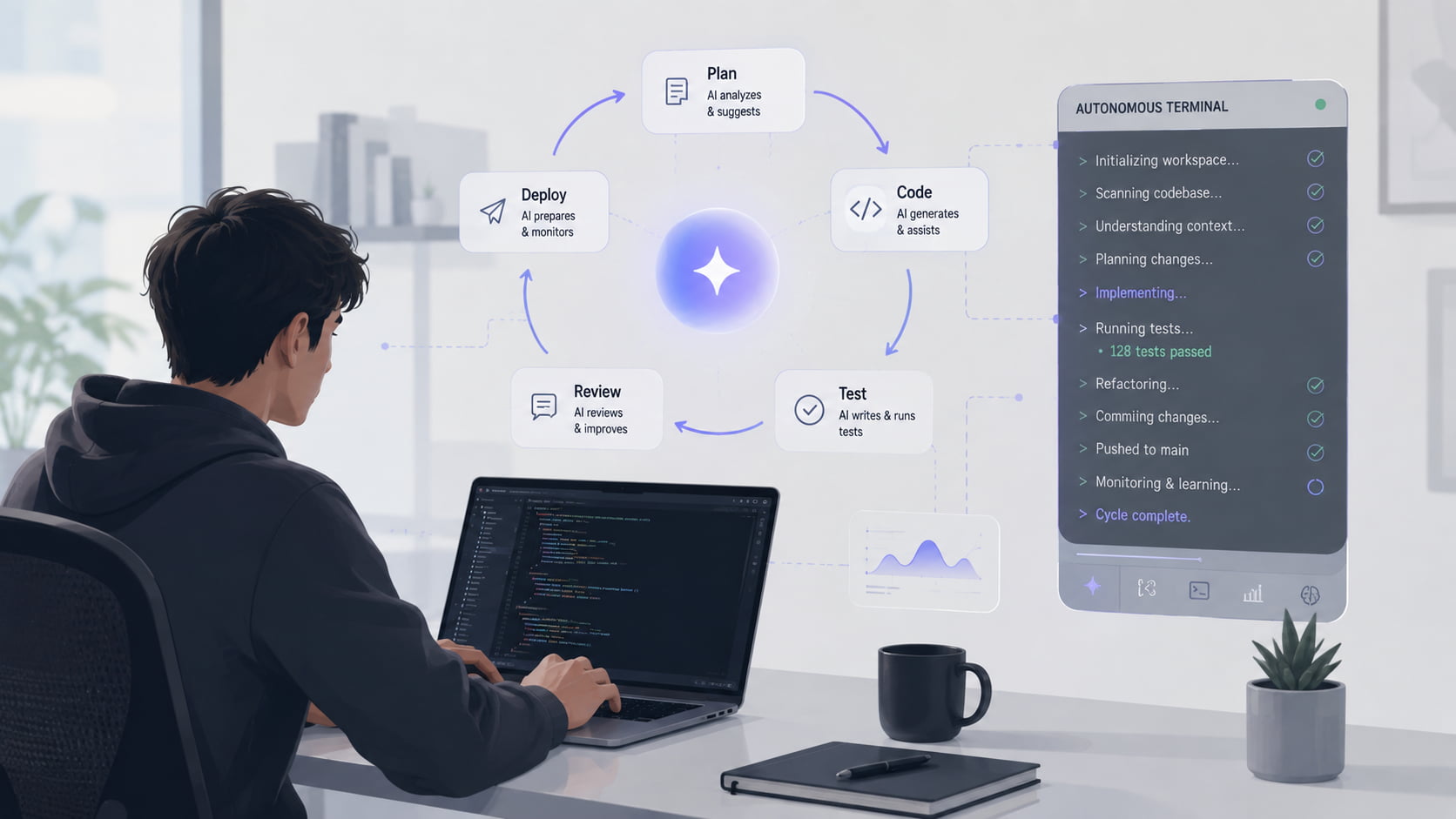
Using AI efficiently today means less about writing individual prompts and more about setting up the right architectural workspace and turning software loops into self-running pipelines under human supervision. Let's walk through, step by step, how to build a comprehensive AI workflow to 2026 standards, from code generation to architectural specifications, from managing local terminal agents on mobile devices to learning a codebase through reverse engineering.
How Have AI Workflows Changed in 2026?
The fundamental paradigm shift in how AI tools are used is the move from a reactive question-and-answer model to proactive, context-aware workspaces. Instead of developers carrying the syntax errors they encounter over to external windows, AI models have settled directly at the center of the development environment and the file system. In this transformation, developers' preference for Claude Code and terminal-based tools set a defining standard.
In current workflows, the model doesn't just produce an isolated line of code; it reads the project's directory structure, dependency tree, test suites and git history directly at the terminal level. When starting a task, the model isn't given only the target output; it receives system definitions containing the project's architectural rules, coding standards and environment variables. The model edits the file, runs the build command in the terminal, and parses the errors it gets internally to complete the process.
How Do You Set Up a "Shift-Left" and Test-Driven Development (TDD) Loop in Coding?
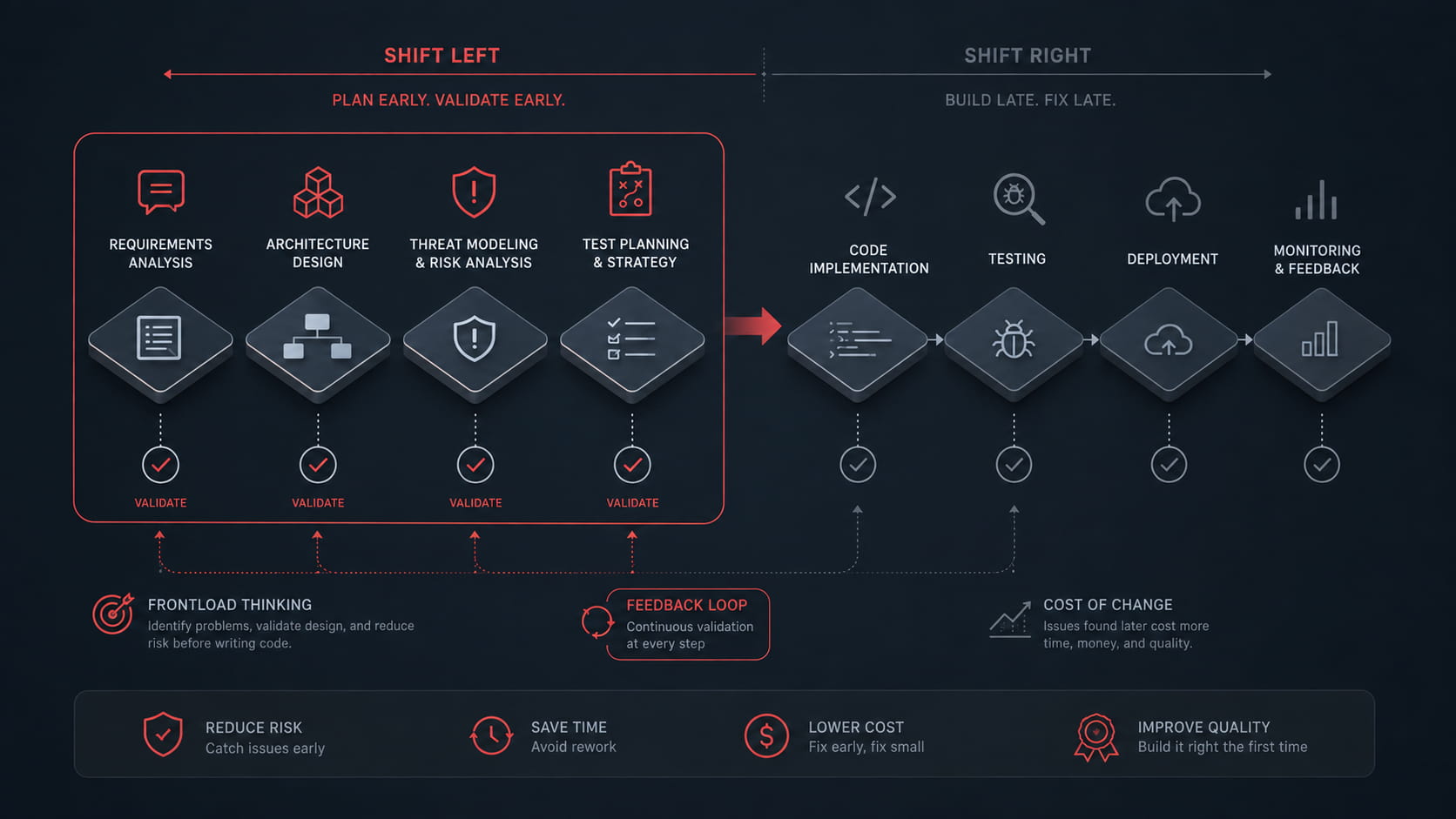
The biggest inefficiency in writing code with AI is asking directly for code generation and then trying to clean up build and logic errors. The healthiest method accepted in 2026 engineering standards is to integrate the "Shift-Left" approach into AI loops, shifting effort from the coding phase to planning, specification and test design.
This loop runs as a four-stage pipeline:
Requirements and Architecture Breakdown: Instead of having the model write application code directly, you have it interrogate the data models, security layers and external service dependencies of the structure to be built.
Identifying Edge Cases: The model is asked to list the points where the system will crash, memory limits and invalid data input scenarios. At this stage, architectural assumptions are tested using prompt techniques for open problems involving uncertainty.
Writing Tests First (TDD): Before moving on to writing code, the agent generates unit and integration test files that conform to the defined specification. These tests are deliberately designed to fail (red) at first.
Self-Healing and Circuit Breaker: The agent writes the application code, runs the test suite, reads the error logs of failing tests from the terminal and revises the code. To prevent this loop from running forever or consuming tokens uncontrollably, a "circuit breaker" rule limited to 5 or 10 iterations is defined.
How Do You Configure a 24/7 Tmux and Autonomous Terminal Agent Architecture?
The most critical advantage of terminal-based AI agents is that they can run like a background service on a server or local hardware without needing graphical interfaces. For this setup to run reliably, the most common approach is installing AI applications for Mac computers on a standalone machine that stays on at home or in the office, and backing it up with session managers.
The setup is put into practice with these operational steps:
Starting a Persistent Session: In the terminal, the
tmux new -s ai-agentcommand opens a session that lives independently in the background. That way, the command line doesn't drop even if the SSH connection closes.Isolating the Development Environment: So that the agent doesn't damage main system files directly, a new Git branch is created in the project directory and a virtual workspace is activated.
Running the Agent in Loop Mode: Inside the session, Claude Code's autonomous background capabilities are triggered. The agent is assigned a large-scale refactoring or test completion task.
Detaching the Session: You exit the tmux session with the
Ctrl+BthenDkey combination; the developer can close the terminal while the agent continues its task in the operating system.
How Do You Communicate Asynchronously from Mobile Devices via MCP Channels?
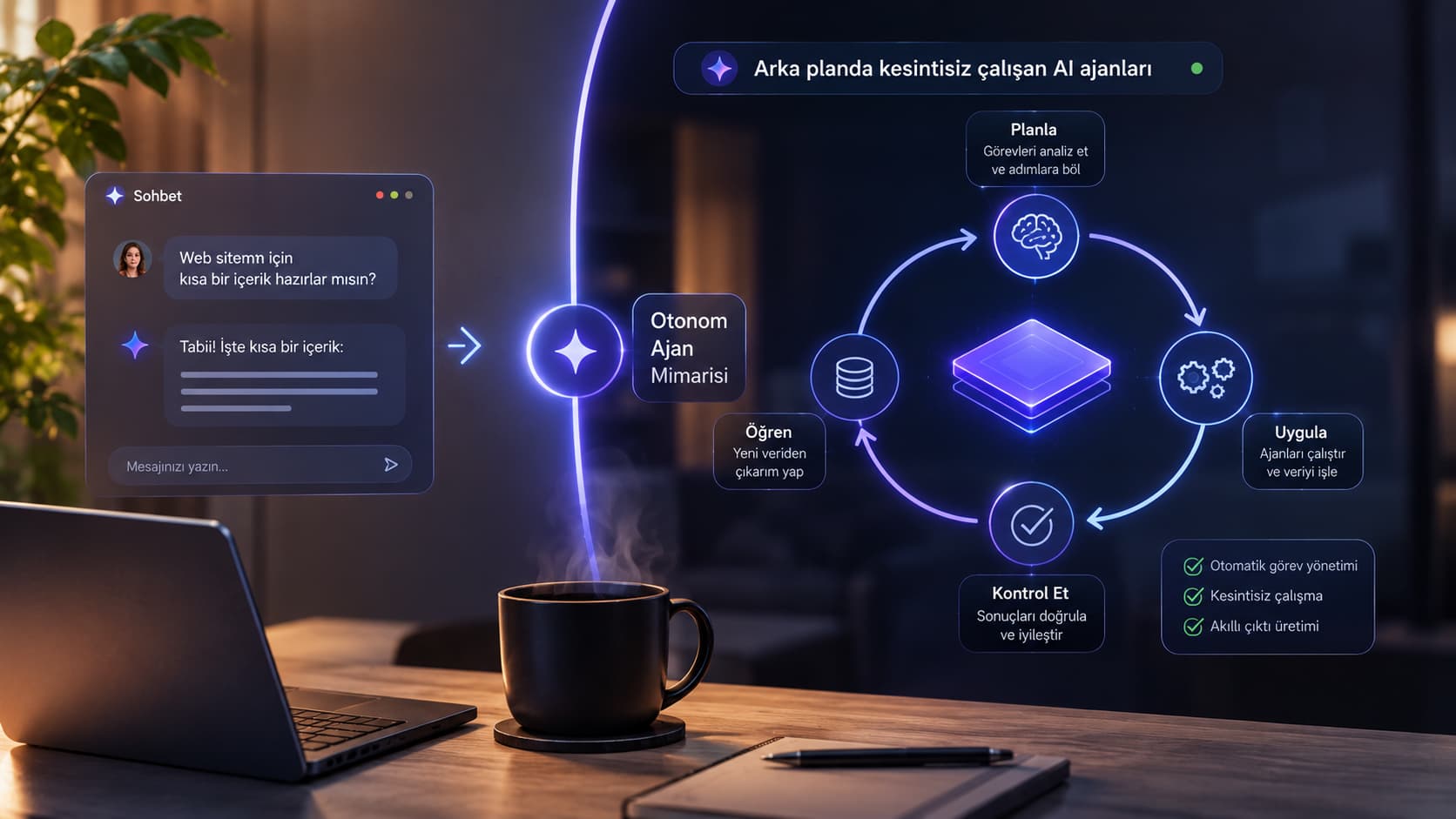
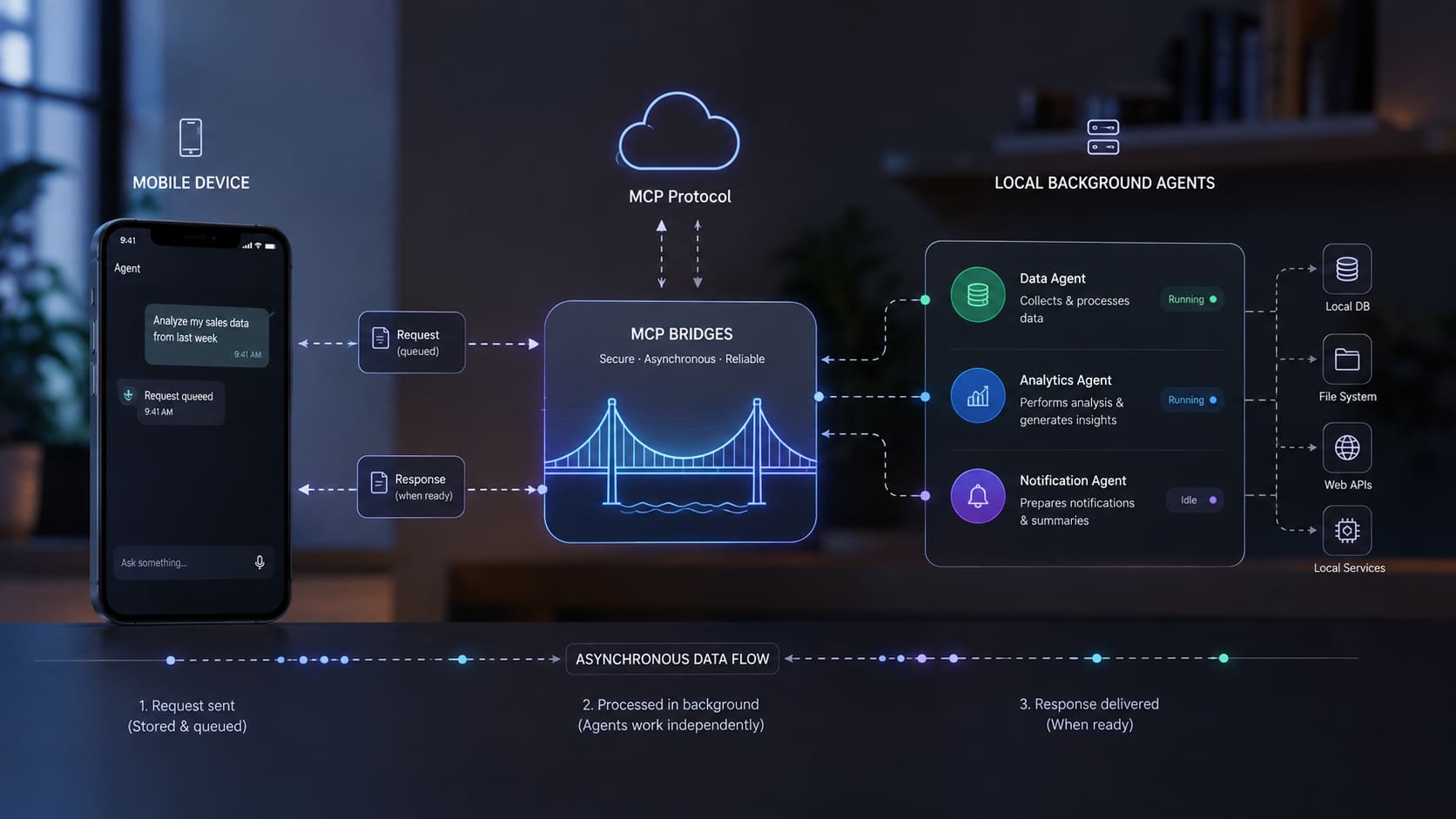
Constantly opening an SSH terminal to intervene in an agent running 24/7 on a desktop or server while you're out isn't practical. In 2026 workflows, this problem is solved through the Model Context Protocol (MCP Channels) and messaging bridges.
Here is how the system works:
MCP Server Bridge: The agent running on the local machine connects to an MCP server that provides a webhook or messaging interface (Telegram, Slack or a custom HTTP endpoint).
Voice and Text Command Delivery: When the user sends a voice recording or short text from their phone while on the move, that input lands on the MCP server in the background.
Context Injection: The MCP server transcribes the incoming message and adds it as a new instruction to the active task context of the agent currently running inside tmux.
Status Notification: When the agent finishes the work or a critical approval is required (for example, permission to run a database migration), it sends a one-line summary and an approval button to the mobile device.
How Do You Automate Scheduled (Cron) and Event-Driven Tasks?
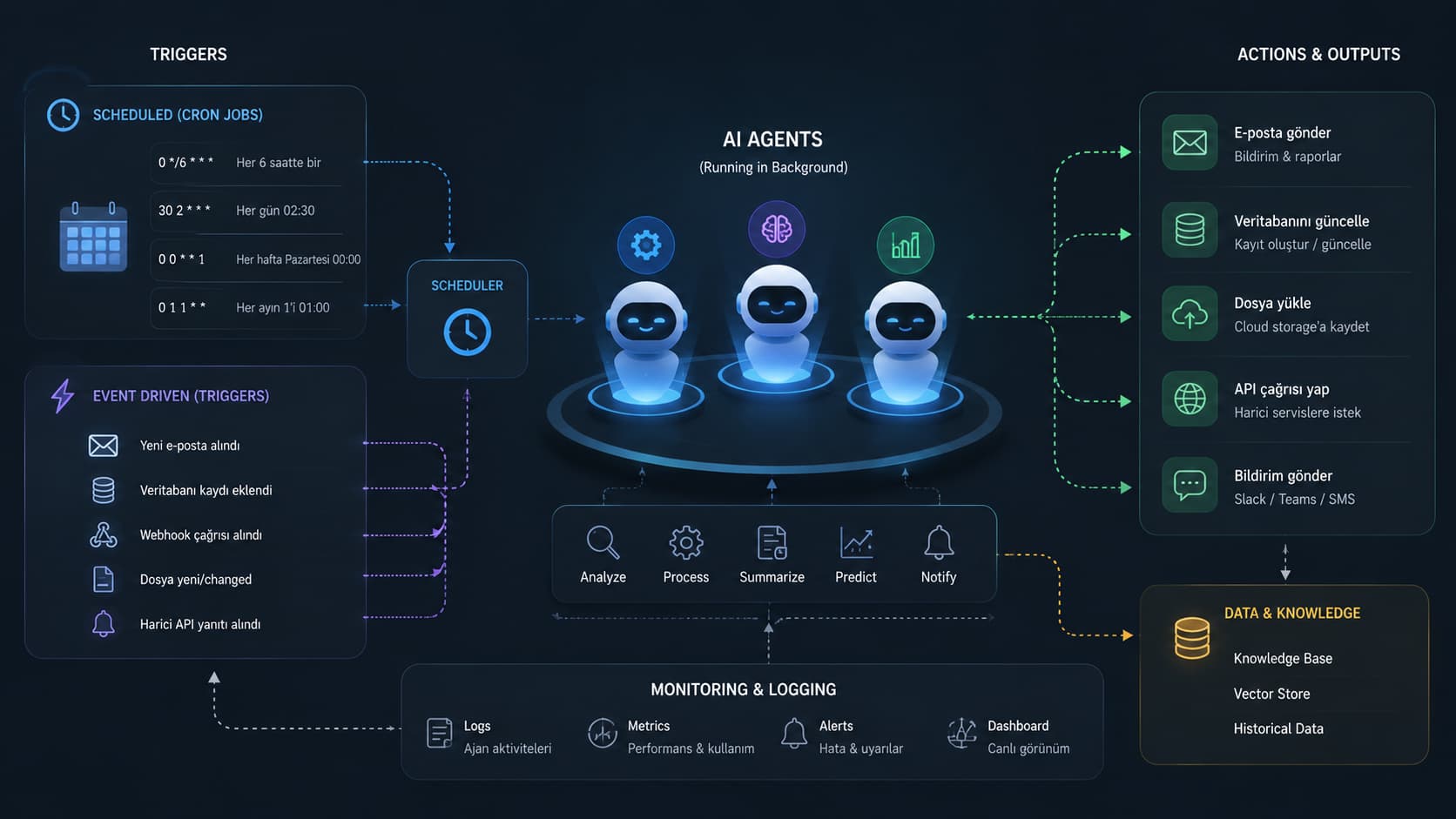
AI assistants have moved beyond being structures that just wait for commands and have turned into routines triggered automatically at set intervals or on system events. This approach minimizes the operational maintenance load on software teams.
The core automation scenarios used in practice are:
Nightly Bug Scans (Cron): Every midnight, a scheduled script runs, scans new entries in the issue tracking system (Sentry, GitHub Issues), locates the source of the bug in the codebase and opens a ready patch branch.
Event-Driven PR Reviews: Triggered when a new Pull Request is opened on GitHub, the autonomous agent reviews security vulnerabilities, performance bottlenecks and code quality based on the team's architectural standards file, and leaves inline technical notes.
Log Anomaly Filtering: When an unexpected spike in errors is detected in production API logs, the agent wakes up automatically, analyzes the stack trace and delivers a root cause report to the developer.
How Do You Generate Technical Documentation and Task Trees Automatically from Meeting Recordings?
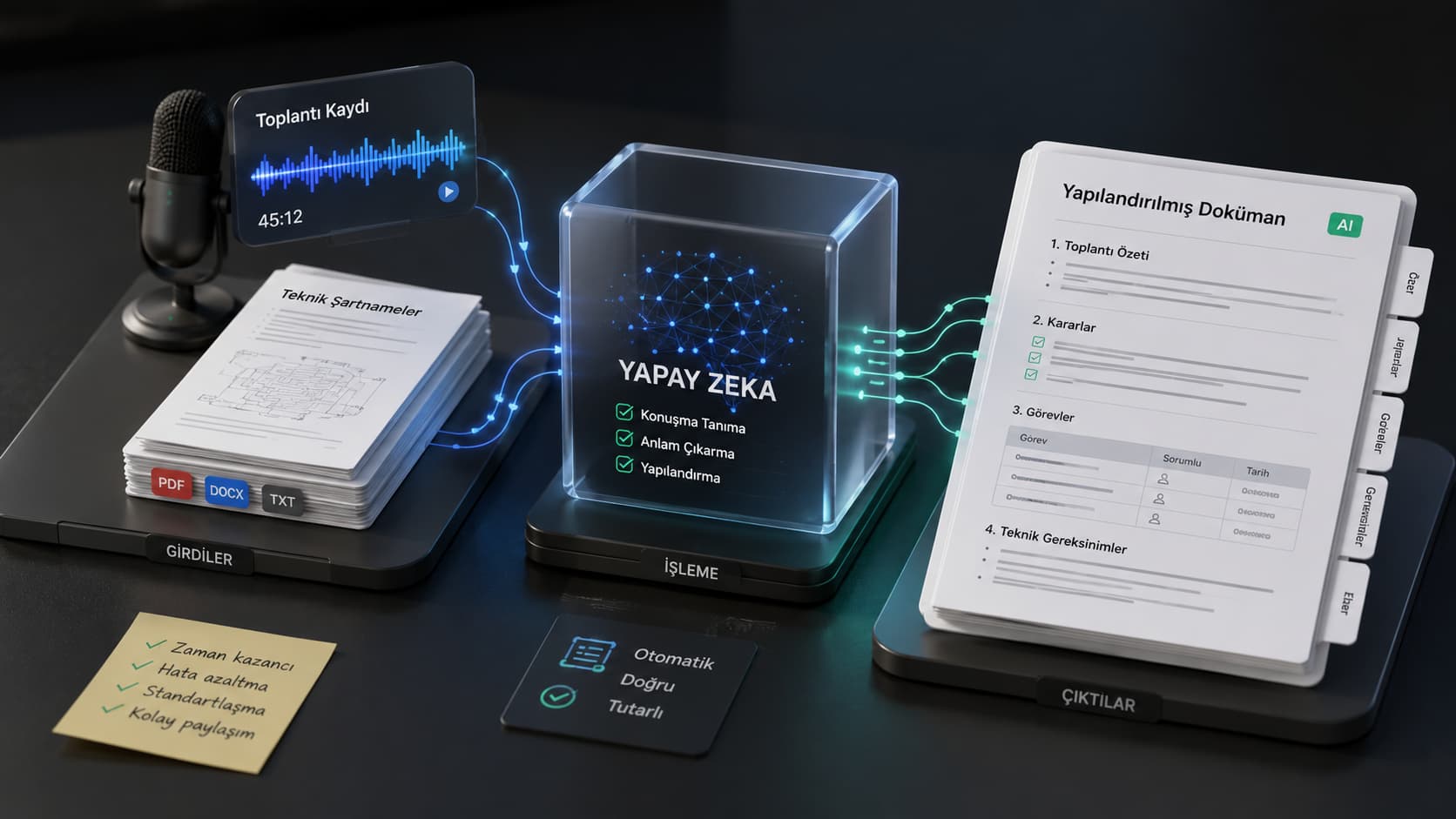
Producing technical documentation is one of the areas where AI saves time most clearly. Today, engineering teams are connecting documentation production to an automated pipeline in line with the principles of designing modern software factories.
The process runs through these steps:
Capturing Raw Input: Audio recordings of architecture meetings or free-form brain-dumps are converted to text.
Converting to Standard RFC Format: The AI model turns this scattered text into a standard RFC (Request for Comments) document containing the sections Goals, Non-Goals, Data Architecture, Security Risks and Alternative Solutions.
Counterargument Simulation: The model is asked to take on the role of a senior systems architect and critique the logical gaps and scaling limits in the document.
Task Tree and Issue Extraction: The approved document is broken down into small, ordered task steps to be imported directly into the project management system or the GitHub Issues panel.
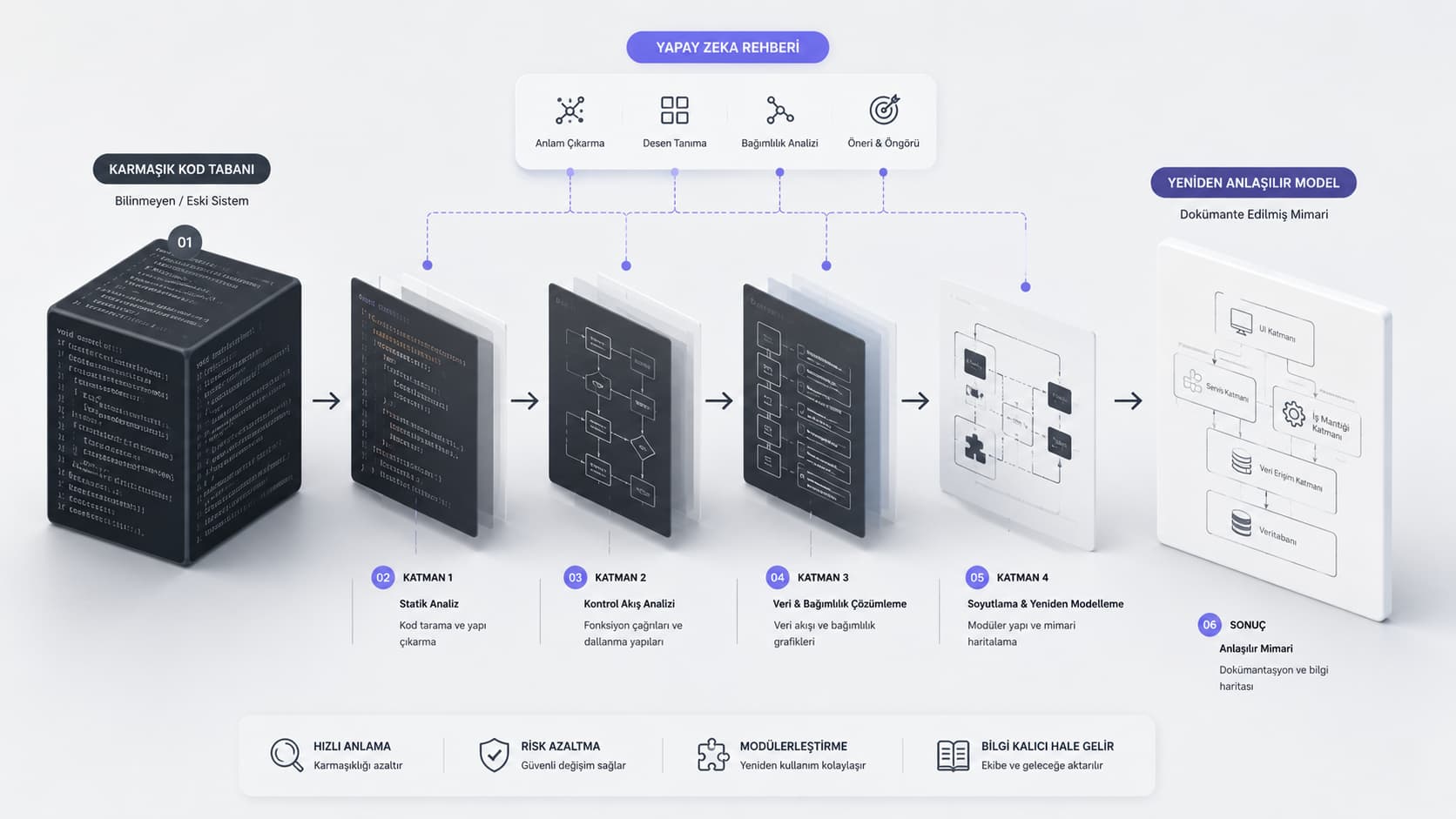
How Do You Quickly Learn Complex Codebases Through Reverse Engineering?
When joining an unfamiliar codebase or a large-scale open source library, reading code line by line has given way to interactive reverse engineering practices.
To speed up this process, the following technical steps are applied:
Extracting a Systemic Call Graph: Have the agent analyze the codebase's main entrypoint and data flow direction to map communication between components.
Questioning Design Decisions: For parts of the code that look complex, ask the model: "Why might this design pattern have been chosen in this architecture, and what is its advantage over the alternatives?"
Generating Visual Mental Models: To make abstract flows concrete, ask the model to produce flowcharts (Mermaid.js syntax) and state machines.
As highlighted in developer communities and analyses in global engineering newsletters, positioning AI not merely as a code writer but as an interactive code-reading tutor multiplies the speed of technical learning.
Frequently Asked Questions
How do you prevent background agents from damaging the main codebase?
Agents' write access to the main branch should be strictly disabled. The agent should always run on an isolated Git branch, the code it produces should pass automated CI/CD tests, and final approval must always come through a code review by a human developer.
How do you control the token cost of autonomous agents running on tmux?
Instead of giving agents open-ended task definitions, send clearly scoped commands. In addition, to prevent infinite loops, define circuit breakers that set a maximum number of steps, and make file reading limits explicit.
Do you need to rent a dedicated server to use the Model Context Protocol (MCP)?
No, MCP servers can run on your local computer or on a device at home. Clients read this protocol through local JSON configuration files and connect securely to the files and tools on your own machine.
Does the Shift-Left and TDD approach slow things down in small projects?
On the contrary, clarifying the specification and tests first saves time even in small projects. A 3-minute design validation before writing code eliminates hours of debugging and architectural fixes.
The real productivity gain AI offers doesn't come from the individual code blocks models produce directly; it comes from the architectural discipline and continuous workflows built around these models. Starting the coding process from the planning phase, enriching terminal sessions with autonomous agents and connecting tools through MCP bridges form the core standard of modern engineering. When you redesign your development habits around this systemic infrastructure, you can experience firsthand how AI turns from a simple assistant into a fully capable operational powerhouse.
AdminBen Affleck AI Girişimini Netflix Satın Aldı mı?


Yapay Zeka Ajanı Siber Saldırısını Türk Öğrenci Durdurdu