
How to Prepare a CV with AI
Automatically translated
 Writer
Preparing a CV with AI has become an important aid for job seekers who want to write a résumé, improve an existing CV, or tailor an application to a specific position. AI tools such as ChatGPT can be used at many stages, from analyzing job postings and expressing experience more professionally to making a CV compatible with ATS systems and drafting a cover letter.
However, the quality of the result you get from AI when preparing a good CV depends on the accuracy of the information you provide and how clear your prompts are. You should also not allow AI to generate experience, skills or achievements that you do not have.

Preparing a CV with AI means using AI tools to organize a candidate's education, experience, skills and career information and creating a résumé suited to the targeted position. For example, if you state that you led a team on a project, AI can turn this into a stronger CV entry. However, you should not include in your CV a project you did not carry out or a management experience you do not have.
OpenAI Academy states that ChatGPT can be used in the career process to adapt résumés to specific job opportunities, express experience more effectively and analyze job postings.
How to Prepare a CV with AI?
When preparing a CV with AI, progressing step by step is a more controlled method than asking it to create the entire CV in one go.
Prepare Your Career Information
In the first stage, prepare the information you will give to the AI. Your education history, work experience, internships, projects, technical skills, foreign language level, certificates and volunteer work can all be part of this information.
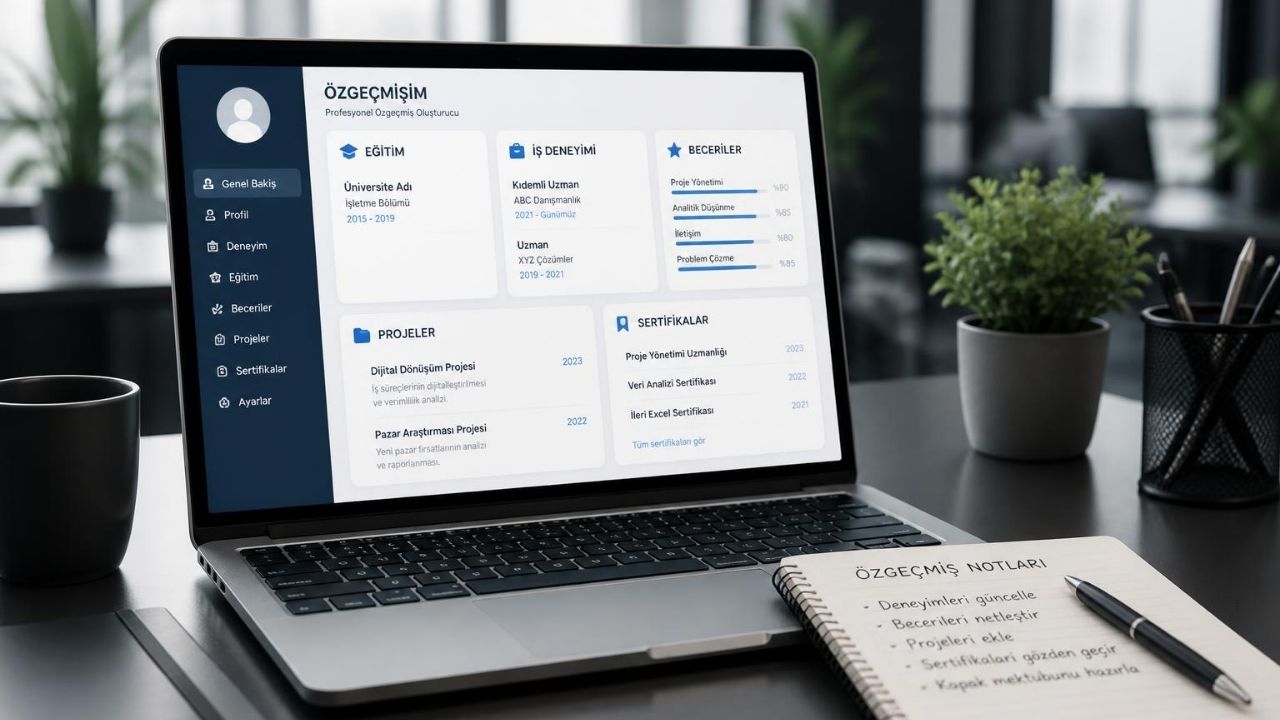
Especially express your achievements with concrete information wherever possible. For example, instead of “I worked in the sales team,” stating a result you actually achieved helps the AI express your experience better.
Prompt Example:
“Analyze my career information below. Do not change my information or add new information. Group my experience into categories: education, work experience, skills, projects and achievements. Separately point out any missing or unclear information.”
Define the Target Position

Rather than using the same CV for every application, it makes more sense to tailor it to the targeted position. For example, the experiences a candidate applying for a marketing specialist role should highlight will differ from those of a candidate applying for a software developer role. For this reason, the position you are applying for should be clarified before preparing your CV.
Have AI Analyze the Job Posting
Once the target position is defined, the job posting can be passed on to ChatGPT. You can ask the AI to extract the main responsibilities, technical skills, experience requirements and other qualifications listed in the posting.

Prompt Example:
“Analyze the job posting below in detail. List separately the core skills, experience, responsibilities and qualifications sought in the posting. Rank the most important requirements by priority. Do not guess any information that is not in the posting.”
The purpose of this stage is not to change the CV yet, but to understand which qualities the employer is looking for.
Adapt the CV to the Job Posting

Once the job posting has been analyzed, it can be compared with the existing CV. You can ask the AI to show which of your experiences overlap with the position. This makes clear which sections of the CV should be more visible.
Prompt Example:
“Compare the CV below with the job posting. Identify the experiences in my CV that directly overlap with the requirements in the posting. Do not make up missing qualifications. Offer suggestions for expressing the information already in my CV more clearly.” At this point, as at every step, each change the AI suggests must be checked by the candidate.
CV Preparation Prompts with ChatGPT
When preparing a CV with ChatGPT, using the right prompt can significantly affect the quality of the output. Instead of a single general command, separate commands can be used for the different sections of the CV.
Prompt for Writing the CV from Scratch
“Using my career information below, create a professional CV draft. Use only the information I have provided. Do not make up experience, companies, duties, dates, certificates, skills or achievements. Arrange the CV according to the [POSITION] role I am targeting. Reduce unnecessary information and highlight relevant experience.”
Prompt for Making the CV More Professional
“Make the language of this CV more professional. Make the sentences shorter and clearer. Do not change real information or add new achievements. Reduce repeated phrases. Describe each work experience as action- and result-oriented as possible.”

CV Analysis Prompt
“Review this CV like a recruiter. Identify the points that look strong at first glance and the sections that need improvement. Do not make up information you think is missing. Specify the five points that should be corrected first.”
Prompt for New Graduates
“Help me prepare the CV of a new graduate. Since my work experience is limited, highlight my education, internships, university projects, volunteer work and technical skills correctly. Do not add experience I do not have and do not exaggerate my information.”
Prompt for a Career Change
“I want to move from my current career into the [TARGET FIELD] field. Analyze the past experience in my CV and identify transferable skills related to the new position. Do not add experience I do not have. Express my existing experience in a way that is clearer from the perspective of the target position.”
How to Prepare an ATS-Compatible CV?
ATS is the abbreviation of “Applicant Tracking System,” meaning applicant tracking systems. Some employers may use these systems to manage applications or evaluate candidates.
For this reason, when preparing a CV, it can be important to use the relevant skills and position-related terms from the job posting in the right context. Indeed recommends considering keywords specific to the role and industry in the job posting when preparing a CV.

How to Identify Keywords for ATS
Recurring skill, technology, duty and position terms in the job posting can be reviewed. However, only those that match qualifications you actually have should be added to the CV.
For example, if a posting asks for “Google Analytics,” “SEO” and “content marketing,” and the candidate has real experience in these areas, these terms can be used in the relevant experience entries.
On the other hand, adding a software tool to your CV just because it appears in the posting, when you have never used it, is not correct.
ATS Prompt:
“Identify the important keywords and skills in this job posting. Then list only those that match what is actually in my CV. Do not add any skill that is not in my CV. Suggest which CV section each matching skill can be naturally used in.”
What to Consider in CV Design
Not only the content of the CV but also its readability matters. Complex designs, unnecessary graphics and excessive visuals can reduce readability in some application systems or for human readers. For this reason, simple headings, orderly sections and an easily scannable structure are preferable. Indeed also recommends a simple, readable structure for ATS-focused CVs.
How to Write a Cover Letter with AI?

A cover letter can also be prepared with AI assistance alongside the CV. Rather than reusing the same text and only changing the company name, analyzing the CV and job posting together can help create a more personal application.
Cover Letter Prompt
“Compare my CV with the job posting below. Identify the three experiences of mine that most strongly match this position. Then, using only the real information I have provided, write a short, professional and natural cover letter. Reduce generic and cliché expressions. Do not add any information that is not in my CV.”
Before the final version of the cover letter is sent, the candidate should read it and check whether the expressions the AI used really reflect their experience.
Mistakes Made When Preparing a CV with AI
Although using AI makes the CV preparation process easier, when used incorrectly it can reduce the credibility of an application in the business world.
Fabricating Experience
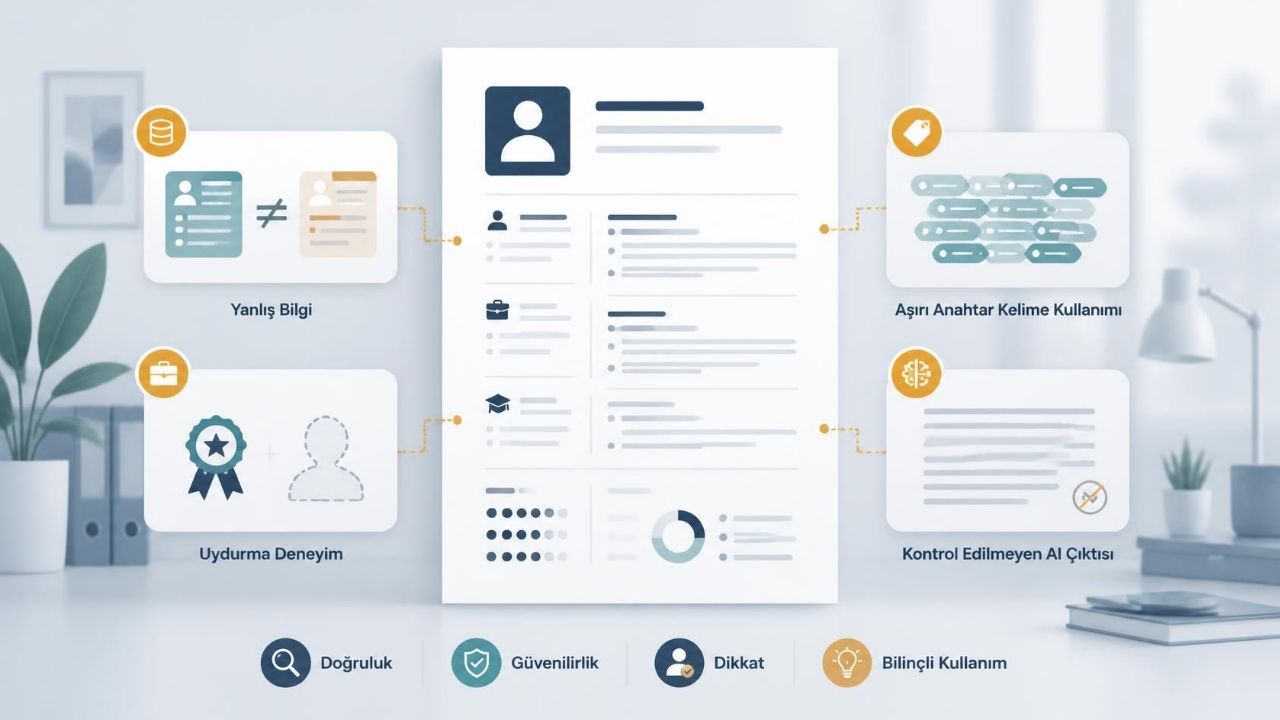
One of the most serious mistakes is allowing AI to add experience that does not exist in order to create a more impressive CV. Companies you have not worked for, certificates you do not hold or achievements that never happened should definitely not be added to the CV. Since AI hallucination is also a common occurrence when preparing a CV, the output should be checked carefully.
Using the Same CV for Every Job
One of the advantages of a CV prepared with AI is the ability to personalize it. Nevertheless, sending the same CV to every position may cause your relevant experience not to stand out enough.
Using Keywords Excessively
Repeating the same word over and over to achieve ATS compatibility can make the CV look artificial and hard to read. Keywords should only be used when they are linked to real experience.
Not Checking the AI Text
AI-generated texts may contain statements you did not make, incorrect dates or sentences that make things seem different from what they were. For this reason, the final check must always be done by the candidate.
Not Paying Attention to Personal Data
Care should also be taken when sharing personal information while preparing a CV. Unnecessary sensitive information should not be shared with AI tools, and the data processing practices of the service used should be reviewed. In particular, identity numbers, bank details, account passwords and other sensitive data that are not required for preparing a CV should not be shared.

The best approach to preparing a CV with AI is to use the tool not as a system that makes decisions for you, but as an assistant that helps express your career information better.
First, real experience should be prepared, then the target position and job posting should be analyzed. Afterwards, the CV should be adapted in line with this information, checked for ATS compatibility and, if needed, a position-specific cover letter should be prepared.
In the final stage, every piece of information the AI produced must be checked by the candidate. Using it without drifting away from real experience can make ChatGPT and similar tools a more efficient assistant in the CV preparation process.
Frequently Asked Questions
Can a CV Be Prepared with AI?
Yes. AI can be used to create a CV draft, edit an existing CV, analyze job postings and express experience more clearly. However, all information must be verified by the candidate.
Is Preparing a CV with ChatGPT Free?
The available features and access conditions of ChatGPT may vary depending on the service and plan used. The current features and terms of use of the AI tool you use to prepare a CV should also be checked.
Can ChatGPT Add Experience to a CV?
Technically, AI can generate text; however, adding experience or achievements that are not real to a CV is not right. You should clearly tell the AI to work only with verifiable information that you provide.
Will a CV Prepared with AI Pass ATS?
There is no guarantee, as the way ATS systems work may differ. Including real and relevant keywords from the job posting and having a simple, readable structure may be helpful.
Can New Graduates Prepare a CV with AI?
Yes. New graduates can use AI to express their education, internships, university projects, volunteer work and skills in a more organized way. However, work experience you do not have should not be created.
WriterKVKK ve Yapay Zeka: Şirketler Ne Yapmalı?


BragJack Tarayıcı Yapay Zeka Saldırısı Nasıl Çalışıyor?