


Artificial Intelligence Visual Building Guide with Midjourney
Automatically translated
 Creator
Now you don’t need to be an artist, illustration or photographer to draw interesting pictures or attract photos. Today’s artificial intelligence technology takes care of you. In a few minutes! So, what artificial intelligence should be used for visual creation? Of course Midjourney!
Midjourney is the best Generative AI software that creates images from article. You can create stunning art works in different styles with just a few sentences and technical commands. So what is the artificial intelligence program Midjourney with these revolutionary features? Here are details:
What is Midjourney?
Midjourney is the name of an artificial intelligence program, founded by the US scientists David Holz, the former employee of NASA in San Francisco, California, 2 July 2022. Midjourney, a Generative AI software such as DALL-E and Stable Diffusion, which is ready in the market, has been ranked at the peak on visual creation of quality and realistic artificial intelligence, leaving behind these software in a short time.
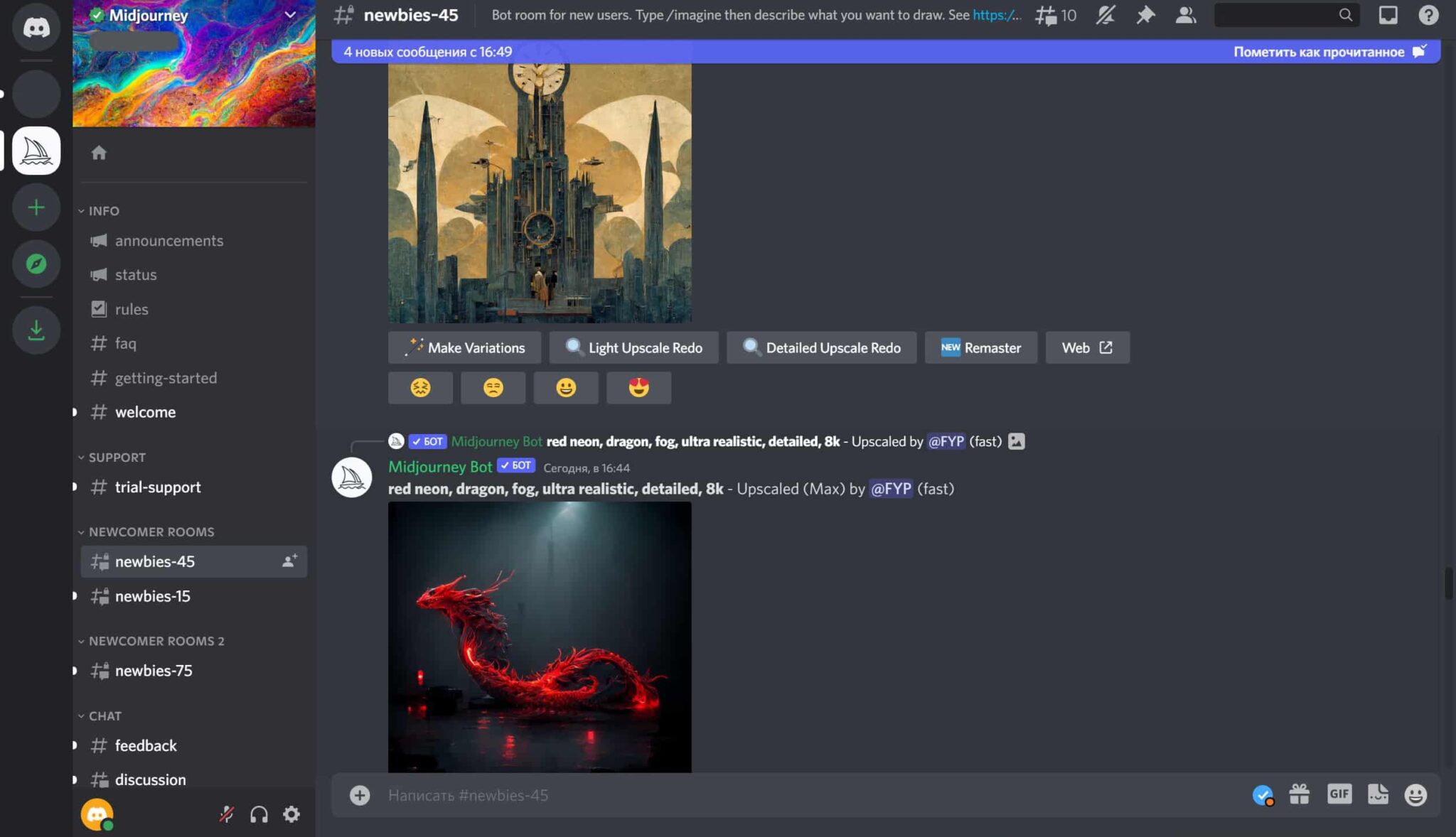
As of November 2023, 16,45 million users reach a great success, artificial intelligence picture drawing software, instant messaging and digital distribution platform Discord is highly popular with its influence.
Although there is a successful AI application for creating artificial intelligence images, Midjourney’s challenge proves that anyone can use is not a software.
Yet we can say that Midjourmey isn’t as hard as they are exaggerated. Because we will tell you how you can use Midjourney in this artificial intelligence visual creation guide and how you can create stunning art works. Here are details:
How to Register to Midjourney?
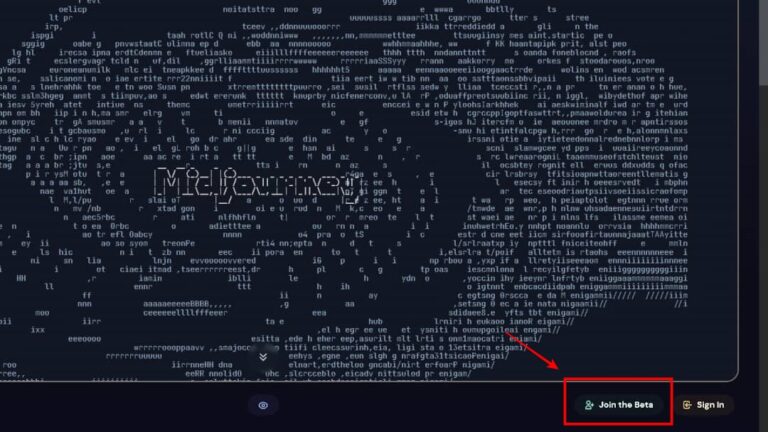
Midjourney is free to register. So you can easily register. But if you are forced during registration, you can follow the steps below.
1. Sign up for Discord
To register on Midjourney, you need to have a Discord account first. Because Midjourney Bot can only be used in Midjourney community server in Discord.
2. 2. Sign up for Midjourney
After dry and logged in the Discord app, visit the official website of Midjourney. On the home page you can click on the "Get Started" option or use an invitation link that provides access to Discord directly. When you follow these steps, you will reach an invitation page directed to the Midjourney Discord channel. By accepting the invitation here, you can enable access permission to the Midjourney server. With these simple steps, you can complete the process of joining Midjourney community.
3. Buy Midjourney Paid Subscription
Midjourney offers three different subscription levels. Each gives access to the member gallery and the official Discord server and includes features such as commercial use rights. See Midjourney documentation for pricing details of plans. In order to subscribe, you can create a personal link to the subscription page using the new incoming room/subscribe script like #newbies-29.
4. Start Creating Artificial Intelligence Visual
If you’re not ready to subscribe yet, you can start creating demand from the new starting channels that have more information in the following section. Note: The new starting channels sent from many requests at once can be rapidly overtensified. Being paid user allows you to send your requests directly to Midjourney Discord boat. However, these requests still appear in the gallery of members; if you want to create special images (hid image production), you must subscribe to Pro Plan.
How to Create Visual in Midjourney?
To create visuals on Midjourney, you need to register on Discord Midjourney server. If you have already completed these trading steps, you must enter a channel from the category "Newcomer Room" to use the Midjourney bot. If you want to use Midjourney bot on your own private server, click on Midjourney bot and click "Add App". Then select the special server you want to add the bot and click "Continue".
How to write prompt now! So how to write prompts also known as istem? Here are details:
Midjourney has customized commands on Discord server. With these commands, instructions on the Midjourney boat can draw pictures to artificial intelligence, customize the images you will draw. The first combination with the simplest subject Tags /imagine: code. This code allows users to design the desired pictures. The user starts the visual creation process by typing instructions and details that he wants to give artificial intelligence using this command.
For example, instructions on a specific theme, color scheme or style may be given. With this command, the imagination and creativity of users are in the forefront and the resulting images are shaped depending on these creative directives.
The use of the consider command is given in the following example:
/imagine prompt: musician looking at his laptop excitedlyThe prompts to create as shown in the above example should be written in English language. Because Midjourney only supports English language. Nevertheless, it is worth noting that this condition is only specific to the beta version. It will also support different languages when it comes to full version.
When a request is approved, the bot will work visual in late two minutes and create four different variations using the information in your prompt. If you want to choose one of these visuals, you can instruct Midjourney bot to convert visual resolution and size to a higher resolution.
How to Edit and Improvement Images in Midjourney?
After you have finished creating your Midjourney visual, the boat will turn some prompts to edit and improve your visuals. Here are a few options you have:
U Buttons
These are from U1-U4. We use U buttons to enlarge a image. This creates a greater version of the selected image as well as more details.
V Buttons
These buttons are in V1-v4 range. You can use these buttons to make small changes in the selected variation image. Used to create similar different alternatives according to selected variation.
Re-roll Button u
This button is similar to the recycle icon. Original prompt restarts a new task. Midjourney will create new variations according to this request.
Midjourney How Can You Improve Your Requests?
In the community server of Midjourney, you’ll see that users who have developed themselves in Midjourney have a number of parameters at the end of their knowledge queries. These parameters can change the most-boy rates of a image, Midjourney model versions, used Upscaler and many other qualities. These parameters are very diverse.
Sample prompt showing parameter use in Midjourney has been shown below.
/imagine prompt: vibrant california poppy --aspect 2:3 --stop 95 --no skyAs you can see in the above example, a number of parameters have also added to the visual specific image features. Midjourney's parameter list Includes more parameters and definitions.
How to Convert Photo to Artificial Intelligence Visual in Midjourney?
Midjourney can edit not only with the visuals of artificial intelligence that you are drawing, but also for a visual when you give your sample. For example, you can convert your vesticity photo to an artistic work. Artificial intelligence can convert cartoon to character, or retract the photo in style. To do this, you must create a prompt as below. This is an app that you can introduce your own photo to Midjourney.
/imagine prompt: http://imageURL1.png description of what to imagine --parameter1 --parameter2
Effective Prompt Create Tactical in Midjourney
The best tactics you need to know about how to write more effective Midjourney requests are outlined in detail below.
- Follow Us: Midjourney produces the best results with certain and clear expressions. Include as many special details as possible in your opener language, but keep your queries essence. It can be neglected after about 40 words; it is very likely to neglect after 60 words, and almost ignore after 80 words.
- Use Descriptive Language: Use adjectives and envelopes to add nuance and feeling to your requests. These can identify the color, shape, size, texture and other characteristics of the object or scene you want to create.
- How to Avoid Injustice: Use an open and direct language that accurately identifies the image you want to create. Unspecified statements can be interpreted in various ways, which can lead to unexpected results.
- Try: You must try to understand how the model comments various keywords. Check out the outputs you received and see how small changes in your request and settings may result in different results.
- Use Request Manufacturer: Prompt manufacturers are created to help you write identifier Midjourney requests. Using them can inspire you and create a great foundation for your first prompt.
- Use Creative Tag: Creative label leads Midjourney to produce non-traditional outputs. This is a great way to develop new ideas or deviate from the traditional appearance of the Midjourney content. Example: "/imagine man playing cricket --test --creative OpenAI".
- Add Weight to Your Wish: With double point overlap (:):) you can instruct Midjourney to individually interpretation terms. This is useful when you want to increase or reduce the importance of certain terms in your prompt. Example: The term 'space ship' is evaluated together every word, Midjourney Bot produces science fiction space vessels. When the request is divided into two parts, space:ship, each concept is individually evaluated, and as a result, a vessel that sails in space is produced.
- Use Negative Requests: Negative keywords are the terms you don’t want to see. Many advanced users to create more nuanced images (–no hands, no text etc. ) add negative requests.
If you are interested in such content, you are still interested in our website "How to Use DALL·E 2 Artificial Intelligence Image Creation Tool?"You can also browse our guide.
CreatorYapay Zeka Kursları İle Kendinizi Geliştirin!


2024'te Yapay Zeka ile Sıkça Duyacağımız 12 İşletme