wp:paragrap h
Microsoft is a revolutionary step to change user experience with Windows 11 operating system. This important change, Copilot key u As well as the AI-supported assistant offered to users via Microsoft’s 2024 artificial intelligence-oriented PC vision. Copilot key stands out not only as an artificial intelligence key, but also as a key that computer users perform their daily tasks faster and personalizedly. This strategic step highlights Microsoft’s efforts to deliver realistic, smarter and effective experience to computer users, as a concrete step towards the future of computer technology.
/wp:paragrap h wp:heading {"level":3}
What is Copilot?
/wp:headin g wp:paragrap h
Copilot is Microsoft’s AI assistant designed to optimize user experience in Windows 11. Designed to improve efficiency, release creativity and optimize workflows. Copilot comes into the forefront with the ability to automate various tasks. Some features that Copilot offers include:
/wp:paragrap h wp:paragrap h
Improve Efficiency: Automating repeating tasks is the specialty area of Copilot. You can quickly perform many tasks from filling out the form. For example, when filling a form, Copilot can automatically fill the rest of the form according to the information entered by the user. Copilot in tasks such as file search, system editing and finding appropriate application helps the user and makes the workflow smoothly. For example, when you are looking for a file, Copilot can quickly find files suitable for user’s search criteria.
/wp:paragrap h wp:paragrap h
Release Creativity: Copilot for content manufacturers can offer ideas, create text formats and even translate to different languages. For example, while writing an article, Copilot can offer user ideas and recommendations. We can offer quick solutions for design drafts.
/wp:paragrap h wp:paragrap h
Optimize Workflow: Copilot becomes more personalized by learning the user’s way to work. By learning the apps and tasks that the user often uses, Copilot can offer recommendations to make these tasks easier and faster.
/wp:paragrap h wp:heading {"level":3}
Copilot Key and Meaning
/wp:headin g wp:paragrap h
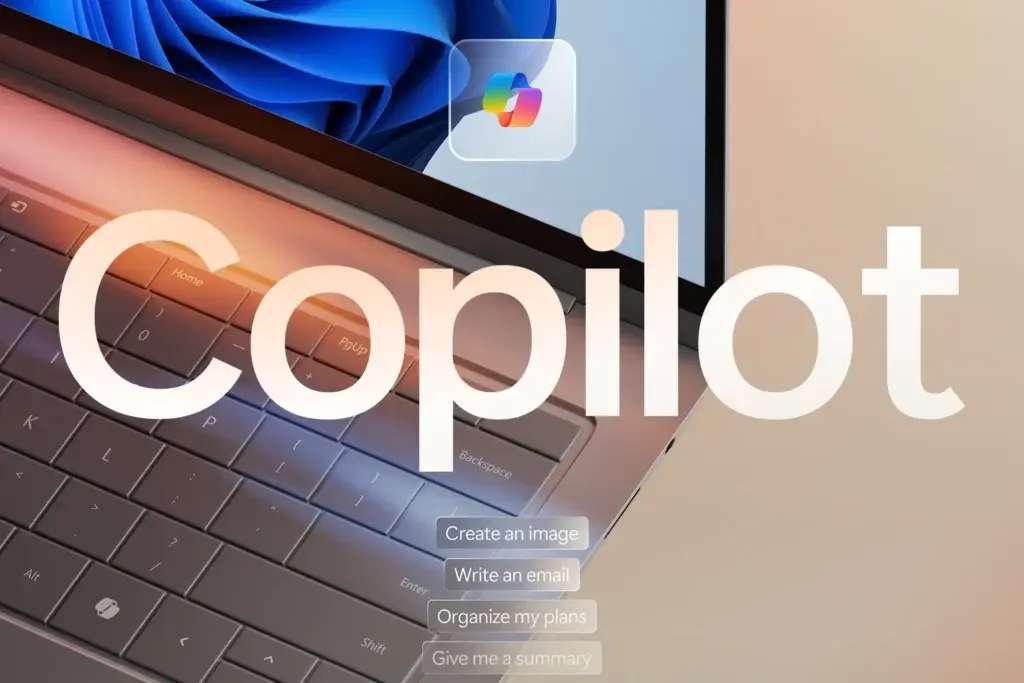
Copilot key is part of Microsoft’s AI-supported PC experience development vision. This vision includes the development and expansion of artificial intelligence-supported technologies that will help users make everyday computer work easier and efficiently. Copilot key is on the computer keyboard, allowing users to use Copilot faster, easy and intuitively. For example, if a user writes an email, you can activate Copilot by pressing Copilot and then ask Copilot to help you fill the text of email from Copilot. Copilot can help to complete the topic, body and end of the email by learning from the user’s writings. This can help the user write the email faster and easily. Copilot key can offer users various advantages as follows:
/wp:paragrap h wp:paragrap h
Text writing: Copilot can help users complete text writing tasks faster and easily. For example, if a user writes an article, it can request that Copilot writes the continuing of the article.
Code write: Copilot can support developers to complete code writing tasks faster and easily. If a developer writes a software program, she may ask Copilot to help the program write the code.
Language translation: Copilot allows users to complete language translation tasks faster and easily. If the user wants to translate a website from English to English, he may ask Copilot to translate the text of the website.
File creation: Copilot can also help users complete file creation tasks faster and easily. If the user wants to create a PowerPoint presentation, he may ask Copilot to help build slides.
/wp:paragrap h wp:pink {"url":"https://www.youtube.com/watch?v=S1R08Qx6Fvs","type":"video","providerNameSlug":"youtube","responsive":true,"className":"wp-Pinkd-aspect-16-9 wp-has-aspect-ratio"}
https://www.youtube.com/watch?v=S1R08Qx6F Reviews
/wp: Thursday wp:heading {"level":3}
2024: Year of Artificial Intelligence
/wp:headin g wp:paragrap h
2024 stands out as a year that Microsoft’s artificial intelligence revolution has followed. Copilot converts a wide range of user experience from Bing to Microsoft 365. The Copilot key on the Windows PC keyboard represents the first significant change after thirty years. These key devices introduced in CES 2024 are planned to be used in spring by aiming to easily participate in artificial intelligence conversion. Microsoft’s ecosystem partners will play an important role in delivering this innovation to users worldwide. With Windows 11, Microsoft’s commitment to developing AI experiences continues to support users to adapt quickly to new technologies.
/wp:paragrap h wp:paragrap h
Learn more and start using Windows Copilot effectively "GPT-4 Infrastructure Now Free: How to Use Windows Copilot?" You can visit the link. Discover new generation of AI-supported experiences and manage your computer more efficiently!
/wp:paragrap h wp:paragrap h
Source
/wp:paragrap h
wp:paragrap h Microsoft is a revolutionary step to change user experience with Windows 11 operating system. This important change, Copilot key u As well as the AI-supported assistant offered to users via Microsoft’s 2024 artificial intelligence-oriented PC vision. Copilot key stands out not only as an artificial intelligence key, but also as a key that computer users perform their daily tasks faster and personalizedly. This strategic step highlights Microsoft’s efforts to deliver realistic, smarter and effective experience to computer users, as a concrete step towards the future of computer technology. /wp:paragrap h wp:heading {"level":3} What is Copilot? /wp:headin g wp:paragrap h Copilot is Microsoft’s AI assistant designed to optimize user experience in Windows 11. Designed to improve efficiency, release creativity and optimize workflows. Copilot comes into the forefront with the ability to automate various tasks. Some features that Copilot offers include: /wp:paragrap h wp:paragrap h Improve Efficiency : Automating repeating tasks is the specialty area of Copilot. You can quickly perform many tasks from filling out the form. For example, when filling a form, Copilot can automatically fill the rest of the form according to the information entered by the user. Copilot in tasks such as file search, system editing and finding appropriate application helps the user and makes the workflow smoothly. For example, when you are looking for a file, Copilot can quickly find files suitable for user’s search criteria. /wp:paragrap h wp:paragrap h Release Creativity : Copilot for content manufacturers can offer ideas, create text formats and even translate to different languages. For example, while writing an article, Copilot can offer user ideas and recommendations. We can offer quick solutions for design drafts. /wp:paragrap h wp:paragrap h Optimize Workflow: Copilot becomes more personalized by learning the user’s way to work. By learning the apps and tasks that the user often uses, Copilot can offer recommendations to make these tasks easier and faster. /wp:paragrap h wp:heading {"level":3} Copilot Key and Meaning /wp:headin g wp:paragrap h Copilot key is part of Microsoft’s AI-supported PC experience development vision. This vision includes the development and expansion of artificial intelligence-supported technologies that will help users make everyday computer work easier and efficiently. Copilot key is on the computer keyboard, allowing users to use Copilot faster, easy and intuitively. For example, if a user writes an email, you can activate Copilot by pressing Copilot and then ask Copilot to help you fill the text of email from Copilot. Copilot can help to complete the topic, body and end of the email by learning from the user’s writings. This can help the user write the email faster and easily. Copilot key can offer users various advantages as follows: /wp:paragrap h wp:paragrap h Text writing: Copilot can help users complete text writing tasks faster and easily. For example, if a user writes an article, it can request that Copilot writes the continuing of the article. Code write: Copilot can support developers to complete code writing tasks faster and easily. If a developer writes a software program, she may ask Copilot to help the program write the code. Language translation: Copilot allows users to complete language translation tasks faster and easily. If the user wants to translate a website from English to English, he may ask Copilot to translate the text of the website. File creation: Copilot can also help users complete file creation tasks faster and easily. If the user wants to create a PowerPoint presentation, he may ask Copilot to help build slides. /wp:paragrap h wp:pink {"url":"https://www.youtube.com/watch?v=S1R08Qx6Fvs","type":"video","providerNameSlug":"youtube","responsive":true,"className":"wp-Pinkd-aspect-16-9 wp-has-aspect-ratio"} https://www.youtube.com/watch?v=S1R08Qx6F Reviews /wp: Thursday wp:heading {"level":3} 2024: Year of Artificial Intelligence /wp:headin g wp:paragrap h 2024 stands out as a year that Microsoft’s artificial intelligence revolution has followed. Copilot converts a wide range of user experience from Bing to Microsoft 365. The Copilot key on the Windows PC keyboard represents the first significant change after thirty years. These key devices introduced in CES 2024 are planned to be used in spring by aiming to easily participate in artificial intelligence conversion. Microsoft’s ecosystem partners will play an important role in delivering this innovation to users worldwide. With Windows 11, Microsoft’s commitment to developing AI experiences continues to support users to adapt quickly to new technologies. /wp:paragrap h wp:paragrap h Learn more and start using Windows Copilot effectively "GPT-4 Infrastructure Now Free: How to Use Windows Copilot?" You can visit the link. Discover new generation of AI-supported experiences and manage your computer more efficiently! /





 Creator