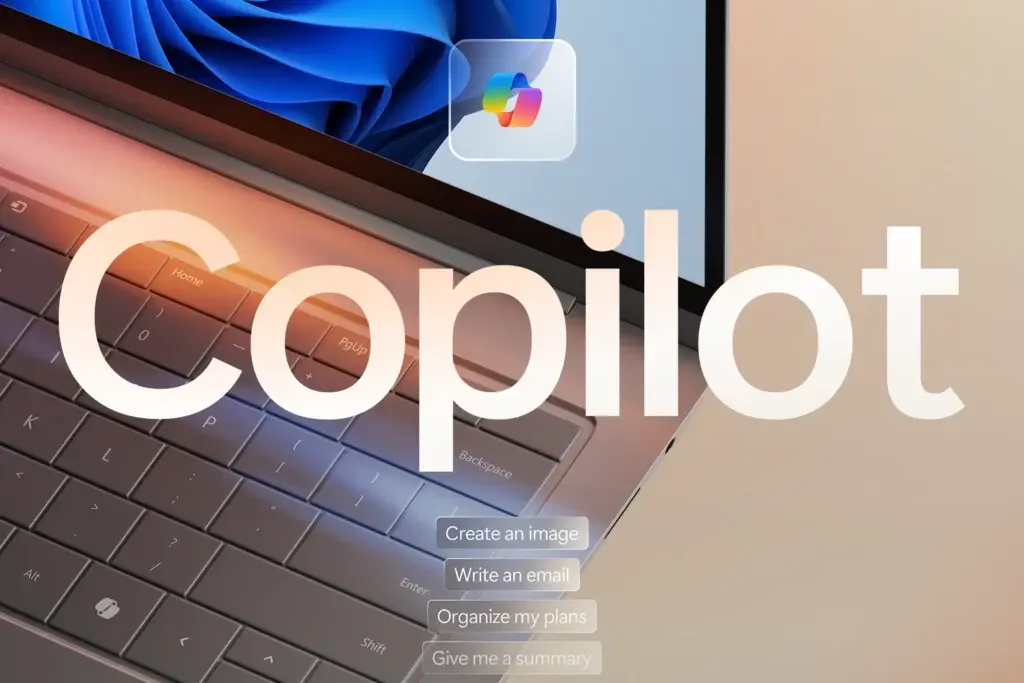
Copilot Key Will Move Artificial Intelligence Experience In Windows A Step Forward
Automatically translated
 Creator
Microsoft is a revolutionary step to change user experience with Windows 11 operating system. This important change, Copilot key u In addition to the AI-supported assistant offered to users via, Microsoft’s 2024 artificial intelligence-oriented PC vision is the foundation. The Copilot key stands out as a key that not only as an artificial intelligence key, but also allows computer users to perform their daily tasks faster and personalizedly. This strategic step, reflects the effort of Microsoft to provide realistic, smarter and effective experience to computer users, it stands out as a concrete step towards the future of computer technology.
What is Copilot?
Copilot is the AI assistant of Microsoft, designed to optimize user experience in Windows 11. Designed to improve efficiency, release creativity and optimize workflows. Copilot comes into the forefront with the ability to automate various tasks. Some features that Copilot offers are:
Improve Efficiency: Automating repeating tasks is the specialty area of Copilot. You can quickly perform many tasks from filling out the form. For example, when filling a form, Copilot can automatically fill the rest of the form according to the information entered by the user. Copilot in tasks such as file search, system editing and finding appropriate application helps the user and makes the workflow smoothly. For example, when you are looking for a file, Copilot can quickly find files suitable for user’s search criteria.
Release Creativity: Copilot for content manufacturers can offer ideas, create text formats and even translate to different languages. For example, when writing an article, Copilot can offer user ideas and recommendations. We can offer quick solutions for design drafts.
Optimize Workflow: Copilot becomes more personalized by learning the user’s way to work. By learning the apps and tasks that the user often uses, Copilot can offer recommendations to make these tasks easier and faster.
Copilot Key and Meaning
Copilot key is part of the vision of developing Microsoft’s artificial intelligence-supported PC experience. This vision includes the development and expansion of artificial intelligence-supported technologies that will help users make everyday computer work easier and efficiently. Copilot key is on the computer keyboard, allowing users to use Copilot faster, easy and intuitively. For example, if a user writes an email, you can activate Copilot by pressing Copilot and then ask Copilot to help you fill the text of the email from QZQ. Copilot can help the user to learn from what they write, complete the subject, body and end of the email. This can help the user write the email faster and easily. Copilot key can offer users various advantages as follows:
Text writing: Copilot can help users complete text writing tasks faster and easily. For example, if a user writes an article, it can request that the article from Copilot writes the continuing.
Code write: Copilot can support developers to complete code writing tasks faster and easily. If a developer writes a software program, it may ask Copilot to help you write the program code.
Language translation: Copilot allows users to quickly and easily complete language translation tasks. If the user wants to translate a website from English to English, he may ask the user to convert the text of the website from Copilot.
File creation: Copilot can help users complete file creation tasks faster and easily. If the user wants to create a PowerPoint presentation, it may ask the Copilot to help create slides of the altar.
2024: Year of Artificial Intelligence
2024 stands out as a year that Microsoft follows artificial intelligence revolution. Copilot converts a wide range of user experience from Bing to Microsoft 365. The Copilot key on Windows PC keyboard represents the first significant change done after thirty years. These key devices introduced in CES 2024 are planned to be used in spring by aiming to easily participate in artificial intelligence conversion. Microsoft’s ecosystem partners will play an important role in delivering this innovation to users worldwide. With Windows 11, Microsoft’s commitment to developing AI experiences continues to support users to adapt quickly to new technologies.
Learn more and start using Windows Copilot effectively "GPT-4 Infrastructure Now Free: How to Use Windows Copilot?" You can visit the link. Discover new generation of AI-supported experiences and manage your computer more efficiently!
CreatorHollywood ve Yapay Zeka: 2025'in Hayal Kırıklığı Yaratan Projeleri


Açık Problemler İçin Prompt Mühendisliği Teknikleri