




Google How to Write Bard Prompt?
Automatically translated
 Creator
In this guide, how to write Google Bard prompt, you will learn the answer of the question. Google Bard, thanks to its natural language processing capabilities, users can create various texts based on prompts they write. In this guide, we will handle the tricks of writing successful and meaningful prompts, step by step how Google Bard works and how you can get the best results.
What is Google Bard?
Google Bard is an artificial intelligence-supported chat boat tool designed by Google using natural language processing and machine learning to mimic human conversations. In addition to completing Google search, Bard can be integrated into websites, messaging platforms or applications to provide realistic, natural language responses to user questions.
Google How Does Bard Work?
Google Bard was updated with Gemini big language model in December 2023. Gemini and models before it; Pathways Language Model 2 (PaLM 2) and Google's Language Model for Dialogue Applications (LaMDA) Google’s nervous network architecture published in 2017. Google has been frame of other productive artificial intelligence tools, including GPT-3 language model used in this architecture ChatGPT, since it broadcasts the Transformer architecture as open source.
Neticede Bard is designed for search. The purpose allows for more natural language queries instead of keywords for search. Bard’s artificial intelligence is trained according to natural-looking speech queries and responses. Instead of answering only one list, it provides context to responses. It is also designed to help with tracking questions that are something new in search.
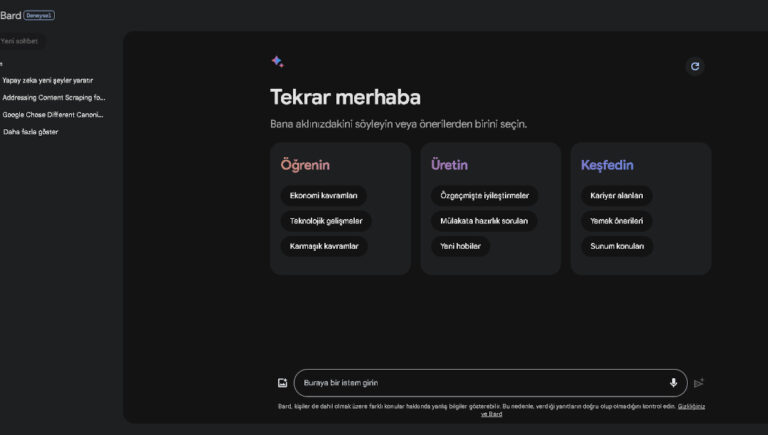
Bard has the function of sharing a conversation to help users verify the results generated and dual control function. Bard, YouTubeTags MapsTags HotelsTags FlightsTags EnglishTags Documents and Driver A number of Google applications and services, including so users can access Bard to their personal content.
The first version of Bard used the lighter version of LaMDA, which requires less computer power to scale more simultaneous users. The inclusion of PaLM language model allows Bard to be more visual in response to user queries.
Bard also includes Google Lens, which allows users to upload images besides written commands. The inclusion of Gemini makes it possible for more advanced reasoning, planning and understanding capabilities.
How to Use Google Bard?
An active Google Account or Bard access manager to use Bard Google Workspace You must have your account. You cannot access Bard with a Google Account or a Google Workspace for Education account managed by Family Link.
European Economic Area (EEA)Tags Switzerland and United Kingdom For 18 years and above. For other countries where Bard is available, you must have 13 years (or age applicable in your country) or above. If you are under 18 years old, you can use Bard only in English.

Also to use Bard AaUppercaseTags HomeTags EnglishTags Home or Edgium you need a supported browser.
Before using Bard, you should trust Bard’s responses as medical, legal, financial or other professional advice. Bard’s responses do not represent the views of Google and should not be attributed to Google. You are responsible for your code use and this code may be subject to open source license.
Google Bard Prompt Writing Techniques
Google Bard prompt writing techniques and tips have been step by step by following examples. This guide will help you use Bard in more efficient way and will allow you to get more accurate responses to your requests.
1. Be specific to your requests
Purpose: The clear and precise of your requests makes Bard understand your expectations correctly.
Sample:
False: Write me a fictional story.
Accurate: Write a fictional love story about two young people who met me in Paris, who fell in love with each other, but ending with a trajik Son.
2. 2. Use Samples
Purpose: Give Bard’s examples of what you’re looking for to better understand your request.
Sample: If you want to write a poem from Bard, you can give examples of the poems you like.
3. Identify the Output Format You Want
Purpose: If you want a certain output format (e.g. Python code, HTML, graphics), it is important to specify it.
Sample: I want to calculate the area of a triangle from Bard in the Python code.
4. Referraling Model k
Purpose: Help Bard understand logic using phrases such as "I think step by step" or "Let's think right".
Sample: 2x2 + 5x — 3 = 0 step by step by step. Step 1: Set the coefficients and fixed terms.
5. Identify Writing Style or Provide Contextile Frame
Purpose: Specify the typing style to make Bard more suitable for your needs.
Sample: I want Bard to write blog post in a formal style about artificial intelligence.
Additional Tips About Google Bard Prompt Write
Use Keywords: Use keywords when requesting to Bard. This helps Bard focus on specific information you are looking for.
Use Natural Language: Use as natural language as possible, make Bard better understand your request and produce organic, readable articles.
Also how to write prompts in ChatGPT, if you are wondering, "How To Write The Most Effective ChatGPT Prompt?"You can also browse our guide.
CreatorNvidia, İhracat Kısıtlamalarını Aşmak İçin RTX 4090'ı Piyasaya Sürdü


2023'te Yapay Zekada Neler Yaşandı: Bir Teknolojik Evrim