Free Apps Used in Task Management
Automatically translated
 Creator
Mission management is a vital importance to organize projects, targets and constructions in our business and private life. Although there are numerous paid task management apps on the market, small businesses are great for freelancers and individual users free alternatives available. Free applications used in task management, Even with basic features, productivity can significantly increase and help you edit your workflow.
/wp:paragrap h wp:head gTrello: Visual and Simple Kanban Panels
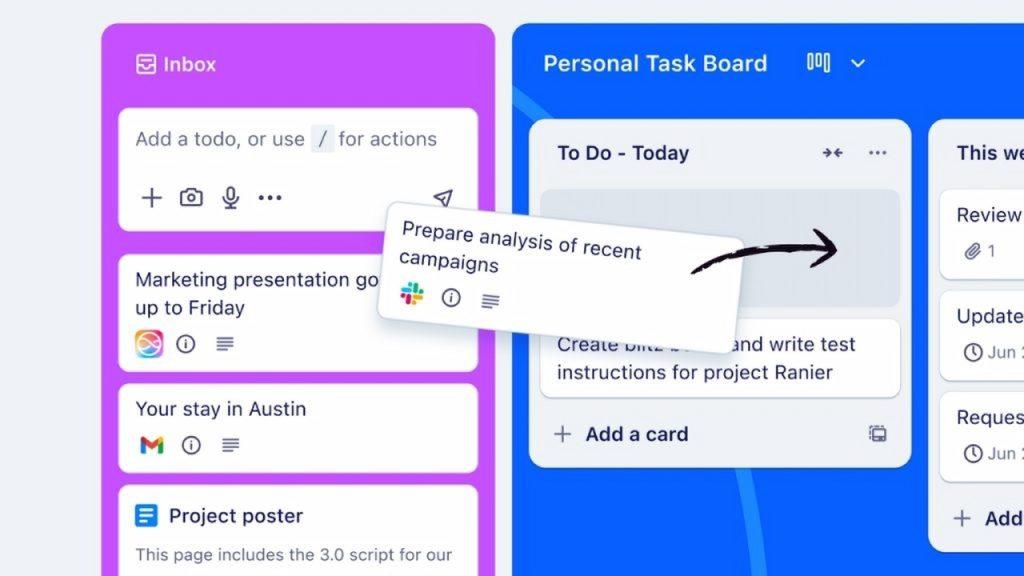
/wp:headin g wp:paragrap hTagsIt is a very convenient option for those who like to manage their tasks with a visual approach. Trello prefers kanban methodology, projects work by split boards, boards lists and lists into cards. This structure allows you to see the status of a task at a glance in the form of (e.g., Dos, Completed).
/wp:paragrap h wp:paragrap hFeatures:
/wp:paragrap h wp:list- wp:list-item
- Unlimited Card and User: You can add cards and users as much as you want in the free plan, which is a great advantage for small teams. /wp:list-item wp:list-item
- Basic Automation: It offers 10 right to operate automation every month. This can automate simple operations such as carrying cards automatically when a certain condition is met. /wp:list-item wp:list-item
- Integrations: Slack facilitates your workflow integrated with Google Drive and other popular tools. /wp:list-item
Who is Suitable for? Teams with simple projects are suitable for those who want to visualize individual users and workflow.
/wp:paragrap h wp:head gAsana: Detailed Project Management and Collaboration
/wp:headin g wp:paragrap hHomeis a powerful tool designed to manage more complex projects and strengthen team communication. HomeTags tasks and projects Home list, calendar, timeline or Kanban board Offers flexibility to follow in different views.
/wp:paragrap h wp:paragrap hFeatures:
/wp:paragrap h wp:list- wp:list-item
- Up To 15 Users Free: Ideal for small and medium-sized teams. /wp:list-item wp:list-item
- Multiple Project Views: Users can view their projects in the preferred format. /wp:list-item wp:list-item
- Basic Reporting: HomeThe basic reporting features include to track the progress of projects. /wp:list-item
Who is Suitable for? Multiple project teams are suitable for those who need more structured workflows such as marketing or software development.
/wp:paragrap h wp:head gClickUp: All-In-One Solution
/wp:headin g wp:paragrap hDownload pBeyond being just a task manager, the project management is a "all-in-one" platform that combines many different tools under one roof, such as document creation, e-sheet and chat. It has a very comprehensive and customizable structure.
/wp:paragrap h wp:paragrap hFeatures:
/wp:paragrap h wp:list- wp:list-item
- Unlimited User and Task: The free plan offers unlimited user and task creation, but it is limited to 100 MB storage space. /wp:list-item wp:list-item
- Multi-Number Customizable Appearance: The list offers more than 15 views options, such as Kanban, calendar, map and even box view. /wp:list-item wp:list-item
- Time Tracking & Automation: Integrated time tracking feature and basic automations help improve work efficiency. /wp:list-item
Who is Suitable for? It is suitable for teams who want to switch between different tools, looking for more features and love to customize the platform according to their needs.
/wp:paragrap h wp:head gNotion: Flexible Information and Task Management
/wp:headin g wp:paragrap hHomeHomerather than a traditional task manager, it is a highly flexible tool used for receiving notes, document management and task management. Block works with small content parts called and these blocks can be text, task list, database, picture or embedded web page.
/wp:paragrap h wp:paragrap hFeatures:
/wp:paragrap h wp:list- wp:list-item
- Unlimited Pages and Blocks: They are completely free for individual users and can create pages and blocks as they wish. /wp:list-item wp:list-item
- Database Functions: Offers powerful database features to organize tasks, projects, customer data or any information. /wp:list-item wp:list-item
- Sharing Convenience: You can easily share pages with anyone or with certain people. /wp:list-item
Who is Suitable for? Individuals who want to combine note and task management are suitable for those who love to build their own structure from scratch and attach importance to information management.
/wp:paragrap h wp:head gMicrosoft Planner: Integrated Solution to Microsoft Ecosystem
/wp:headin g wp:paragrap hMicrosoft 365 If you are using, Planner Free and strong option will come to you. Thanks to the full integration with Microsoft Teams, you can integrate your tasks into your chats and make it easier for your business union.
/wp:paragrap h wp:paragrap hFeatures:
/wp:paragrap h wp:list- wp:list-item
- Full Integration with Microsoft 365: OneDrive works smoothly with Teams and other Microsoft applications. /wp:list-item wp:list-item
- Simple and Functional Interface: Tasks are able to manage boards and buckets (lists). /wp:list-item wp:list-item
- Task Appointment and Notifications: You can assign tasks to team members and receive notifications when it is completed. /wp:list-item
Who is Suitable for? Currently, it is suitable for teams who use Microsoft ecosystem and want to stay in this ecosystem.
/wp:paragrap h wp:head gTodoist: Clean and Focused Task Lists
/wp:headin g wp:paragrap hHomeThe minimalist and minimalistic application that specializes in creating a list of Things to do is extremely easy to use. Perfect balance between simplicity and functionality.
/wp:paragrap h wp:paragrap hFeatures:
/wp:paragrap h wp:list- wp:list-item
- Natural Language Recognition: The phrases like "Send the attachment in half an hour 10" can directly perceive as a task. /wp:list-item wp:list-item
- Project and Tag System: Allows you to organize tasks to projects and labels better. /wp:list-item wp:list-item
- Basic Cooperation: For free plan, 5 active projects and 5 partners per project are limited. /wp:list-item
Who is Suitable for?
/wp:headin g wp:paragrap h
This kind of toll list applications have been developed primarily for users looking for simplicity and speed. It is especially preferred by individuals who want to organize and follow daily tasks. Different from extensive project management tools, only focus on basic functions such as task creation, completion and reminder.
Students are widely used by employees who have intensive business tempos, entrepreneurs or users who care about time management. Such applications allow individuals who want to balance between work and private life to plan their tasks regularly.
/wp:paragrap h wp:paragrap hEvery application addresses a different user profile and determines the working habits and needs of individuals in the selection process. The user can choose the tool that is best suited to him by considering their expectations.
/wp:paragrap hCreatorOperator AI: OpenAI’nin Yeni Yapay Zeka Tarayıcısı


OpenAI Sora ile Yapay Zeka Videolarında Devrim Yaratıyor!