




Microsoft Copilot Less Known 5 Artificial Intelligence Feature
Automatically translated
 Creator
Microsoft CopilotMicrosoft’s artificial intelligence assistant. You can chat with free version, create visuals, print codes and text; Copilot is working directly in Word, Excel, PowerPoint, Outlook and Teams, while in Microsoft 365 subscription. Less known five features: Data analysis in Excel, the first draft in Word, presentation in PowerPoint, meeting summary in Teams and box summary in Outlook.
Last update: 14.10.2026
The history of Copilot is based on Bing Chat: Microsoft changed the name of Bing Chat on November 2023 as Copilot. In this article, we tell you what Copilot can do with today’s present and which feature is in what plan.

What is Microsoft Copilot and What does it offer?
Copilot today from browser (copilot. microsoft.com is available from Windows and Mac application (macOS Sonoma 14 and above), iOS and Android app; it states Microsoft, which can vary according to the country of mobile applications. Copilot in OpenAI and Anthropic models can be selected. Some of what you can do on the chat screen:
Visual creation and editing: You can produce the visual from the recipe to Copilot, edit the images that exist. Use limit lower in free version.
Holiday and travel plan: You can remove a daily route draft by typing the location, dates and budget of the destination. Check the information such as time and price from the official source.
Code particles : You may request a description of small functions, debugging recommendations or what a code does.
Creative article: You can write the first draft for the Poetry, story or presentation text together.
The main little known part works in Copilot Microsoft 365 applications. The following five features in these applications; to use Microsoft 365 Individual, Family, Premium or a job subscription is required.
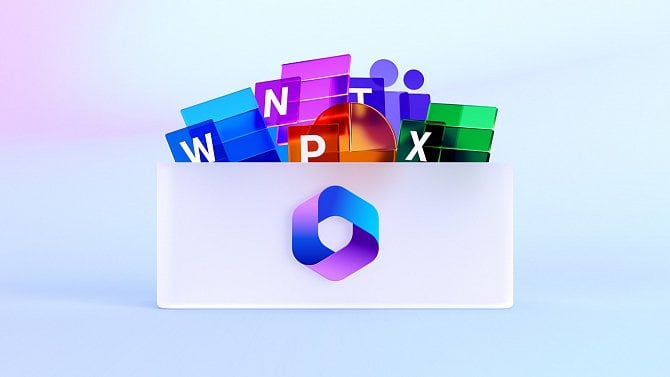
5 Copilot feature less known in Microsoft 365
The following information is based on the official Copilot and support pages of Microsoft. We briefly wrote what it works for each, whether it is free and who is appropriate.
1. Data analysis in Excel Home
In Excel, you are writing and adding data to Copilot; Copilot draws summary and insight from raw data, you can fix it with the result chat. For further deep data analysis in Premium and Pro plans Home (Analiz Specialist) agent.
What does it work: summarize tables, find important points in the data.
Free: No, Microsoft 365 subscription is required.
Suitable for: They prepare reports, small businesses, students.
2. 2. The first draft in Word
In Word, you tell what you want to write to Copilot, add notes or a file; Copilot first draws the draft, you fix it with chat. It is possible to sum up long documents.
What does it work: Report, offer, article draft; document summary.
Free: No, Microsoft 365 subscription is required.
Suitable for: Anyone who writes regular documents.
3. Astemden presentation in PowerPoint
You can create slides by describe the flow and visuals of the presentation in PowerPoint. It is possible to prepare presentations from the content by referenceing a Word document or file.
What does it work: Presentation outline and slide images.
Free: No, Microsoft 365 subscription is required.
Suitable for: They often prepare presentations, entrepreneurs, educators.
4. Meeting summary in Teams
Copilot at Teams meeting, who summarizes the main points together with what he said, suggests things to do and answers questions during or after the meeting. After the meeting has been completed, the live casting (transkript) must be open in the meeting to ask Copilot question. The person who organizes the meeting can determine how participants will use Copilot.
What does it work: Meeting summary, list of to do, ask the part you missed.
Free: No, you need a license.
Suitable for: Multi-meeting teams.
5. Box summary from Outlook
Copilot in Outlook summarizes long e-mail correspondence, highlights the important one and helps you stay regularly for the next steps.
What does it work: summarize email correspondence.
Free: No, Microsoft 365 subscription is required.
Suitable for: Those who have intense email traffic.
Comparison of 5 features
Feature | Application | What does it work | Free |
|---|---|---|---|
Data analysis Home | Excel | Data summary and insight | No (Microsoft 365) |
First draft | Tags | Document draft and summary | No (Microsoft 365) |
Presentation from request | PowerPoin Tags | Slide and visual production Home | No (Microsoft 365) |
Meeting summary | Teams | Main points, to do | No (required) |
Inbox summary | Outlook | Email summary | No (Microsoft 365) |
Chat, visual production Home | Copilot application | Question-cevap, visual, code | Yes (limited use) |
The monthly prices of Microsoft 365 individual plans in Turkey appear on the page of Microsoft in 14.10.2026: Individual 329,99 ₺, Family 409,99 ₺, Premium 719,99 ₺. In the family plan, Copilot features can only use subscriptions. Advanced features such as Researcher (Researcher) and Analyst in Premium and Pro plans.
For businesses: Copilot Studio
Copilot Studio is a Microsoft platform where you can install and manage their own artificial intelligence agents, workflows and applications with code writing or less code. You can connect agents to the data and systems of the company and publish users in the channels they are already working. Not an individual feature; it is used with a corporate license. For Details Copilot Studio page in Microsoft Learn See.
Which Copilot fits you?
Only free Copilot application for chat, visual and short text works is enough. If you are working in Word, Excel, PowerPoint and Outlook, Microsoft 365 subscription, Copilot benefits much more work; if you want to install their own agent in the team, look at Copilot Studio. If you are wondering the options outside Copilot Claude's free plan in Turkey Browse our article; in Masqot to meet people who try artificial intelligence tools together communities You can join.
Frequently Asked Questions
Microsoft Copilot free?
Yes, there is a free version of Copilot; chat, visual creation and visual aid with screen or camera is free with limited use. Microsoft 365 Individuals for Word, Excel, PowerPoint and Copilot in Outlook, Family, Premium or a business subscription is required.
Is Bing Chat with Copilot the same thing?
Yes. Microsoft changed the name of Bing Chat and Bing Chat Enterprise in November 2023 as Copilot.
What is Copilot in Excel?
Copilot can extract summary and insight from raw data in Excel; you can fix it with chat as a result by adding task and data. For this, Microsoft 365 subscription is required.
What is Copilot Studio?
Copilot Studio is a corporate platform that makes Microsoft to build artificial intelligence agents and workflows with minimal code. Agents can be published in channels where users are working with the company data.
Copilot which works on devices?
Copilot is working in browser, Windows and Mac app (macOS Sonoma 14 and above), iOS and Android applications. accessibility of mobile applications can vary according to country.
Creator7 Dil Çeviri Aracı ile Sınırları Aşmak

Aru V3: Geleceğin Robotu Bugün Aramızda!