



How to Use DALL·E 2 Artificial Intelligence Image Creation Tool?
Automatically translated
 Creator
Artificial intelligence image creation tools are the best option to create almost any image you like. In this guide we will provide detailed information about how to use DALL·E 2 artificial intelligence image creation tool developed by OpenAI. Here is everything you need to know about DALL·E 2:
What is DALL·E 2?
DALL·E 2 artificial intelligence image creation tool is an artificial intelligence system developed by OpenAI and provides realistic images from natural language text commands. DALL·E 2, dogs, geyik hunter hats and concepts such as dark, muscular lighting, trained with text-eye double.
Thanks to this ability, "the impression that a Canadian man was depicted in the forest when he was depicted in a deer, can understand a text command, such as a oily table", and it can produce a number of images that are appropriate to this statement.
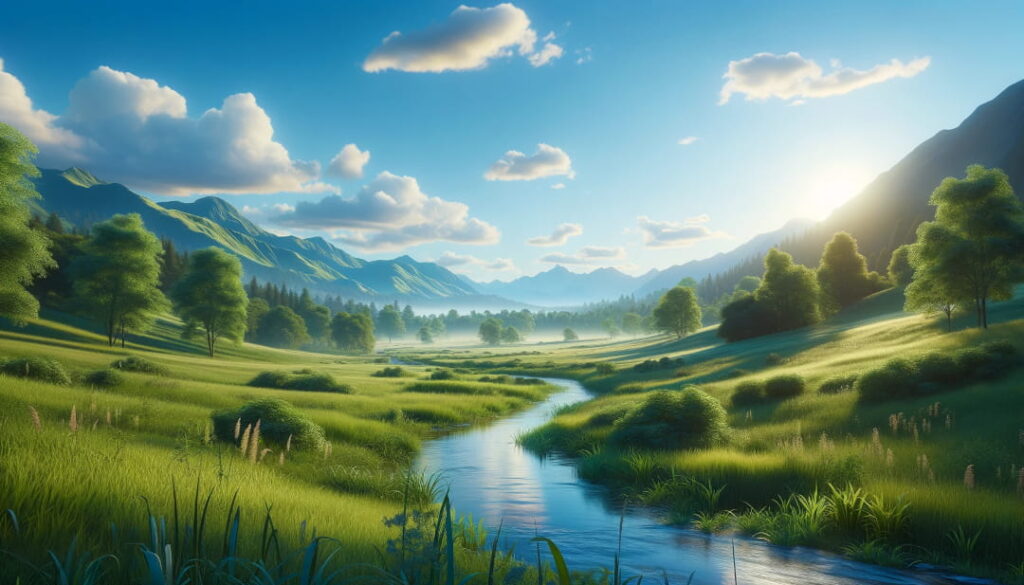
A image manufactured in DALL·E 2 is as follows:
How to Use DALL·E 2?
DALL·E 3 artificial intelligence image creation tool For a ChatGPT Plus you need to be your subscription. Or you should buy DALL·E 2 credits. If you haven’t yet used DALL·E 2 artificial intelligence image creation software, we recommend you simply subscription ChatGPT Plus instead of taking DALL·E 2 credits. So you can use both ChatGPT and use DALL·E 2 via ChatGPT. You just need to follow the steps below if you want to use DALL·E 2 again.
- DALL·E 2 web application Login or register.
- Click on the icon on the upper right corner (...) and then "Buy Now". (Credi cost 15 dollars)
- Once you have purchased your credit, you can create your prompt to the DALL·E 2 homepage.
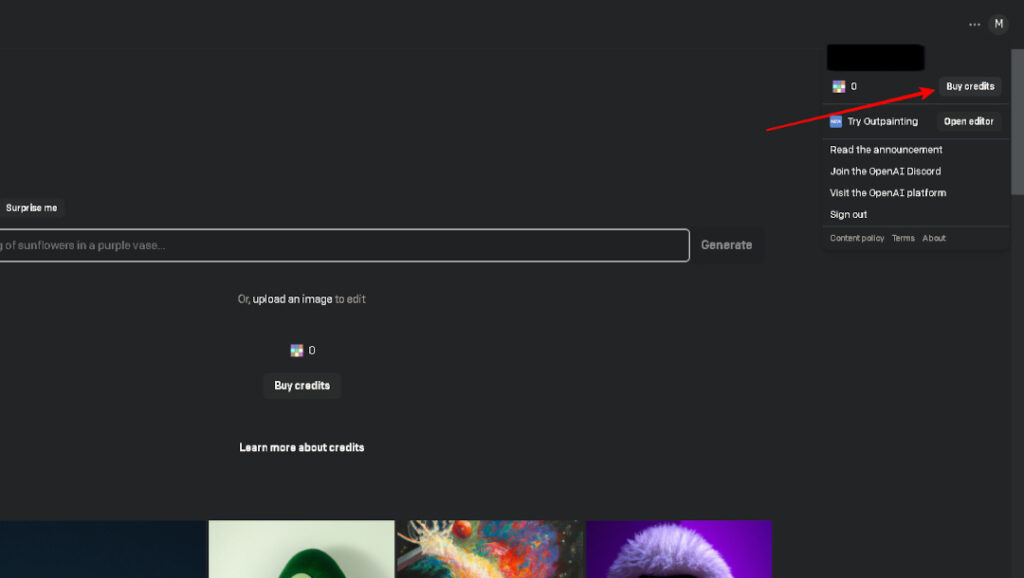
Now let's go deeper and how to Use DALL·E 2? Let's answer the question.
For the use of DALL·E 2, you must first create a free account on the OpenAI website. In the process of creating an account, you will be asked to verify your phone number, because the AI tools of OpenAI are strong, and additional security measures were taken to prevent abuse. DALL·E 2 works through a credit system; every credit here allows you to produce four picture variations for a request.
Users who created accounts before 6 April 2023 had a 50 monthly visual creation credit and an extra 15 free credit, but this free trial has ended now. You have to buy credit for now; you can get loans that you can use for 115 USD for 15 US Dollars, which means about 0.13 US Dollars per request or about 0,035 US Dollars for each image.
After logging in to your account and installing credit, you will encounter the main screen of DALL·E 2. On this screen you can see a art gallery created with DALL·E 2 and have a text field where you can enter your own request. Here you should use this field to create artificial intelligence images.
Use text box to write your first prompt. If you don’t know how to write your first prompt, click the "Surprise me" button on the text box immediately. Or you can try the following examples:
- A cat and dog walks on the Moon with astronaut clothes.
- People who are yoga in a city park, among autumn leaves.
- In a medieval style castle, knights fighting dragons.
Finally click the "Generate" button and wait for a while to create the image.
DALL·E 2 will create 4 different variations according to your request. When you click on any of these images, you can save the visual collection or download it to your device.
How to Create Better Visuals in DALL·E 2?
If you want to create better visuals in DALL·E 2, you need to be experts in this regard. For example, you can customize your visual by adding specific features such as the drawing technique or image size of the visual.
You can also get maximum efficiency from artificial intelligence images by making better descriptions. So you don’t waste your credit. In short; how specific and detailed your prompt is better. If you create a name that you just say "kedi", the only thing you will get will be the images that appear strange.
But do not make your request very complicated. Because in such a case, DALL·E can produce 2 non-exclusive images.
Dallery if you are an epey beginner about the names. prepared by Gallery DALL·E 2 Prompt Book You can browse the guide.
What is DALL·E 2 Inpainting and Outpainting?
DALL·E 2 Inpainting and Outpainting have two features. These features have a number of qualities that you set the limits of the image when creating an image.
- Inpainting: With Inpainting you can delete certain parts of an existing image, you can fill the parts with what you want.
- Outpainting: Outpainting is a feature that you can expand the limits of a square visual for example and turn it into a rectangle visual.
You can also use both techniques to make fine adjustment to your pictures. So how to make fine adjustment in DALL·E 2? Here are details:
How to Set Fine in Images with DALL·E 2?
After writing your queries in DALL·E 2, you will encounter two options when you select one of the variations that are formed after the Generate process. These options are: "Edit Image" and "Generate Variations".
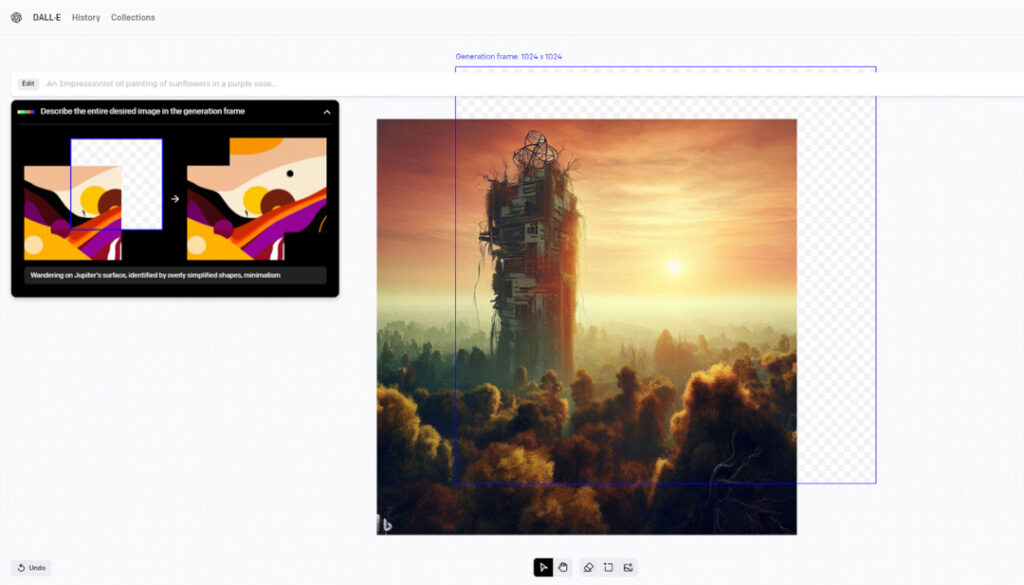
If you prefer Edit Image option, you can adjust fine in images. DALL·E 2 Editor page can delete some of the visual you choose from, or you can do various arrangements and improvements on the visual.
Frequently Asked Questions About DALL·E 2
You can find the answer to all questions you wonder about DALL·E 2 artificial intelligence painting tool in the FAQ section below.
Is DALL·E 2 free?
DALL·E 2 was offering free trial for users who signed up before 6 April 2023, and 40 free credits were given every month. However, this option is not available anymore. Currently, you need to purchase credits to use DALL·E 2.
Every text prompt creates four pictures and costs a loan. The cost of loans is 15 US dollars for 115 credits, meaning about 0.13 for each information prompt For US dollar or every picture, about 0,0325 US dollars. Furthermore, each outer painting or inner painting tour also forms four options and costs a loan.
How Can I Access DALL·E 2?
To use DALL·E 2, you need to create a OpenAI account and log in to your existing account. Create an account is free. Then go to DALL·E 2 main page and click on 'Buy Now' and buy credit. After completing these operations, you can go to DALL·E homepage and start creating content.
Can I Use DALL·E 2 Visuals Commercially?
Yes, you can use the images you create with DALL·E 2 commercially. With DALL·E you will have the visuals you produce, or you have created using paid loans for free. You also have the right to remove the multicolor watermark, which DALL·E 2 adds to the right lower corner of the visuals. This allows you to use your visuals for commercial purposes.
DALL·E 3 When Can Be Used?
DALL·E 3 is currently in use for ChatGPT Plus and Enterprise subscribers. OpenAI Labs has not yet been available.
If you are interested in such content, you are still interested in "Top 10 Artificial Intelligence Creating ToolsYou can browse our list " and learn more about the visual creation software.
CreatorYapay Zeka Uygulamaları ve Siteleri: İşletmeler İçin En İyi 10 Tercih

Gemini ile Yükselen Bard: Google'ın Yükselen Chatbotu!